monday.com Services
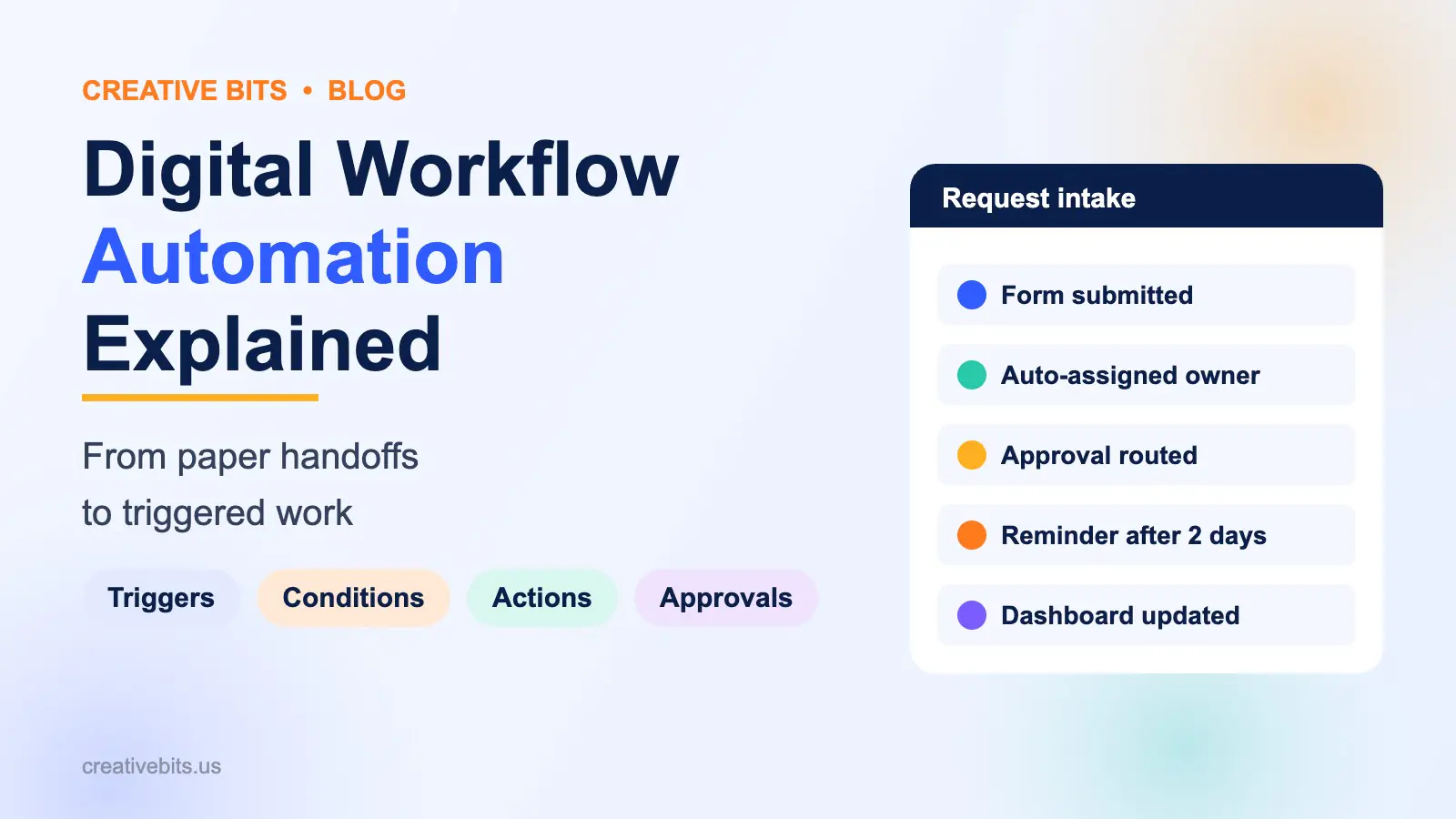
Digital workflow automation is the practice of moving a business process into software so that each step starts on its own when the step before it finishes. A form submission creates a task, an approval sends a notification, a signed contract opens a project, and nobody has to email, chase or re-type anything in between. It is different from simply using software: a team can live in five apps and still run every handoff by hand. Automation is the layer that connects those apps with triggers, rules and actions, so work moves at the speed of the system instead of the speed of someone’s inbox. For a 10 to 200 person company, the first wins are usually intake, approvals, client onboarding and reporting, and most teams can automate one of those in two to four weeks with tools they already pay for.
Digital workflow automation vs just using software
| Using software | Digital workflow automation | |
|---|---|---|
| How work moves | People copy data and send updates by hand | Triggers and rules move work to the next step |
| Where data lives | Repeated in several tools, often out of date | Entered once, synced across tools |
| Who chases status | A manager, by email or meetings | The workflow, with alerts when something stalls |
| Errors | Typos, missed handoffs, lost requests | Required fields, validation, audit trail |
| Visibility | Scattered across inboxes and spreadsheets | One board or dashboard per process |
The test is simple. If a person has to notice that something happened and then go and tell someone else, that step is not automated yet.
How digital workflow automation works
Every automated workflow is built from the same four parts.
1. Trigger
The event that starts the work: a form is submitted, a status changes, a date arrives, an email lands, a file is uploaded or a deal closes in the CRM.
2. Conditions
The rules that decide what happens next. “If the request is over $5,000, send it to the finance director.” “If the client is on the Enterprise plan, assign the senior team.” Conditions are where your business logic lives.
3. Actions
What the system does: creates an item, assigns an owner, sets a due date, sends an email or Slack message, updates a record in another tool, or generates a document.
4. People in the loop
Good automation does not remove people; it removes waiting. Approvals, judgement calls and exceptions stay with a person, who gets the request with everything they need to decide in one place.
From paper handoffs to triggered work: what changes
Most processes go through three stages as they mature.
- Paper and email. Requests arrive in inboxes, spreadsheets track status, and progress depends on who remembers to follow up.
- Digitized. The process lives in a tool like monday.com, with a board per process and a form for intake. Visibility improves, but people still move items by hand.
- Automated. Status changes trigger the next step, integrations sync data between tools, and dashboards update themselves. People only touch the items that need a decision.
Most teams we meet are stuck at stage two. They have bought the software but are still running the handoffs manually.
Digital workflow automation examples
Request intake
A single form replaces requests sent by email, chat and hallway conversation. Each submission becomes an item with a category, priority and owner, and the requester gets an automatic confirmation.
Approvals
Purchase requests, time off, content or contracts route to the right approver based on amount or type. Approvers get a notification with the details and approve in one click. Anything waiting more than two days triggers a reminder.
Client onboarding
When a deal closes in the CRM, a project board is created from a template, the team is assigned, a welcome email goes out and a kickoff meeting is scheduled. If your CRM is HubSpot, see our guide to the HubSpot monday.com integration.
Document workflows
A status change generates a proposal or contract from a template, sends it for e-signature, and stores the signed copy against the client record.
Employee onboarding
A new hire record triggers IT setup requests, account creation tasks, a first-week checklist and reminders to the manager.
Reporting
Dashboards pull live data from every board, and a weekly summary goes to leadership automatically instead of someone building it on Friday afternoon.
Worked examples: what automation saves
| Process | Before | After automation | Time saved (estimate) |
|---|---|---|---|
| Request intake for a 20-person ops team | 40 requests a week by email, triaged by a manager | Form to board with auto-assignment by category | 3–4 hours a week of triage |
| Purchase approvals | Email chains, average 3 days to approve | Routed by amount with reminders | Approval time cut to about 1 day |
| Client onboarding for an agency | 25 manual steps per new client | Template board created when the deal closes | 2–3 hours per new client |
| Weekly leadership report | Manager compiles data every Friday | Live dashboard plus automated summary | 2 hours a week |
These are typical ranges from projects of this size; your numbers depend on volume and how many tools are involved.
Which tools are used for digital workflow automation?
- Work management platforms such as monday.com hold the process itself: boards, forms, statuses, built-in automations and dashboards.
- Integration platforms such as Make, Zapier and n8n connect tools that do not talk to each other natively.
- APIs and custom code handle high-volume or unusual integrations that off-the-shelf connectors cannot.
- AI steps read emails and documents, classify requests or draft replies inside the workflow. See our guide to AI automation for 10 examples.
The right mix depends on volume, budget and how much control you need. Many teams start with built-in automations and add an integration platform only where two systems need to share data.
How to start automating your workflows
- Pick one process that is frequent, painful and well understood. Intake and approvals are usually the best first choices.
- Map it as it really runs today, including the workarounds and who decides what.
- Remove steps before automating them. Automating a bad process just makes the mess faster.
- Build the board and form first, then add triggers one at a time.
- Add integrations only where data has to move between tools.
- Measure request volume, cycle time and hours saved, then move to the next process.
When a workflow automation partner helps
Most teams can build simple automations themselves. A partner earns its fee when processes cross several teams or tools, when automations start firing twice or hitting monthly limits, or when nobody has time to map the process properly. Creative Bits has been designing workflows and monday.com systems from Syosset, NY since 2008. See how our workflow automation services work, or book a free call to map your first process.
Frequently asked questions
What is digital workflow automation?
It is the use of software to run a business process so that each step starts automatically when the previous one finishes. Triggers, rules and actions replace manual handoffs, emails and status chasing.
How is workflow automation different from just using software?
Using software means the process is digital, but people still move the work. Workflow automation connects the steps so the system moves the work and people only handle decisions and exceptions.
What processes should we automate first?
Start with frequent, rules-based processes that frustrate people: request intake, approvals, client onboarding and recurring reports. They are quick to build and the time saved is easy to measure.
Do we need to code to automate workflows?
No. Platforms like monday.com, Make and Zapier let you build most automations visually. Code is only needed for unusual integrations or very high volumes.
How long does it take to automate a workflow?
A single process usually takes one to four weeks, including mapping, building, testing and training. Larger programs covering several departments run in phases over a few months.
Will automation replace our team?
No. It removes repetitive handoffs and data entry so people can spend more time on clients, quality and decisions.
What does digital workflow automation cost?
Tool costs depend on the platforms and plans you use, and many teams already pay for software with automation built in. The larger cost is design and setup time, which a partner can usually deliver as a fixed-scope project.
Want to see which of your processes are worth automating first? Book a free consultation or explore our workflow automation services.