monday.com Services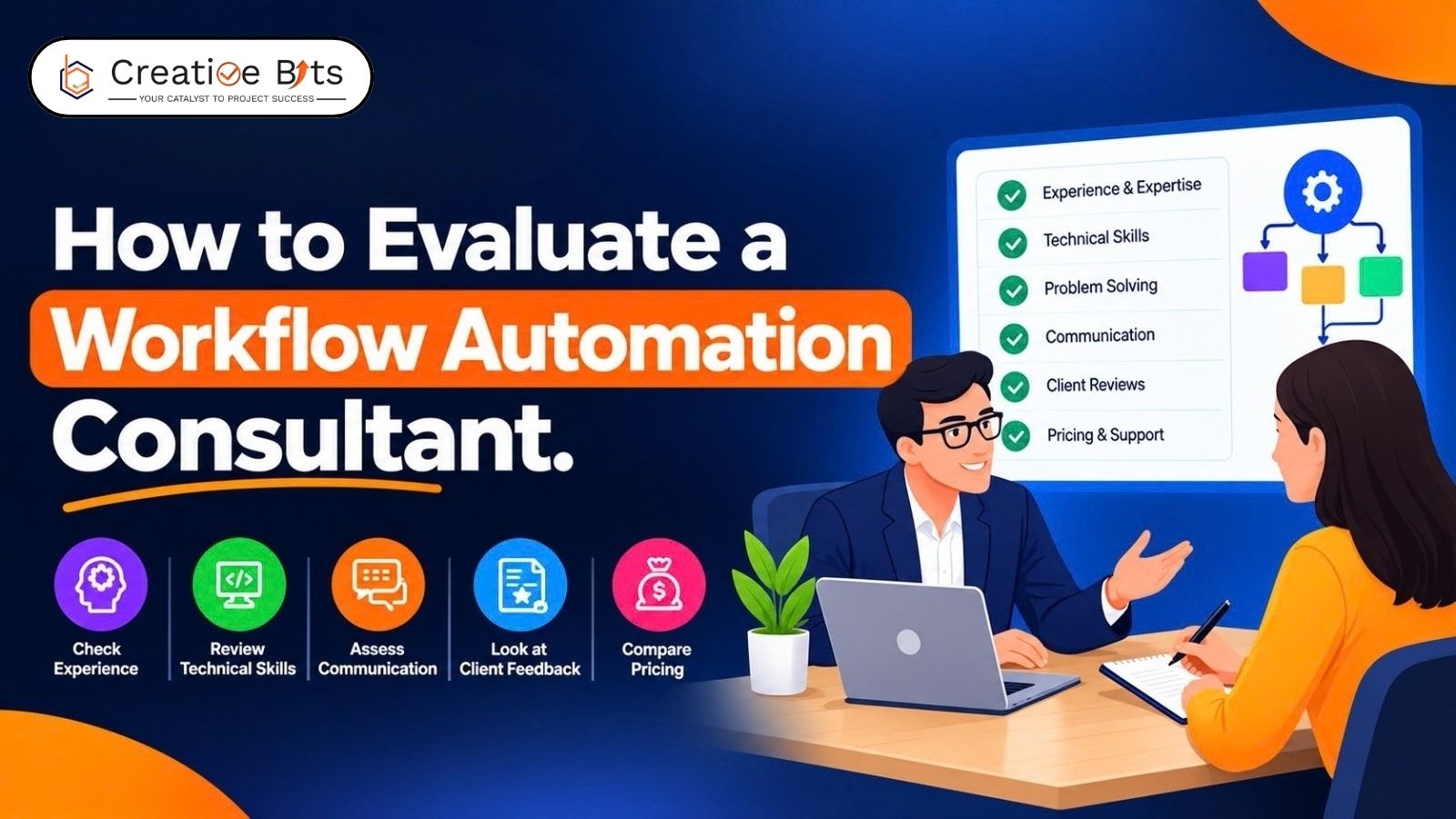
How Do You Evaluate a Workflow Automation Consultant Without Wasting Budget?
Most automation projects don't fail during the build. They fail in a scoping conversation six weeks earlier, when nobody wrote down who owns the workflow after launch.
That's the real risk when you hire a workflow automation consultant: not bad code, but vague scope on both sides. A proposal that reads well and says nothing about exception handling, testing, or handover is the one that costs you twice.
This is a practical framework for workflow automation consultant evaluation: what to ask any workflow automation consultant, what to insist on in writing, and how to tell a serious proposal from an optimistic one.
Workflow Automation Consulting Services
Before comparing providers, work out what you're actually buying. The services a workflow automation consultant sells usually split into three separate purchases, and plenty of confusion comes from assuming one includes the others.
Diagnosis and design. Current-state evidence, a documented future state, open decisions, and an implementation estimate with its assumptions stated. Some workflow automation consultant engagements stop here.
Implementation. A working process, tests, configuration and access handover, and a documented recovery procedure for when something breaks.
Ongoing support. Named coverage, response commitments, who monitors what, and a route for requesting changes once the workflow automation consultant has stepped back.
Your automation consultant scope checklist should force each of these into the proposal explicitly. Ask every workflow automation consultant you shortlist to put the following in writing:
- Where the process starts and stops, named step to named step
- Which systems they need access to, and who grants it
- How exceptions are handled, not just the happy path
- What "done" means, the acceptance criteria you'll sign against
- Who owns and maintains the workflow after they leave
- What's excluded: licenses, data cleanup, custom development
That last line matters more than it looks. A lower quote that omits testing, failure recovery, or handover isn't cheaper; it's a different, smaller piece of work. Any honest workflow automation services comparison lines up scope before it lines up prices, which is why a workflow automation consultant who scopes tightly often quotes higher.
How Do You Measure the Effectiveness of Your Automation Efforts?
You can't, unless you measured the process before it was automated. This is the step most teams skip, and a workflow automation consultant who doesn't insist on it is leaving you with no way to prove the project worked.
Any competent workflow automation consultant captures a baseline before the pilot goes live: volume of cases, handling time per case, waiting time between steps, exception rate, and error rate. Without those four or five figures, every later claim is a guess.
After launch, the metrics that actually tell you something:
- Adoption rate: what share of eligible cases run through the automation. Below 70%, you have a tool nobody uses.
- Manual override rate: how often someone steps in. Above 10% sustained, the logic needs work.
- Cycle time change against your baseline
- Exception volume and whether it's trending down
For assessing automation consultant ROI, the arithmetic is simple and worth doing honestly before you commit to a workflow automation consultant. Multiply hours saved per week by your team's loaded hourly cost, annualise it, then set that against the project fee plus software and maintenance costs. A payback period in the six-to-twelve-month range is generally worth pursuing.
Two cautions. Gross hours affected is not the same as value you can capture; saving twenty minutes across fifteen people rarely converts into a headcount saving. And softer gains like faster response times support a business case; they shouldn't be the whole of it.
What Are the 5 Steps of Workflow?
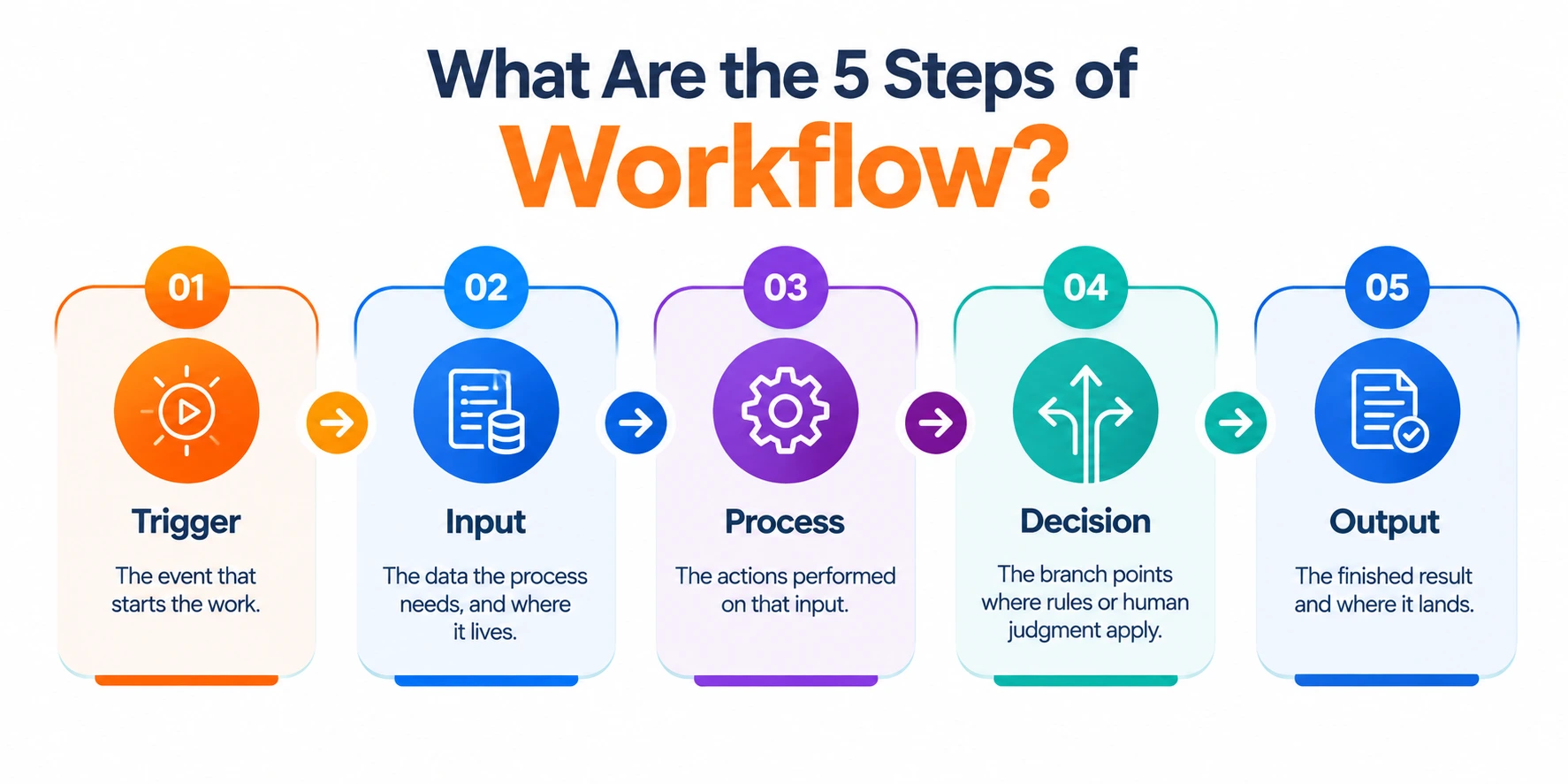
Every workflow, automated or not, has the same five-part anatomy. A workflow optimization consultant who can't describe your process in these terms hasn't looked closely enough, and neither has the workflow automation consultant who wrote it.
- Trigger. The event that starts the work: a form submission, an inbound email, a status change, a date arriving.
- Input. The data the process needs, and where it lives. If three systems each hold a version of the truth, this is where the project gets expensive.
- Process. The actions performed on that input: calculating, routing, formatting, creating records, notifying people.
- Decision. The branch points. Some are rules a machine handles cleanly. Others need judgment, and those are where a human approval step belongs.
- Output. The finished result and where it lands: a record created, a document generated, a handoff to the next team, with evidence that it completed.
Map those five for any process before anyone quotes you. Half the value a workflow automation consultant delivers shows up here, in the discovery, regardless of what gets built afterwards.
What Are the Key Elements of Effective Process Automation?
Beyond the build itself, a handful of elements separate automation that survives a year from automation that quietly stops being used.
A single source of truth. Each piece of data has one system that owns it. Everything else reads from there.
An explicit exception path. What happens when the input is malformed, the API is down, or the case doesn't fit the rules. Silence here is the most common defect in a proposal.
Human approval where risk sits. Automate the execution, keep people on the decisions that carry consequences.
Audit logging. You need to be able to answer "what happened to case 4,712" six months later.
Named ownership after handover. A workflow without an internal owner degrades the moment the process changes, whatever the workflow automation consultant built.
Documentation and training. Including the runbook for when it breaks at 9 am on a Monday.
These double as criteria for selecting an automation consultant. Ask to see an automation project deliverables template from past work: the workflow automation deliverables list a consultant hands over tells you more than any case study.
What Are the Steps Involved in the Automation Process?
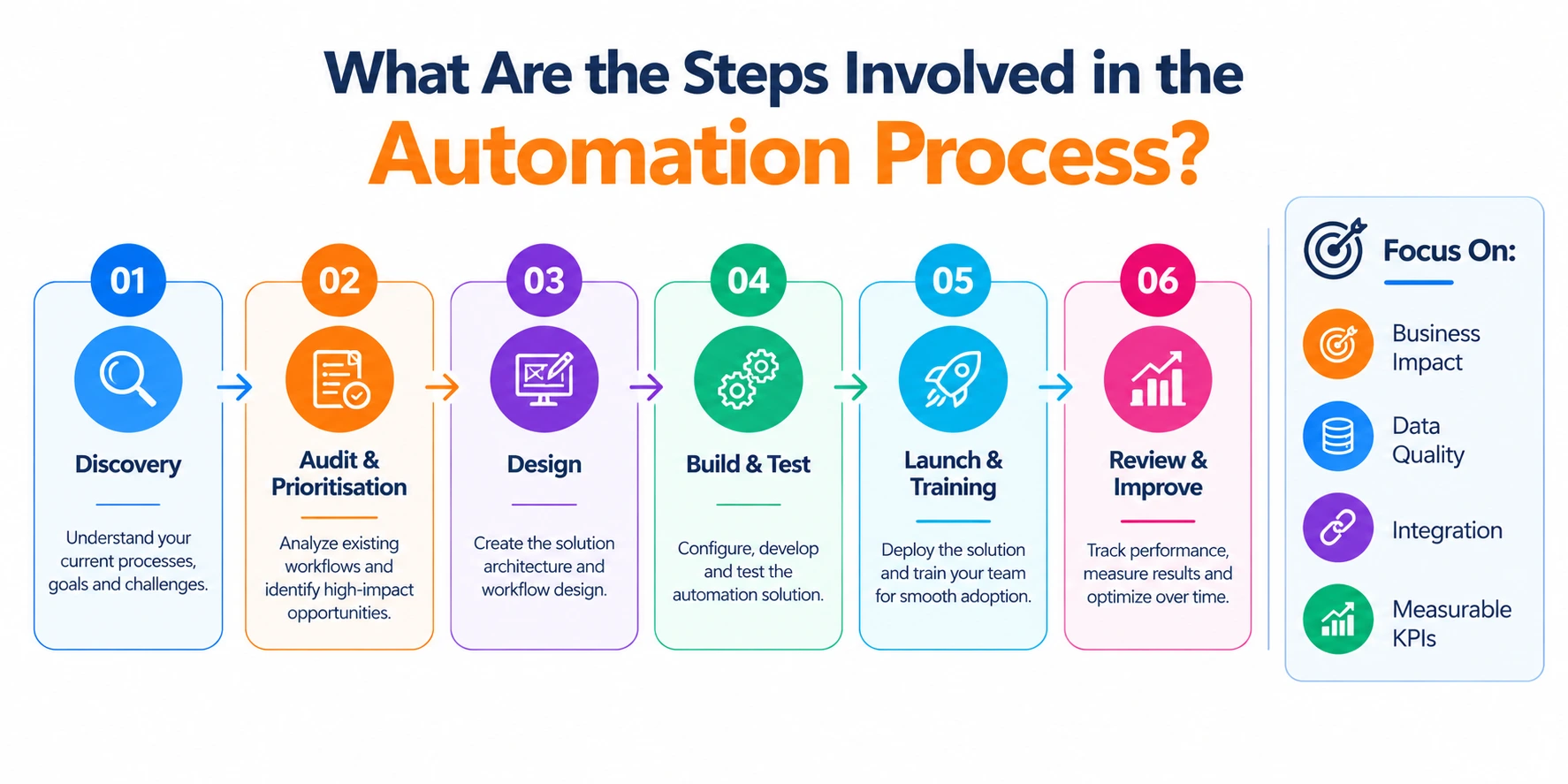
A well-run engagement follows a recognisable sequence, and your process for hiring a workflow automation expert should check that any workflow automation consultant's proposal maps to something like this:
Discovery (week 1). Observing real cases, interviewing the people doing the work, measuring the current state.
Audit and prioritisation (weeks 1–2). Scoring opportunities by effort, cost, risk, and expected return, then picking one.
Design (weeks 2–3). The future-state workflow, tool selection, integration points, approval steps.
Build and test (weeks 3–6)—construction plus testing against real cases, including failure scenarios.
Launch and training (weeks 5–7). Supervised go-live, documentation, handover of access and configuration.
Review (day 30 to 90). Measured against the baseline, with adjustments.
A first workflow typically runs six to eight weeks. Be wary of a workflow automation consultant promising a broad transformation roadmap before a single process has shipped and proven itself.
Turning the Evaluation Into a Decision
Score every workflow automation consultant on the same criteria rather than reading proposals in isolation. Scope clarity, named deliverables, a baseline measurement plan, a defined exception path, stated ownership after handover, and total cost of workflow automation consulting including tools and support, not just the headline build fee.
Then start small. One measurable process, shipped and running, tells you more about a workflow automation consultant than any pitch deck.
2. What goes on an automation consultant scope checklist?
Process start and stop points, systems and access required, exception handling, acceptance criteria, ownership after handover, and an explicit list of exclusions such as licenses and data cleanup.
3. How do you measure the effectiveness of automation efforts?
Set a baseline before launch: volume, handling time, waiting time, exception rate. Afterwards, track adoption rate, manual override rate, cycle time change, and exception trend against that baseline.
4. How do I calculate ROI on an automation project?
Hours saved per week multiplied by loaded hourly cost, annualised, compared against the project fee plus software and maintenance costs. A six-to-twelve-month payback is a reasonable threshold.
5. What are the 5 steps of workflow?
Trigger, input, process, decision, output. Mapping a process into these five parts before requesting quotes makes proposals far easier to compare.
6. What are the key elements of effective process automation?
A single source of truth for each data point, an explicit exception path, human approval where risk sits, audit logging, named ownership after handover, and documentation with a runbook.
7. What are the steps involved in the automation process?
Discovery, audit and prioritisation, design, build and test, launch and training, then a review at 30 to 90 days measured against the baseline.
8. How long does a first automation project take?
Typically six to eight weeks for one workflow, depending on system access, data quality, and how many approval steps are involved.
9. What affects the cost of workflow automation consulting?
Number of workflows, custom integration work, data quality, compliance requirements, and training depth. Software subscriptions are usually billed separately from the consulting fee.
10. How do I compare two proposals with very different prices?
Line up scope first. Check whether the cheaper one includes testing, exception handling, handover and support. A single total figure is not comparable until the scope behind it matches.
11. What questions reveal whether a consultant has actually shipped this work?
Ask for a workflow still running twelve months later with a named owner. Ask what happens when the automation gets something wrong. Ask for a workflow they turned down and why.