monday.com Services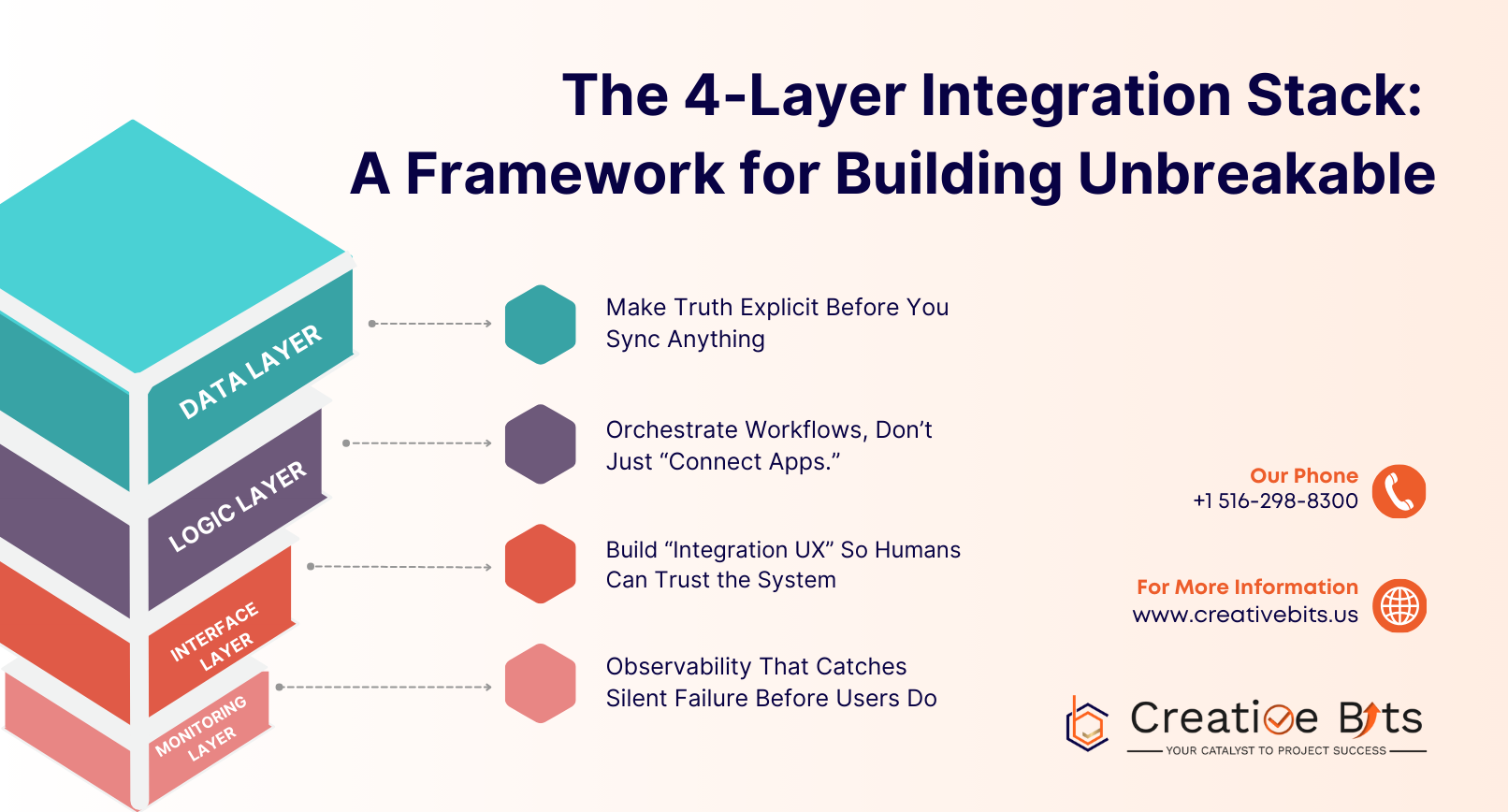
An integration stack is the foundation of every modern, scalable business operation. Yet most teams attempt to connect tools with a weakly connected web of zaps, scripts, and one-time connectors that operate until the business evolves. A field changes in the CRM, an API token expires, a well-intentioned administrator adjusts a workflow—and suddenly approvals grind to a halt, duplicate data appears, and teams no longer trust the system.
Industry research confirms that integration and automation have become core competencies, no longer side projects. With the rising popularity of SaaS stacks and the increasing prominence of APIs driving both apps and agents, building a robust integration stack is essential for sustainable growthas per the Postman State of the API Report.
At Creative Bits, the surest method to create integrations that cannot be broken is to design and code them as infrastructure, in layers. Our 4-Layer Integration Stack (Data → Logic → Interface → Monitoring) makes integrations sustainable because responsibilities are clear, ownership is defined, and failure points are visible. Below is the framework, including implementation strategies you can apply whether you're using Workato, custom scripts, native connectors, or a combination.
Layer 1: Data Layer – The Foundation of Your Integration Stack
The data layer answers one critical question: What is the source of truth for any business object?
Customer, contact, company, subscription, invoice, project, ticket—every object requires a home system and canonical definition. This seems straightforward, but it's the most frequent point of failure. Two departments may believe their tool is the final word, and integrations will quietly overwrite fields or produce duplicates.

Building a Strong Data Layer for Your Integration Stack:
Begin by defining a system-of-record map:
- CRM oversees customer identity and lifecycle stage
- Finance oversees invoicing and payment status
- Support oversees ticket state
- Project tools oversee delivery milestones
Next, establish a canonical schema for each object—IDs, mandatory fields, permissible values, and naming conventions. This isn't bureaucracy; it's how you prevent integration drift, where tools progressively disagree on what is real.
Implementation Tips:
- Use stable IDs (not names)
- Support idempotent writes to avoid duplication
- Standardize data contracts for object transfers between systems
Reliability improves when APIs and integration flows are treated like products with contracts. This aligns with the current trend of API programs becoming central to AI strategy.
Layer 2: Logic Layer – Orchestrating Your Integration Stack Workflows
If the data layer determines truth, the logic layer determines behavior: business rules, sequencing, exceptions, and approvals that transform data movement into actual operations.

This is where most integrations fail. Teams create naive triggers—"when a deal closes, create a project"—without considering reality:
- What happens when the deal reopens?
- What happens when finance blocks invoicing?
- What happens when the customer expands the scope?
This layer is where iPaaS tools excel. Rather than inexplicably linking apps, teams should orchestrate, govern, retry, and version multi-step processes. IBM defines iPaaS as the means of integrating applications, systems, and data sources across environments to simplify workflows and real-time flows. MuleSoft also characterizes integration as key to digital transformation, particularly with growing AI and automation efforts.
Implementation Tips:
- Model business processes as state charts (named states, transitions, rollback paths)
- Centralize business logic in one place—eliminate scattered shadow processes.
- Create clear exception paths (human inspection, retries, alternate flows)
- Version your workflows like you version software
Layer 3: Interface Layer – Building Trust in Your Integration Stack
Technically flawless integrations fail when people cannot interpret them. The interface layer relates to how integrations appear in everyday work: status indicators, audit trails, error messages, approval screens, and self-service remediation.

Consider these scenarios:
- When a lead sync fails, can sales understand why?
- Can finance correct an invoice automation stall without engineering?
- Do operations have clear visibility into auto-created projects before they begin?
This layer prevents teams from secretly reverting to spreadsheets. It's also where API governance becomes real—integrations should have clear ownership, documentation, and discoverability.
Implementation Tips:
- Add "sync health" indicators to existing tools (e.g., "Synced / Pending / Failed" columns)
- Develop a lightweight integration runbook (triggers, changes, recovery steps)
- Build human checkpoints for critical processes (billing, cancellations, data merges)
This is where monday.com implementations tend to succeed: well-designed UIs make automation state and ownership easily visible.
Layer 4: Monitoring Layer – Observability for Your Integration Stack
Integration failures don't occur loudly. They decay gracefully: token expiry, API rate limits, webhook drops, schema changes, queue backlogs, partial syncs, and inconsistent retries. The monitoring layer renders integrations visible so you can identify problems before business metrics suffer.

This isn't merely uptime monitoring. You need:
- Event-level history (every run)
- Error tracking and latency metrics
- Volume anomalies and API quota warnings
- Audit trails (what changed, when, by whom)
This represents integration programs coming of age—moving from "we built it" to "we operate it." Workato's integration buying guide emphasizes integration as structural infrastructure in the agentic era.
Implementation Tips:
- Define integration SLAs (acceptable delay, failure rate, recovery time)
- Centralize logging and alerts (Slack/email notifications)
- Implement dead-letter handling (failed events are stored, not lost)
- Conduct monthly integration hygiene reviews (top errors, duplicates, high manual intervention flows)
Effective monitoring makes integrations resilient because recovery becomes proactive, not reactive.
Implementing Your Integration Stack: Start Small, Scale Smart
The best rollouts don't begin with connecting everything. Instead, they start with a single cross-functional flow that matters—lead → deal → invoice → delivery—and build the 4 layers for that flow before expanding outward.
This sequencing matters. It compels alignment on:
- Truth (data layer)
- Behavior (logic layer)
- Adoption (interface layer)
- Reliability (monitoring layer)
When integrating 10-30 tools, this layered approach is the only difference between automation debt and sustainable operations. As the ecosystem shifts toward more API-driven, agent-driven workflows, teams that treat their integration stack as architecture will scale without breaking.
Conclusion: Build Your Integration Stack with Creative Bits
Need help implementing this end-to-end? From integration blueprinting and iPaaS orchestration to monday.com workflow design and monitoring dashboards, Creative Bits can build and operationalize your 4-Layer Integration Stack—ensuring your systems stay connected as you grow.
Are you ready to transform your integrations from fragile connectors to unbreakable infrastructure?
CONTACT US:
📞 +1 516-298-8300