monday.com Services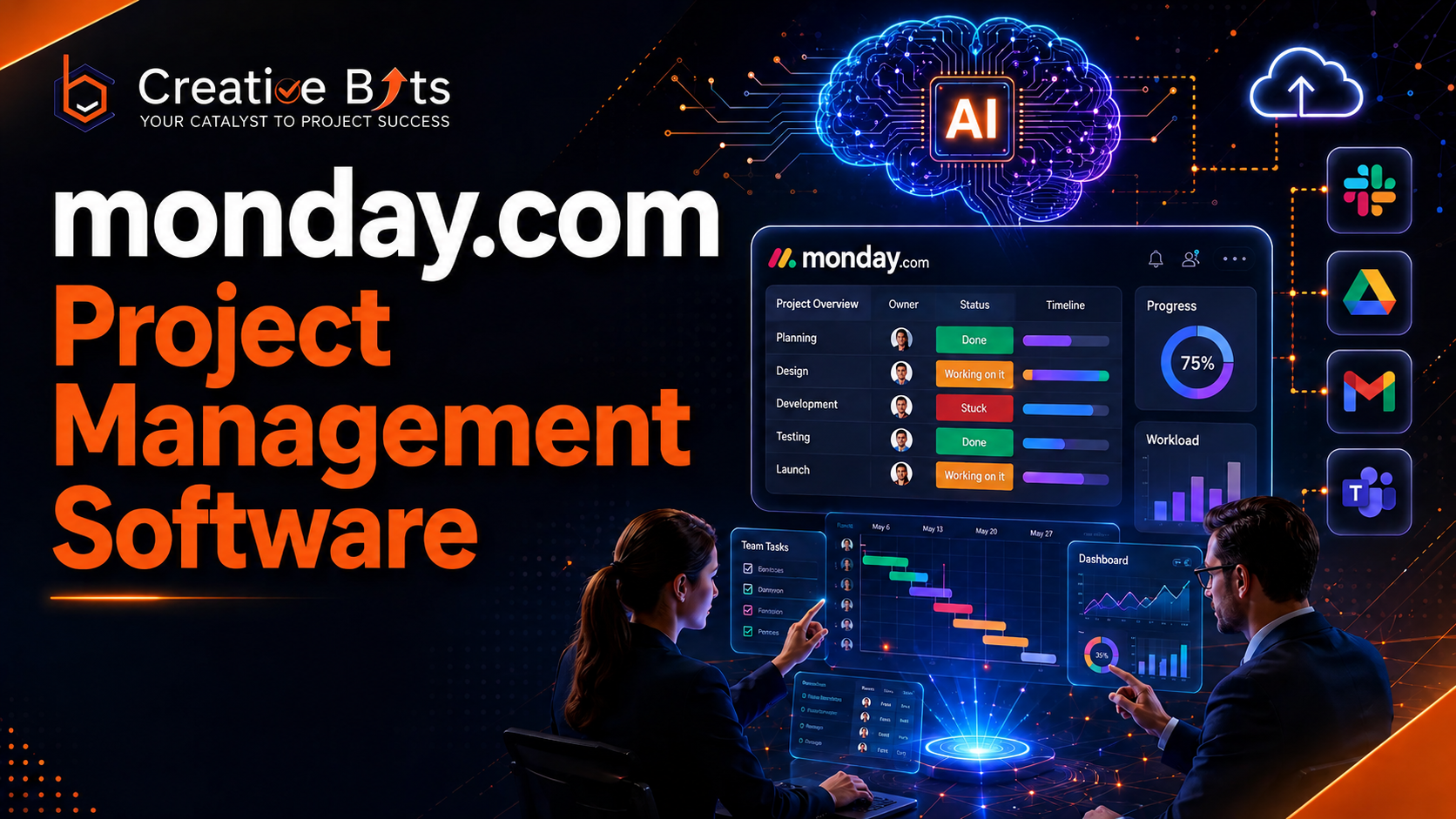
Why Is Monday.com Project Management Software the Best Choice?
Managing multiple projects, teams, deadlines, and client expectations can quickly become overwhelming without the right platform. This is where monday.com project management software stands out as one of the most powerful Work OS solutions available today. Whether you're managing marketing campaigns, software development, HR operations, sales pipelines, or enterprise workflows, monday.com provides a centralized workspace that keeps every stakeholder aligned.
Organizations across industries are adopting monday.com project management software because it combines project planning, workflow automation, collaboration, reporting, and AI-powered productivity into one intuitive platform. Instead of juggling multiple spreadsheets and disconnected tools, teams can organize every task, monitor progress in real time, automate repetitive work, and make faster business decisions.
Whether you're searching for Monday.com project management software free, looking for a Monday.com project management software tutorial, comparing Asana project management software, or trying to understand the Monday project management software cost, this comprehensive guide covers everything you need to know.
At CreativeBits, we help businesses implement, customize, automate, and optimize monday.com to build scalable workflows that increase productivity while reducing manual effort.
Table of Contents
- What is Monday.com used for in project management?
- What is monday in project management?
- Key Features of monday.com project management software
- Benefits of Using monday.com
- Is monday a CMS or CRM?
- Is Monday a CRM or ERP?
- What are the 4 types of CRM?
- Monday.com Project Management Software Free
- Monday.com Project Management Software Download
- Monday.com Project Management Software Tutorial
- Monday Project Management Software Cost
- monday.com vs Asana
- Why Choose Creativebits for monday.com Implementation
- Frequently Asked Questions
What is Monday.com used for in project management?
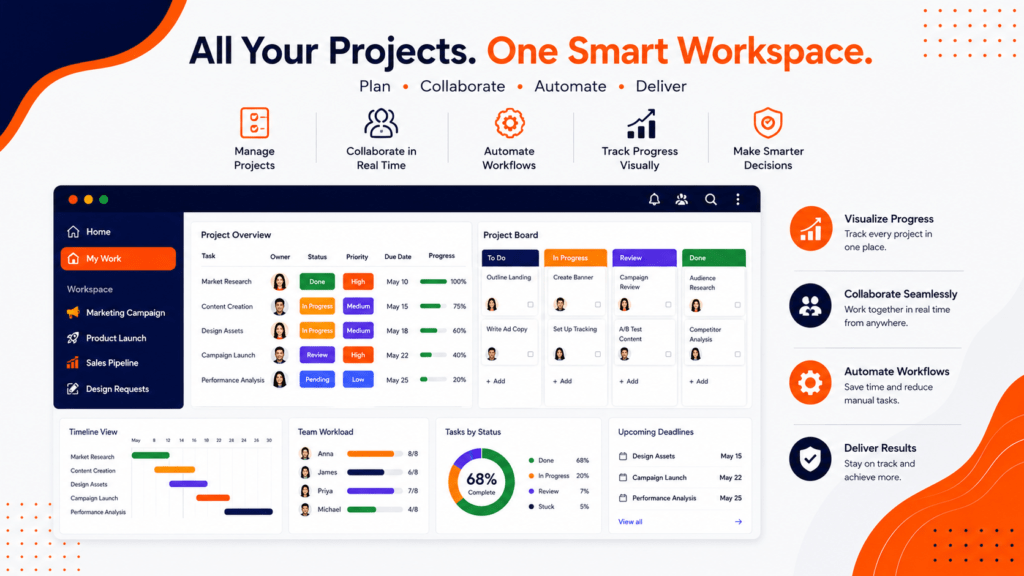
Monday.com project management software is a cloud-based Work Operating System (Work OS) that helps businesses organize, manage, automate, and track projects from a single platform. Rather than functioning as a simple task manager, monday.com provides an intelligent workspace where teams collaborate, communicate, and monitor project progress in real time.
Businesses use monday.com project management software for:
- Project planning
- Task management
- Team collaboration
- Resource allocation
- Workflow automation
- Budget tracking
- Client project management
- Marketing campaign management
- Software development
- HR onboarding
- Sales operations
- IT service management
For example, a marketing agency can create separate boards for SEO campaigns, paid advertising, social media, website development, and content production while tracking deadlines, approvals, budgets, and client feedback from one centralized dashboard.
Similarly, software companies use monday.com project management software to manage product roadmaps, sprint planning, bug tracking, feature requests, QA testing, and release management.
Instead of manually updating spreadsheets or exchanging countless emails, every team member knows exactly what needs to be done, who is responsible, and when each milestone is due.
Why Companies Prefer monday.com
Businesses choose monday.com project management software because it offers:
- Easy visual project tracking
- Customizable workflows
- Powerful automation
- AI-powered productivity
- Real-time dashboards
- Multiple project views
- Integration with hundreds of business applications
- Enterprise-grade security
- Scalable architecture
Whether your company has 10 employees or 10,000, monday.com adapts to your processes instead of forcing your business to change the way it works.
What is monday in project management?
In project management, monday refers to a collaborative Work OS that helps organizations plan, execute, monitor, and optimize projects using customizable workflows.
Unlike traditional project management tools that focus only on task lists, monday.com enables teams to manage the complete project lifecycle, including:
Planning
Teams can define project objectives, timelines, deliverables, budgets, and milestones before execution begins.
Execution
Every task is assigned to the appropriate team member with clear priorities, deadlines, dependencies, and status updates.
Monitoring
Project managers receive real-time dashboards showing workload distribution, project health, progress, and performance metrics.
Collaboration
Comments, file sharing, approvals, notifications, and mentions keep everyone aligned without relying on long email chains.
Automation
Routine processes such as status updates, notifications, reminders, approvals, recurring tasks, and handoffs are automated, saving valuable time.
This unified approach helps organizations reduce delays, eliminate communication gaps, and improve operational efficiency.
Key Features of Monday.com Project Management Software
One reason monday.com project management software has become a preferred solution worldwide is its extensive feature set. The platform is designed to simplify complex workflows while giving teams complete visibility into every project.
1. Customizable Project Boards
Every organization manages projects differently. monday.com allows users to create highly customizable boards tailored to their unique processes.
You can add columns for:
- Status
- Priority
- Owner
- Timeline
- Budget
- Dependencies
- Files
- Progress
- Client approvals
- Custom fields
This flexibility ensures that every workflow reflects your business requirements rather than forcing you into predefined templates.
2. Multiple Project Views
Different stakeholders require different perspectives.
Monday.com offers:
- Kanban Boards
- Gantt Charts
- Timeline View
- Calendar View
- Workload View
- Table View
- Dashboard View
- Map View
Executives can monitor high-level progress while team members focus on individual assignments.
3. Workflow Automation
One of the biggest advantages of monday.com project management software is automation.
Instead of manually updating project statuses, the platform automatically performs repetitive tasks.
Examples include:
- Notify managers when tasks are completed.
- Assign work automatically.
- Send deadline reminders.
- Update project stages.
- Create recurring tasks.
- Trigger approval workflows.
- Synchronize data with external applications.
Automation significantly reduces administrative work while improving consistency across projects.
4. AI-Powered Productivity
The latest AI capabilities within monday.com help businesses work smarter by assisting with:
- Content generation
- Email drafting
- Task summaries
- Risk identification
- Workflow suggestions
- Data categorization
- Intelligent automations
AI enables teams to spend more time on strategic work instead of repetitive administrative activities.
5. Collaboration Tools
Modern projects require seamless communication.
Monday.com includes:
- Comments
- File sharing
- Team mentions
- Activity logs
- Real-time updates
- Notifications
- Document collaboration
Every conversation remains connected to the relevant task, reducing confusion and improving accountability.
Why Businesses Choose Monday.com Project Management Software
Organizations adopt monday.com project management software because it offers measurable improvements across project execution, collaboration, and operational efficiency.
Improved Visibility
Managers gain complete visibility into project progress through customizable dashboards and real-time reporting.
Better Accountability
Each task has a clearly assigned owner, deadline, priority, and status, reducing ambiguity and ensuring responsibilities are well defined.
Increased Productivity
By automating repetitive processes and centralizing project information, teams can focus on high-value work rather than administrative tasks.
Enhanced Collaboration
With integrated communication, file sharing, and live updates, team members stay aligned regardless of location.
Scalability
From startups to large enterprises, monday.com scales effortlessly as business needs evolve, supporting growing teams and increasingly complex workflows.
Is monday a CMS or CRM?
One of the most common questions businesses ask before implementing monday.com project management software is whether it functions as a CMS (Content Management System) or a CRM (Customer Relationship Management) platform.
The answer is neither by default—but it can be configured to support CRM workflows.
A Content Management System (CMS) is designed for creating and managing website content. Popular CMS platforms include WordPress, Drupal, and Joomla. monday.com is not intended for publishing or managing website content, so it is not classified as a CMS.
However, monday.com offers a dedicated CRM solution that enables organizations to manage leads, contacts, sales pipelines, customer communication, and post-sales activities. With customizable boards and automation, businesses can tailor the platform to fit their sales process without relying on rigid CRM structures.
Typical CRM workflows in monday.com include:
- Lead capture and qualification
- Contact management
- Opportunity tracking
- Sales pipeline management
- Customer onboarding
- Follow-up reminders
- Proposal tracking
- Client communication
- Deal forecasting
- Revenue reporting
Many organizations also integrate monday.com with email platforms, telephony systems, accounting software, and marketing automation tools to create a centralized customer management ecosystem.
Is Monday a CRM or ERP?
Another frequently asked question is whether monday.com should be considered a CRM or an ERP platform.
The answer depends on how your business uses it.
monday.com as a CRM
monday.com offers dedicated CRM capabilities that help sales teams manage the complete customer journey—from lead generation to deal closure and customer retention. Businesses can customize pipelines, automate follow-ups, and generate real-time sales reports.
monday.com as an ERP
An Enterprise Resource Planning (ERP) system manages finance, procurement, manufacturing, inventory, human resources, and supply chain operations. While monday.com can coordinate ERP-related workflows, it is not a full-fledged ERP system like SAP, Oracle NetSuite, or Microsoft Dynamics 365.
Instead, monday.com integrates with ERP platforms to streamline approvals, task assignments, and operational processes.
For example, a manufacturing company might use monday.com to:
- Track production schedules
- Monitor procurement requests
- Coordinate warehouse activities
- Manage vendor approvals
- Oversee project timelines
The actual financial transactions and inventory management remain within the ERP system, while monday.com acts as the collaboration and workflow layer.
What are the 4 Types of CRM?
Understanding CRM categories helps organizations choose the right solution for their business needs.
1. Operational CRM
Operational CRM focuses on automating daily customer-facing processes, including:
- Lead management
- Sales automation
- Customer support
- Marketing campaigns
- Follow-up scheduling
This is the most common CRM implementation and can be effectively managed using monday.com.
2. Analytical CRM
Analytical CRM helps businesses make data-driven decisions by analyzing customer behavior, sales performance, and marketing effectiveness.
Typical reports include:
- Customer lifetime value
- Conversion rates
- Sales forecasting
- Customer segmentation
- Campaign ROI
- Pipeline analytics
monday.com's customizable dashboards make it easy to visualize these metrics.
3. Collaborative CRM
Collaborative CRM ensures that sales, marketing, customer support, and management teams share the same customer information.
Features include:
- Shared customer records
- Internal communication
- Team collaboration
- Document sharing
- Activity history
- Approval workflows
This improves customer experience by eliminating information silos.
4. Strategic CRM
Strategic CRM focuses on building long-term customer relationships through personalized engagement and retention strategies.
Organizations use Strategic CRM to:
- Improve customer satisfaction
- Increase repeat business
- Strengthen loyalty programs
- Deliver personalized experiences
- Enhance customer retention
By combining automation, collaboration, and reporting, monday.com supports many aspects of strategic customer relationship management.
Monday.com Project Management Software Free
Many businesses begin their journey with the Monday.com project management software free plan to explore the platform before upgrading.
The free plan is suitable for:
- Freelancers
- Students
- Small startups
- Personal task management
- Small teams with basic collaboration needs
With the free version, users can:
- Create project boards
- Manage tasks
- Invite limited team members
- Use predefined templates
- Track project progress
- Collaborate on simple workflows
As organizations grow, they often upgrade to paid plans to unlock advanced automation, integrations, dashboards, AI features, and enhanced reporting.
If you're evaluating Monday project management free, starting with the free plan is a practical way to understand the platform's capabilities.
Monday.com Project Management Software Download
Since monday.com is a cloud-based platform, there's no need for complex software installations.
Users can access Monday.com project management software download options through:
- Web browser
- Windows desktop application
- macOS desktop application
- Android app
- iPhone and iPad app
The mobile applications allow users to:
- Update task statuses
- Receive notifications
- Communicate with team members
- Upload files
- Track project progress
- Approve requests on the go
Because data is synchronized across all devices, teams always have access to the latest project information.
Monday.com Project Management Software Tutorial
Learning monday.com is straightforward thanks to its intuitive interface and extensive learning resources.
A basic Monday.com project management software tutorial typically includes the following steps:
Step 1: Create a Workspace
Set up separate workspaces for departments or clients to keep projects organized.
Step 2: Build Project Boards
Create boards for individual projects and define columns such as task name, owner, status, priority, due date, and dependencies.
Step 3: Assign Team Members
Allocate responsibilities by assigning tasks to specific team members with clear deadlines.
Step 4: Configure Automations
Automate repetitive actions like status updates, reminders, notifications, recurring tasks, and approval requests.
Step 5: Integrate Business Tools
Connect monday.com with platforms like Google Workspace, Microsoft Teams, Slack, Zoom, Outlook, Jira, GitHub, and many others to streamline collaboration.
Step 6: Monitor Progress
Use dashboards, Gantt charts, Kanban boards, and timeline views to track milestones, workloads, and overall project health.
For organizations seeking advanced implementation, CreativeBits provides customized onboarding, workflow design, automation, AI integrations, and team training to help businesses maximize the platform's potential.
Monday Project Management Tutorial: Best Practices
To get the most out of monday.com:
- Define clear project goals before creating boards.
- Use consistent naming conventions for tasks and projects.
- Leverage templates to standardize recurring workflows.
- Automate repetitive processes to save time.
- Review dashboards regularly to identify bottlenecks.
- Integrate communication and file-sharing tools.
- Train team members on collaboration features.
- Periodically optimize workflows as business processes evolve.
Following these practices ensures smoother project execution and improved team productivity.
Monday Project Management Software Cost
Understanding the Monday project management software cost is essential when selecting the right plan for your organization.
monday.com offers multiple pricing tiers designed to accommodate businesses of different sizes and requirements. Costs generally vary based on:
- Number of users
- Feature availability
- Automation limits
- Integration capabilities
- Reporting and dashboards
- Security and administrative controls
- AI functionality
- Enterprise support
Organizations often begin with the free plan and upgrade as their collaboration and automation needs increase.
Rather than focusing solely on subscription cost, businesses should evaluate the return on investment through:
- Reduced manual work
- Faster project delivery
- Improved team collaboration
- Better resource utilization
- Increased operational efficiency
monday.com vs Asana Project Management Software
When comparing monday.com project management software with Asana project management software, both platforms offer strong project management capabilities, but they cater to slightly different needs.
| Feature | monday.com | Asana |
| Custom Workflows | Excellent | Good |
| Automation | Advanced | Strong |
| Dashboards | Highly Customizable | Good |
| CRM Capabilities | Built-in Options | Limited |
| Visual Project Views | Extensive | Extensive |
| Integrations | Hundreds | Hundreds |
| AI Features | Advanced | Growing |
| Ease of Customization | Very High | Moderate |
Businesses that require flexible workflows, automation, and cross-functional collaboration often choose monday.com because it adapts to a wide range of business processes beyond traditional project management.
Why Choose CreativeBits for monday.com Implementation?
Choosing the right implementation partner is just as important as selecting the right project management platform. While monday.com project management software offers extensive flexibility, unlocking its full potential requires strategic planning, workflow customization, automation, integrations, and user adoption.
CreativeBits helps organizations transform monday.com from a simple task management platform into a fully connected business operating system.
Our certified specialists work closely with businesses to understand their existing processes and build customized monday.com solutions that improve productivity, collaboration, and operational efficiency.
Our monday.com Services
CreativeBits provides end-to-end monday.com implementation services, including:
- monday.com implementation and setup
- Workflow design and optimization
- Business process automation
- CRM implementation
- Project Management as a Service (PMaaS)
- AI-powered workflow automation
- Custom dashboards and reporting
- Third-party integrations
- Team onboarding and training
- Ongoing support and optimization
Whether you're managing marketing campaigns, software development, HR operations, sales pipelines, or enterprise projects, we design workflows that align with your business objectives.
Workflow Automation That Saves Time
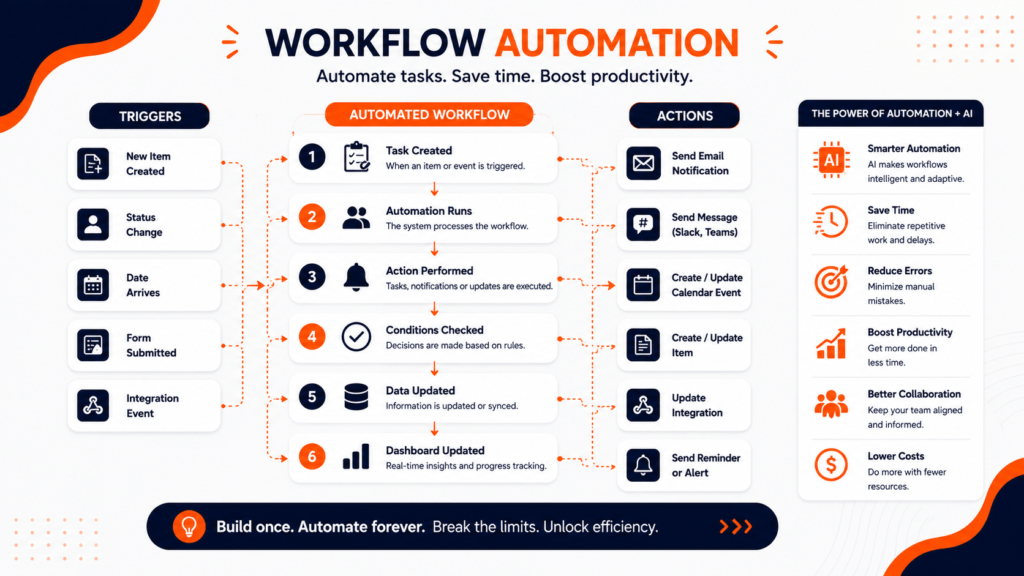
One of the biggest reasons businesses adopt monday.com project management software is automation.CreativeBits helps automate repetitive tasks such as:
- Task assignments
- Status updates
- Approval workflows
- Notifications
- Recurring projects
- Lead routing
- Client onboarding
- Employee onboarding
- Document approvals
- Escalation management
These automations reduce manual work, minimize errors, and allow teams to focus on high-value activities.
AI-Powered Business Solutions
Beyond monday.com implementation, Creativebits develops AI-powered business solutions that enhance productivity and decision-making.
Our AI capabilities include:
- AI workflow assistants
- Intelligent document processing
- AI-powered reporting
- Predictive analytics
- AI chatbots
- Process optimization
- Knowledge management
- Automated customer support
By combining AI with monday.com, businesses can create smarter, faster, and more scalable workflows.
Project Management as a Service (PMaaS)
Many organizations lack dedicated project management resources. Creativebits offers Project Management as a Service (PMaaS), enabling businesses to outsource project governance, planning, execution, and reporting to experienced professionals.
PMaaS helps organizations:
- Improve project visibility
- Increase delivery speed
- Standardize processes
- Reduce operational risks
- Enhance collaboration
- Improve resource utilization
This service is especially valuable for growing businesses that need structured project management without building an in-house PMO.
Conclusion
Modern businesses need more than a basic task manager—they need a flexible platform that connects teams, automates repetitive work, and provides real-time visibility into every project.
monday.com project management software delivers exactly that. From project planning and task management to CRM workflows, automation, dashboards, and AI-powered collaboration, it enables organizations to streamline operations and scale efficiently.
Whether you're exploring the Monday.com project management software free plan, searching for a Monday.com project management software tutorial, comparing Asana project management software, evaluating the Monday project management software cost, or planning a complete digital transformation, monday.com provides the flexibility to adapt to your business needs.
With the right implementation partner, businesses can maximize their investment and build workflows that improve productivity, reduce manual effort, and accelerate growth. CreativeBits helps organizations achieve this through tailored implementations, workflow automation, AI solutions, and ongoing optimization.
2. Is monday.com good for small businesses?
Yes. monday.com offers scalable plans, including a free option, making it suitable for freelancers, startups, SMEs, and large enterprises.
3. Does monday.com offer a free version?
Yes. The Monday com project management software free plan includes essential task management and collaboration features for small teams.
4. Where can I get the Monday com project management software download?
You can access monday.com through any web browser or download its desktop and mobile applications for Windows, macOS, Android, and iOS.
5. Is monday.com a CRM?
Yes. monday.com provides customizable CRM capabilities for managing leads, contacts, sales pipelines, customer communication, and follow-ups.
6. Is monday.com an ERP?
No. monday.com is not a complete ERP system, but it integrates with ERP platforms and supports workflow management across departments.
7. What industries use monday.com?
Industries include:
- Marketing
- IT
- Construction
- Healthcare
- Manufacturing
- Finance
- Education
- Real Estate
- HR
- Professional Services
8. Is monday.com better than Asana?
Both are excellent project management platforms. monday.com is generally preferred by organizations requiring extensive customization, automation, dashboards, and cross-functional workflows.