monday.com Services
Notification audit is becoming an essential strategy for modern digital workplaces. As organizations adopt multiple workflow systems, collaboration platforms, monitoring dashboards, and project management tools, the number of alerts employees receive continues to increase. While notifications are intended to keep teams informed and responsive, their constant presence often leads to unintended consequences.
The current organizations operate based on notifications. Each workflow system, collaboration platform, monitoring dashboard, and project management system creates alerts designed to keep teams updated on activities and changes. Ideally, these notifications enhance coordination and help employees respond quickly to new developments. In reality, however, they tend to disrupt employees throughout the working day.
This phenomenon is commonly referred to as alert fatigue, a condition where people become desensitized to notifications because of their high frequency. The cognitive cost of alert fatigue is significant when hundreds of alerts are sent to employees during an average day. Important messages become lost among routine notifications, and frequent interruptions interfere with productivity and concentration.
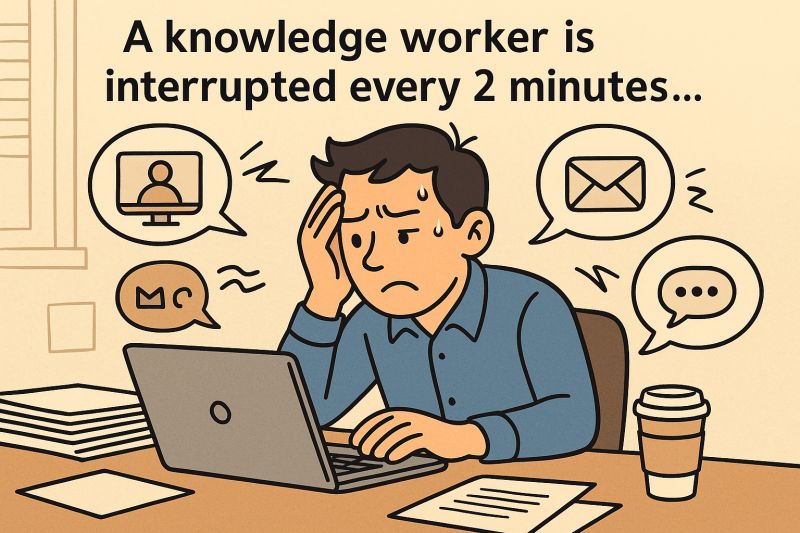
According to a study conducted by Microsoft Work Trend Index, employees are interrupted by notifications, email, or meetings every two minutes during the working day. Such frequent disruptions reduce the time employees spend in deep work and make it harder to maintain sustained focus.
Research on workplace productivity shows that excessive alerts can even slow down responsiveness. When employees receive too many notifications, they begin to ignore them entirely, increasing the risk that critical alerts will be overlooked.
For organizations that depend heavily on digital workflows, the solution is not eliminating notifications. Instead, companies need systems that preserve valuable signals while removing unnecessary noise. This is where a notification audit becomes essential. By systematically examining alert patterns, categorizing urgency levels, and implementing smart filtering rules, organizations can significantly reduce notification overload while maintaining visibility into important updates.
Understanding the Productivity Cost of Notification Overload
A key objective of any notification audit is understanding the real productivity cost of excessive alerts. Notification overload is not simply an inconvenience—it is a measurable operational problem that affects focus, efficiency, and decision-making.
Every interruption forces employees to switch cognitive contexts. When a person moves from one task to another because of a notification, the brain must refocus on a different activity. Human–computer interaction research demonstrates that task switching is one of the most significant productivity killers in modern workplaces.
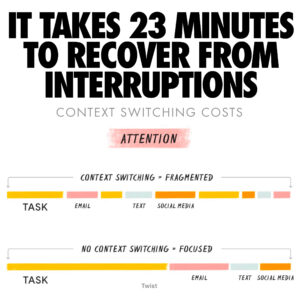
Even short interruptions can dramatically extend the time required to complete a task. After a disruption, employees often need several minutes to regain concentration. When notifications occur repeatedly throughout the day, these small disruptions accumulate into major productivity losses.
Operational confusion can also arise in project-driven environments where multiple digital tools generate alerts simultaneously. Employees may receive notifications from project management platforms, email systems, chat tools, monitoring dashboards, and automated workflows all at once. As a result, it becomes difficult to determine which updates require immediate action.
Studies in healthcare informatics illustrate a similar phenomenon. When individuals receive too many alerts, they may start ignoring them entirely, a behavior that increases the likelihood of missing important warnings. The same pattern appears in corporate environments.
A notification audit addresses this challenge by identifying which alerts truly require attention and which can be filtered, aggregated, or removed. By reducing unnecessary interruptions, organizations help employees focus on meaningful work.
Conducting a Notification Audit Across Organizational Tools
Conducting a notification audit begins with a simple yet revealing exercise: mapping the flow of notifications across the organization’s digital tools. Many teams underestimate how many systems generate alerts simultaneously.
Common sources of notifications include:
Project management platforms
Email systems
Collaboration and chat tools
Ticketing systems
Monitoring dashboards
Automated workflow alerts
Each system generates notifications independently, often resulting in redundant messages. For example, the same update might trigger an email notification, a chat message, and a task alert within a project management platform.
During a notification audit, teams collect data about alert frequency and sources. This involves examining how many notifications employees receive each day, identifying which tools generate the most alerts, and determining which roles receive the highest volume of notifications.
This analysis frequently reveals that a small number of systems account for the majority of interruptions. Digital productivity research shows that reducing redundant alerts improves employee focus and task performance.
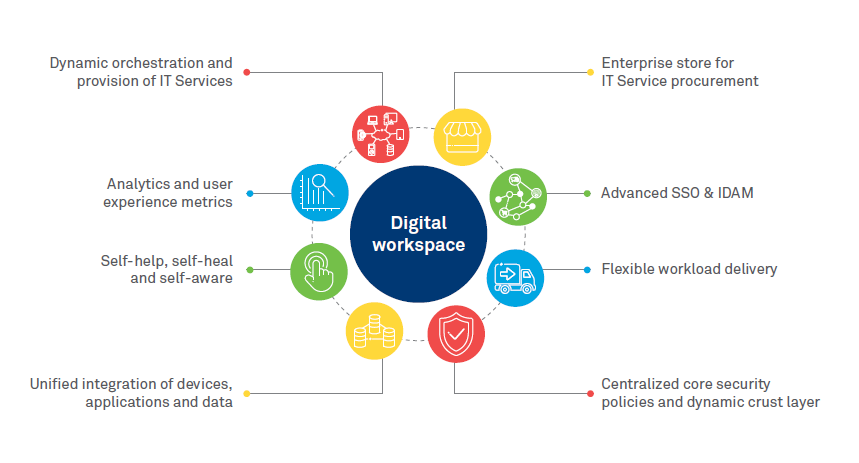
The next step in the notification audit process is analyzing the purpose of each alert. Teams evaluate whether notifications contain actionable information or simply duplicate updates that employees can view within workflow systems.
Notifications that do not require immediate action may be aggregated into periodic summaries or removed entirely. Through this process, organizations transform chaotic notification streams into structured communication channels.
Using a Notification Audit to Categorize Alert Urgency
Another important step in a notification audit involves categorizing notifications based on urgency. Not every update requires immediate attention, and distinguishing between different levels of importance helps reduce cognitive overload.
Organizations often divide notifications into several categories:
Critical alerts requiring immediate response
High-priority alerts requiring timely attention
Informational alerts that can be reviewed later
Background updates that simply log system activity

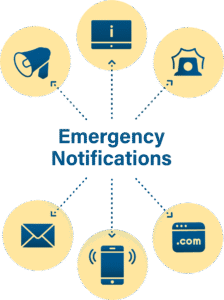
A notification audit helps organizations redesign notification rules according to these urgency levels. Critical alerts may be delivered through multiple channels, such as mobile push notifications or SMS messages. Informational updates, on the other hand, can be grouped into daily or weekly summaries.
Research on information management systems suggests that users respond more effectively to alerts when they understand their relative importance. Clear prioritization helps employees quickly determine whether a notification requires action.
Urgency categorization also improves coordination within project teams. Employees can easily distinguish between updates that require immediate response and those that can wait until scheduled discussions or task reviews.
By establishing a hierarchical notification system, organizations ensure that important signals remain visible while routine updates remain in the background.
Designing Smart Filtering Rules After a Notification Audit
The final stage of a notification audit focuses on implementing filtering mechanisms that align with organizational workflows. Modern digital tools offer extensive options for customizing notifications, but these capabilities are often underutilized.
Smart filtering rules can significantly reduce notification volume without compromising awareness. For example, project management systems can be configured to notify users only when tasks assigned to them change status rather than sending alerts for every update within a project.
Similarly, notifications may be triggered only for high-priority issues, overdue tasks, or critical system events. These adjustments ensure that employees receive alerts that are directly relevant to their responsibilities.
Aggregation mechanisms also play an important role after a notification audit. Instead of sending separate alerts for every minor update, systems can compile daily summaries that provide a consolidated overview of activity.
Digital collaboration platforms increasingly support such customization features. By adjusting notification settings, organizations align alert delivery with workflow priorities rather than relying on default configurations.
Research in digital workplace design shows that well-structured notification systems improve both productivity and user satisfaction. Employees experience fewer interruptions while still maintaining awareness of key events.
Ultimately, the goal of a notification audit is not to eliminate notifications but to ensure that each alert has a clear and meaningful purpose.
Notification Audit Strategies That Restore Focus
In modern digital workplaces, notifications are unavoidable. However, unmanaged alert systems quickly transform helpful updates into sources of distraction. A structured notification audit allows organizations to regain control over how information flows across their digital tools.
By analyzing alert patterns, categorizing urgency levels, and implementing intelligent filtering rules, teams can dramatically reduce notification overload while preserving visibility into critical events.
The result is a healthier and more productive work environment. Employees experience fewer interruptions, maintain deeper focus on meaningful tasks, and respond more effectively to important updates.
At Creative Bits, we help organizations design workflow systems that balance visibility with focus. A well-executed notification audit ensures that teams receive the signals that matter—without the constant noise.
The most productive teams are not those with the most notifications. They are the ones with the right notifications at the right time. 🚀