monday.com Services
What Are AI Integration Tools and Which Ones Actually Earn Their Keep?
Most teams don't have an AI problem. They have eleven AI subscriptions and nothing talking to anything else.
That gap is what AI integration tools exist to close. They're the layer that connects a model to the systems where your work actually lives: the CRM, the project board, the inbox, the database, so the output lands somewhere useful instead of in a chat window you copy and paste from.
Here's what AI integration tools do, which ones matter, and how to tell genuine AI integration tools from a chatbot with a nice interface.
AI Integration Tool
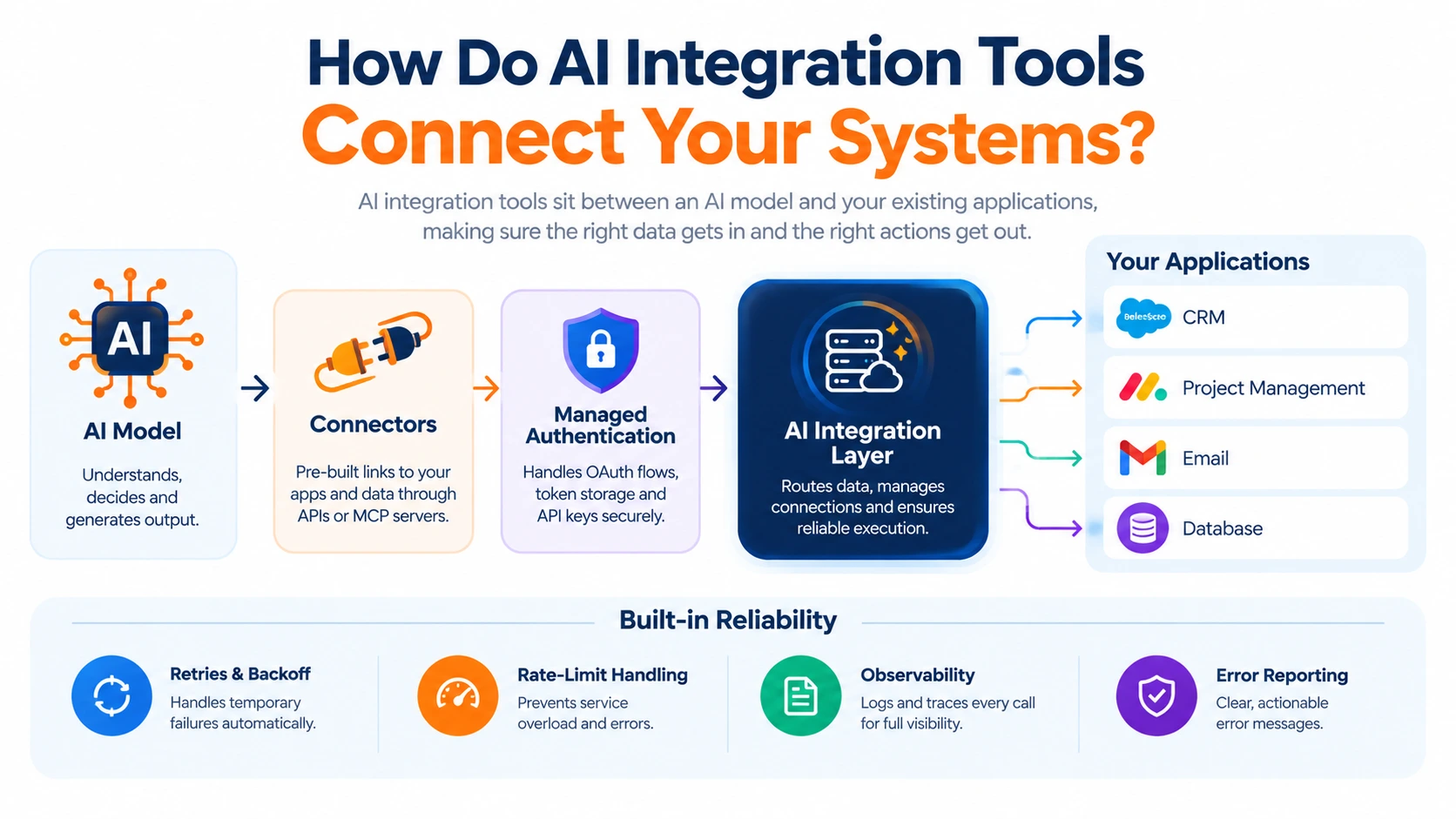
AI integration tools sit between an AI model and the applications holding your data, handling the plumbing nobody wants to build twice.
Three jobs define the category:
Connectors. Pre-built links to third-party software through APIs or Model Context Protocol servers, so the model can read a record or trigger an action without someone writing a custom client for every app.
Managed authentication. OAuth flows, token storage, and API keys handled for you. This is the part that quietly eats a fortnight when teams build it themselves.
Observability. Logs and traces of every call the AI made, so you can see what happened when something goes wrong, and prove it later.
Good AI integration tools add reliability controls on top: retries, backoff, rate-limit handling, and readable error reporting. Most offer cloud hosting, and some allow self-hosting where data residency or compliance rules demand it.
The distinction worth holding onto: an AI tool produces something. AI integration tools make that output reach the system that needs it. Teams that skip the second category end up with impressive demos and no change to how work gets done.
What Are Some Examples of AI-Integrated Tools?
The clearest AI integration examples are platforms you may already pay for, now with intelligence built into the workflow rather than bolted alongside it. Ask what AI integration tools look like in practice, and the honest answer is: probably something already in your stack.
Workflow automation platforms. Workflow automation platforms let you drop an AI step into an existing automation, classify this email, summarise this form response, draft this reply, then route the result onward automatically. For most businesses, these are the most practical AI integration tools available, because they connect to software you already run.
Project and work platforms. Project and work management platforms now include AI for task creation, risk flagging, and status summaries inside the board your team opens daily- AI integration tools your team is already logged into.
Meeting and transcription tools. AI meeting and transcription tools join calls, transcribe them, and push summaries and action items into your other systems.
Email assistants. AI-powered email and productivity assistants summarise threads and draft replies without leaving the inbox.
Knowledge tools. AI-powered knowledge management tools apply AI search across your own documents instead of the open internet.
If you want a free AI tools list to test the idea cheaply, most of these offer a usable free tier, and the major assistants do too. Free AI tools for office work, transcription, summarising, drafting, and scheduling are genuinely good enough to prove value before anyone signs a contract. The limits usually appear at volume, team features, and audit logging, which is exactly when a paid plan starts making sense.
What Are the 5 Main AI Tools?
Asking what AI tools are usually produces a list of products. Categories are more useful, because products change every quarter and categories don't.
- Conversational assistants. General-purpose AI assistants. General-purpose drafting, analysis, and question answering.
- Workflow automation with AI steps. Platforms that run a sequence of actions across apps, with AI handling the judgment-based steps in the middle.
- Document and knowledge AI. Transcription, summarisation, extraction, and search across your own content.
- Predictive and analytics AI. Forecasting, anomaly detection, scoring, and classification trained on historical data.
- Agent and integration middleware. The connective layer described above: the AI integration tools that let agents actually do things in other systems.
Most businesses need something from categories two and three long before they need anything exotic. The temptation is to start with the most advanced option; the return is usually better at the boring end.
What Is an AI Integration?
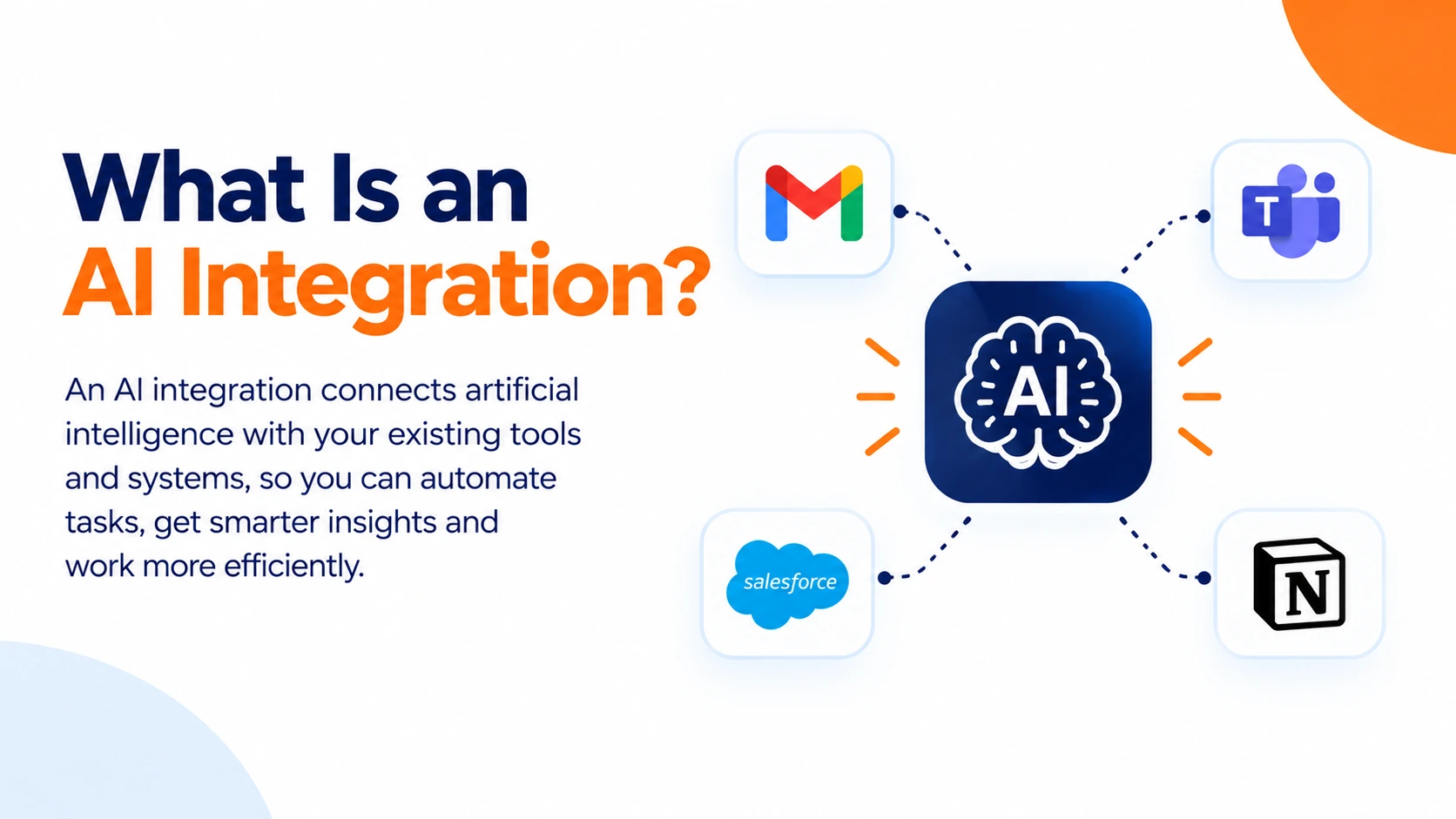
AI integration is the process of adding AI into existing systems, applications, and workflows rather than running it separately beside them. The objective is better functionality, efficiency, and decision-making from systems you already own.
A workable sequence looks like this:
- Define clear objectives. Name the process and the measurable outcome before choosing anything.
- Select the right AI integration tools. Match them to your existing stack rather than the other way round.
- Prepare the data. Clean, structured, and accessible, with one system owning each record; no AI integration tools can compensate for three conflicting versions of the truth.
- Test against real cases, including the awkward ones, not just the tidy examples.
- Deploy, monitor, and refine. Accuracy drifts as data changes, so monitoring is permanent, not a launch task.
The benefits are well established: repetitive work handled automatically, faster processing of large datasets, fewer manual errors, and scale without proportional headcount. The obstacles are equally consistent: poor data quality, legacy systems that resist connection, and privacy obligations around sensitive information. None are reasons to avoid AI integration tools. All are reasons to scope carefully.
What Are the Main Types of AI Tools?
Among general-purpose AI assistants, several major platforms compete for business and consumer use, with adoption changing rapidly as new capabilities and features emerge.
But treat any top 10 AI tools article, or a ranking of the top 5 AI apps in the world, as a snapshot with a short shelf life. Those lists reshuffle every few months, and more importantly, they rank assistants rather than AI integration tools; assistants don't connect to anything on their own.
The better question is which three fit your work. For most teams, that means one assistant for drafting and analysis, one automation platform to carry the output into live systems, and one domain tool for whatever your team does most: transcription for consultants, document extraction for finance, support summarisation for service teams.
Connecting Rather Than Collecting
The businesses getting real value from AI aren't the ones with the longest tool list. They're the ones where two or three AI integration tools are properly wired into the systems people already use every day.
Start with one process that eats hours, connect it properly with the AI integration tools you already have, and measure it against how long it took before. That single working integration teaches you more than another round of subscriptions.
2. What are examples of AI integration tools?
Workflow automation platforms, project management tools with built-in AI, meeting and transcription tools, email assistants, and agent integration middleware using APIs or MCP connectors.
3. What is an AI integration?
The process of adding AI into existing systems and workflows rather than running it separately, so your current software gains automation, prediction or summarisation capability.
4. What's the difference between an AI tool and an AI integration tool?
An AI tool produces output. An AI integration tool delivers that output into another system and triggers what happens next.
5. What are the 5 main AI tools?
By category: conversational assistants, workflow automation with AI steps, document and knowledge AI, predictive analytics, and agent or integration middleware.
6. What are the top 3 AI tools?
Among general-purpose AI assistants, several major platforms are widely used across business and consumer applications. For business impact, the most useful trio is one assistant, one automation platform, and one tool specific to your core work.
7. Where can I find a reliable free AI tools list?
Rather than chasing lists, check the free tiers of the platforms you already use. Most project, email and meeting tools now include AI features at no extra cost.
8. What are the best free AI tools for office work?
Transcription and meeting summaries, email drafting and thread summaries, document search, and basic workflow automation all have capable free tiers that work well for small teams.
9. How do I start an AI integration project?
Define the process and the measurable outcome, check whether your data supports it, choose tools that connect to your existing stack, pilot on one workflow, then measure against a baseline.
10. What usually goes wrong with AI integration?
Poor data quality, legacy systems that are difficult to connect, unclear ownership after launch, and skipping the baseline measurement that would have proved the project worked.
11. Do AI integration tools need developers?
Not always. Automation platforms with pre-built connectors cover many business processes without code. Custom integrations, unusual systems or strict compliance requirements do need technical help.