monday.com Services
A team should move from Trello to monday.com when work stops fitting on one Kanban board: you need reporting across boards, timelines with dependencies, workload views, intake forms, or more automation than Trello's run limits allow. If you are a small team running one simple flow, Trello is cheaper and faster, and you should stay. Most teams feel the switch point somewhere between 5 and 25 people, depending on project complexity and the flexibility they need, or the day a manager asks "what is everyone working on across all projects?" and nobody can answer without opening ten Trello boards. This guide compares the two side by side, shows what each really costs for 8, 12 and 25 people, and explains how to migrate without losing comments, checklists and history.
The short verdict
Trello is a Kanban tool that does one thing very well: cards moving across lists. monday.com is a work management platform where the board is a database, the Kanban is just one of many views, and dashboards, automations and forms sit on top of the same data. (If you are still comparing several tools, our monday.com vs Asana vs Trello comparison covers all three.)
- Stay on Trello if one team runs one or two simple pipelines, nobody needs cross-project reporting, and the budget matters more than structure.
- Move to monday.com if several teams or clients share work, managers need dashboards and capacity planning, projects have dates that depend on each other, or you are paying for a stack of Power-Ups to make Trello do things it was not designed for.
- Look at both carefully if you are deep in the Atlassian stack. Trello and Jira sit together; monday.com connects to Jira through its Jira integration, but it is a second vendor.
Trello vs monday.com side by side
| Need | Trello | monday.com |
|---|---|---|
| Core model | Cards in lists on a board | Items in a board with typed columns (status, people, dates, numbers, files) |
| Free plan | Up to 10 collaborators and 10 boards per Workspace | Up to 2 seats and 3 boards, with basic features only (no automations, integrations or Timeline/Gantt views) |
| Entry paid price | $5 per user a month (Standard, billed annually) | $9 per seat a month (Basic, billed annually), 3-seat minimum |
| Views beyond Kanban | Calendar, Timeline, Table, Dashboard and Map on Premium | Kanban, Calendar, Gantt, Timeline, Chart and more; Timeline and Gantt from Standard |
| Automation | Built-in automation with monthly run limits (250 Free, 1,000 Standard, unlimited Premium) | 250 automation actions a month on Standard, 25,000 on Pro |
| Cross-project reporting | Premium dashboard and Workspace table views | Dashboards that pull from many boards, with widgets for workload, budget and status |
| Dependencies and baselines | Limited without Power-Ups | Native dependencies on Gantt and Timeline |
| Workload and capacity | Through Power-Ups | Native Workload view and widget |
| Intake forms | Through Power-Ups or third-party form tools | Native WorkForms that create items |
| CRM and other products | No | monday CRM, monday service and monday dev on the same platform |
| Best for | Small teams, single workflows, visual simplicity | Growing teams, multiple departments, managers who need reporting |
Prices checked November 2026 on Trello's pricing page and monday.com's pricing page. Both vendors change plans often, so confirm before you buy.
Where Trello still wins
Simplicity
A new person understands a Trello board in about a minute. There are no column types to learn and no permissions model to plan. For a small team that wants a shared to-do wall, that simplicity is the product.
Price for small teams
Trello Standard is $5 per user a month on annual billing, and there is no seat minimum. A team of four pays $20 a month. The same team on monday.com Standard pays for 5 seats, because seats are sold in set blocks, which is $60 a month.
The free plan
Trello Free covers up to 10 collaborators per Workspace. monday.com's Free plan stops at 2 seats and 3 boards, and it only includes the basic features. If the budget is zero and the team is small, Trello is the realistic choice. (See what monday.com's free tier does and does not include in our guide to monday.com free plan features.)
The Atlassian ecosystem
If engineering lives in Jira and Confluence, Trello shares the same account, admin and security model. That is worth something, especially for IT teams that already manage Atlassian access.
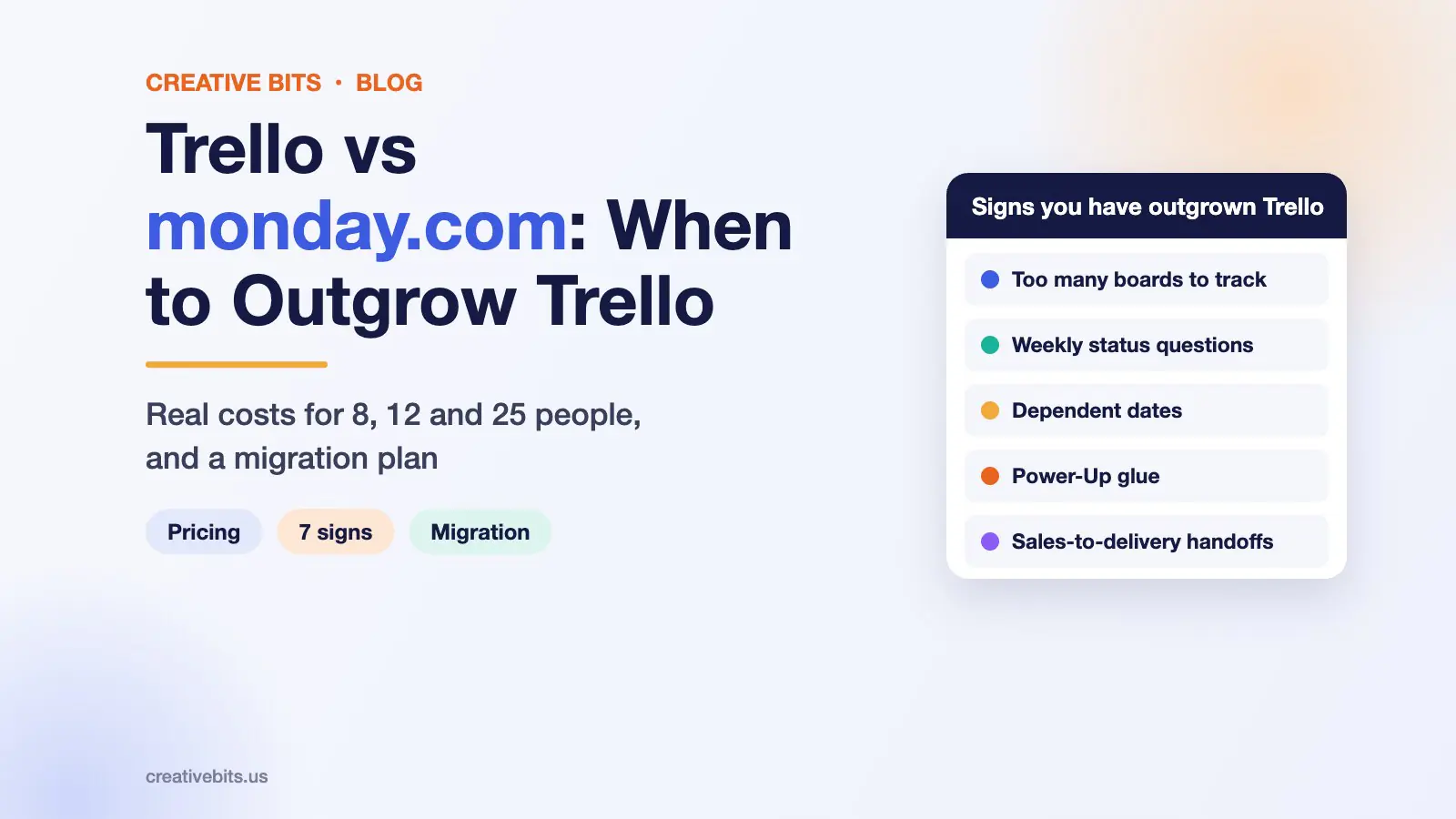
The 7 signs your team has outgrown Trello
- You have more boards than anyone can keep track of. Each client, project or department has its own board, and nobody can see the whole picture. monday.com dashboards pull status, dates and owners from many boards into one screen.
- Managers ask the same questions every week. "What is overdue?" "Who is overloaded?" "Which projects are at risk?" If answering means opening boards one by one, you need structured data, not cards.
- Card descriptions have become spreadsheets. When people type budget, hours, client name and priority into the description, or into custom fields that nobody fills in the same way, typed columns solve the problem.
- Dates depend on other dates. Launch plans, construction schedules and event timelines need dependencies and baselines. Trello can show a timeline on Premium, but managing dependent work is where monday.com's Gantt view earns its price.
- You hit automation limits or rely on Power-Up glue. If a handful of Power-Ups now do reporting, forms, time tracking and recurring cards, you are paying for a platform anyway, just in pieces. monday.com's built-in automations replace most of them.
- Requests arrive in email, chat and hallway conversations. A monday.com form turns every request into a complete item with the right owner and due date, so intake stops depending on memory.
- Sales, delivery and finance need to share one record. A closed deal that should start a project, a project that should trigger an invoice: monday.com runs CRM, work management and service on one platform, so the handoff can be automatic.
If three or more of these sound familiar, the cost of staying on Trello is already higher than the subscription difference.
What the switch really costs
The sticker price is not the whole story. monday.com paid plans start at 3 seats and are then sold in set blocks (5, 10, 15, 20, 25 and so on). Trello charges per user with no minimum.
| Team size | Trello Standard (annual) | Trello Premium (annual) | monday.com Standard (annual) | monday.com Pro (annual) |
|---|---|---|---|---|
| 8 people | $40 a month | $80 a month | $120 a month (10 seats) | $190 a month (10 seats) |
| 12 people | $60 a month | $120 a month | $180 a month (15 seats) | $285 a month (15 seats) |
| 25 people | $125 a month | $250 a month | $300 a month (25 seats) | $475 a month (25 seats) |
Prices checked November 2026. Seat blocks as described in monday.com's plans and pricing guide.
The fair comparison is usually Trello Premium against monday.com Standard, because Premium is where Trello adds the views and dashboards that growing teams switch for. At 25 people the gap is about $50 a month. Add the Power-Ups a Trello team typically pays for (time tracking, forms, Gantt, reporting) and the difference often disappears. For a full breakdown of monday.com's plans, see our monday.com review with pros, cons and pricing.
Two costs are easy to miss on the monday.com side:
- Empty seats. A team of 11 pays for 15. Plan your seat count around the blocks before you compare. Add users as free viewers instead of members if they do not need to interact with the system, and add people from other domains as free guests.
- Setup time. A good monday.com structure takes planning. Teams that copy their Trello boards one for one usually rebuild within six months.
How to migrate from Trello to monday.com without losing data
monday.com has a built-in Trello importer. You connect your Trello account, choose the boards, and pick a layout. It works well for cards, lists, members and due dates. Comments, checklists, attachments and labels need more care, and large or messy boards do not always import cleanly, so plan for it. monday.com's Trello import guide explains the importer options.
Step 1: Audit before you import
List every Trello board, who uses it, and whether it is still active. Archive anything untouched in 90 days. Most teams find that a third of their boards do not need to move.
Step 2: Redesign, do not copy
This is the step that decides whether the migration works. Trello structure and monday.com structure are different:
| Trello element | Best home in monday.com |
|---|---|
| Board per client or project | Often one board per process, with a column or group for client or project |
| Lists (To do, Doing, Done) | A Status column, not groups. Groups work better for time periods or phases |
| Labels | A Tags column or a Dropdown column |
| Checklists | Subitems, so each step can have an owner and due date |
| Members | A People column |
| Due dates | A Date column, or a Timeline column if work has a start and end |
| Comments | Updates on the item |
| Attachments | A Files column |
| Custom fields | Typed columns (Numbers, Text, Dropdown, Link) |
Mapping lists to a Status column is the single biggest improvement. It means the Kanban, the dashboard and the automations all read the same field. Our monday.com tutorial for new teams walks through setting up a board this way.
Step 3: Import one pilot board
Run the importer on one active board, check that comments, checklists and attachments came through, and fix the column mapping. Only then import the rest.
Step 4: Handle what the importer misses
If you need full comment history, checklist items as subitems, or many boards consolidated into one, a Make or n8n scenario using both APIs can move data with exact field mapping. For a few boards, manual cleanup is faster. For dozens of boards or years of history, scripting pays for itself. This is the kind of work our workflow automation team handles.
Step 5: Run in parallel, then freeze Trello
Run both tools for one to two weeks. Set Trello boards to read-only, point all new work to monday.com, and archive Trello once the team stops opening it. monday.com's Trello integration can also sync new cards as items during the overlap.
Step 6: Train the team on the new habits
The tool change is easy. The habit change is not. Show people how to use updates instead of email, how to read the dashboard, and how the automations work. Teams that skip this step quietly drift back to Trello or to spreadsheets.
Frequently asked questions
Is monday.com better than Trello?
It depends on the team. monday.com is better for growing teams that need reporting across projects, dependencies, workload planning, forms and automation at volume. Trello is better for small teams running one simple Kanban workflow on a tight budget. Neither is better in every case.
Is Trello cheaper than monday.com?
Yes, per seat. Trello Standard is $5 per user a month and Premium is $10 on annual billing, with no seat minimum. monday.com starts at $9 per seat on Basic and $12 on Standard, with a 3-seat minimum and seat blocks after that. Once you add the Power-Ups a growing Trello team needs, the gap narrows.
Can I import Trello boards into monday.com?
Yes. monday.com has a native Trello importer that connects to your Trello account and imports boards with their cards, lists, members and due dates. Check comments, checklists and attachments on a pilot board first, because complex boards do not always import cleanly.
Should Trello lists become groups or a status column in monday.com?
A Status column in most cases. Status columns drive Kanban views, dashboards and automations. Groups are better used for time periods, phases or clients. The importer lets you choose the layout, so pick the one that maps lists to status.
At what team size should we switch from Trello to monday.com?
There is no fixed number, but most teams feel it between 5 and 25 people, depending on project complexity, or when they have more than one department or more than a handful of active projects. The trigger is usually the need for reporting across boards, not headcount.
Does monday.com have a free plan like Trello?
Yes, but it is smaller. monday.com Free covers up to 2 seats and 3 boards, with basic features only. Trello Free covers up to 10 collaborators and 10 boards per Workspace. monday.com also offers a 14-day free trial of the Pro plan with no credit card.
How long does a Trello to monday.com migration take?
For a team with five to ten active boards, a planned migration usually takes one to two weeks, including redesign, import, cleanup and a parallel run. Larger accounts with years of history or many consolidated boards take two to four weeks.
Creative Bits is a monday.com Authorized Solution Partner in Syosset, NY, and has been building monday.com systems and automations since 2008. If you are moving from Trello and want the structure designed once, with your history intact, book a free consultation or read about our monday.com migration and setup services.