monday.com Services
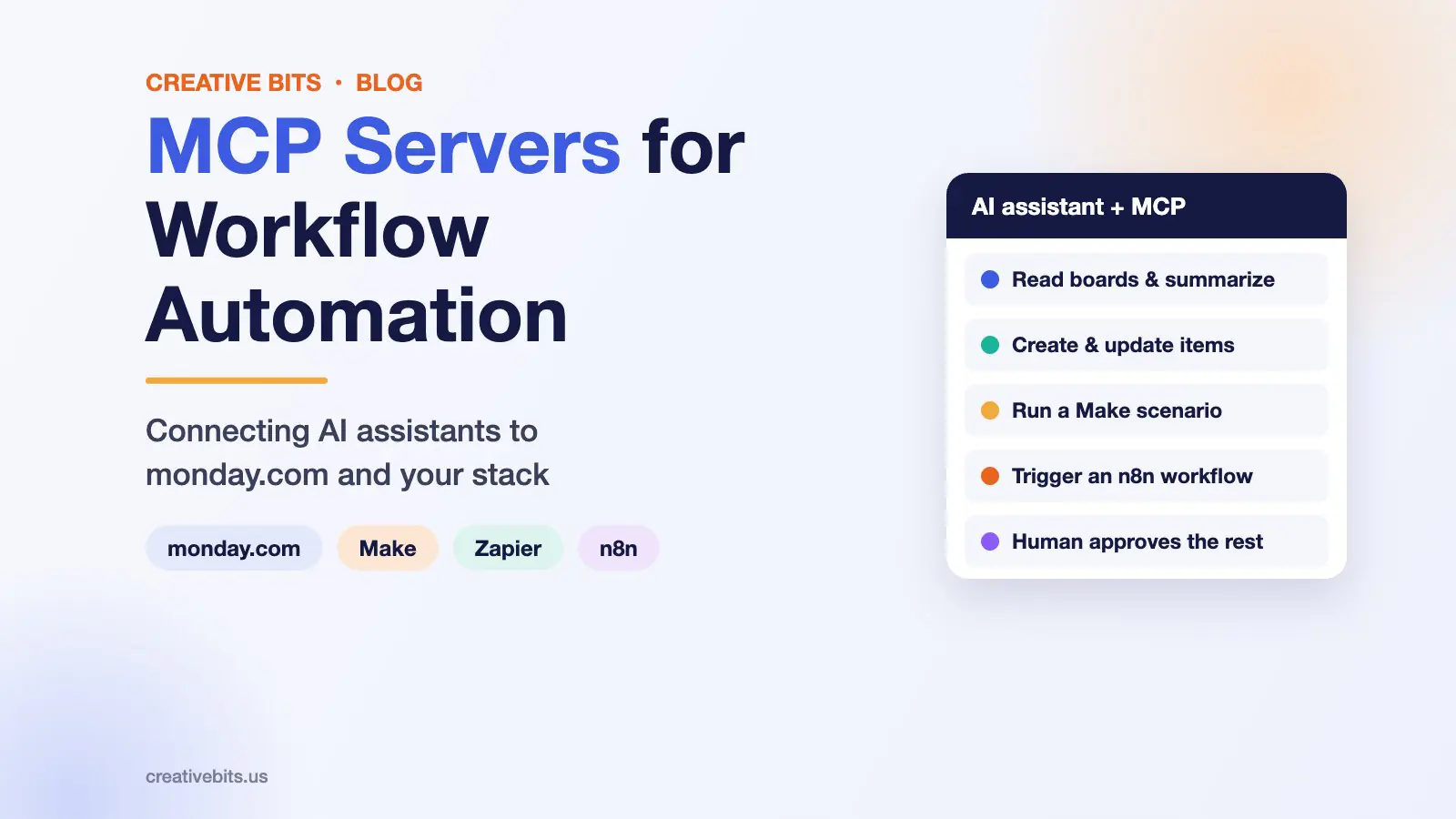
An MCP server is a connector that lets an AI assistant read and act on a business tool through a shared standard called the Model Context Protocol. Instead of copying data into a chat window, the assistant calls tools the server exposes: "find overdue items on the Onboarding board", "create a task for Maria due Friday", "run the new-client scenario". monday.com runs its own hosted MCP server, and Zapier, Make and n8n all offer MCP options, so one assistant can work across your boards and the rest of your stack. Used well, MCP handles the on-demand, judgment-heavy work, while your rule-based automations keep running the predictable work underneath. This guide explains how MCP works, what the monday.com server can do, how to connect it safely, and where it fits next to the automations you already run.
What is MCP, in plain English?
The Model Context Protocol is an open standard for connecting AI applications to outside systems. It was created by Anthropic, the company behind the Claude AI assistant, which introduced and open-sourced MCP in November 2024. In December 2025, Anthropic donated MCP to the Agentic AI Foundation, a vendor-neutral body under the Linux Foundation backed by most of the major AI and cloud companies. Assistants including Claude, ChatGPT, Microsoft Copilot, Gemini, Cursor and VS Code support it, and thousands of MCP servers have been published.
The easiest way to think about MCP is as a universal adapter. Before MCP, every AI tool needed a custom integration with every business app. With MCP, an app publishes one server, and any compatible assistant can use it.
There are three parts:
- The host and client: the AI assistant your team uses. It decides when a tool is needed and sends the request.
- The server: a service that exposes an app's capabilities as named tools, such as "get board items" or "create item", with a description of what each one does.
- The app behind it: monday.com, HubSpot, Make, your database. The server translates tool calls into that app's API.
Servers can expose tools (actions the assistant can take), resources (data the assistant can read) and prompts (ready-made instructions). Remote servers usually run over Streamable HTTP and sign users in with OAuth, so each person connects with their own account. The full specification is published at modelcontextprotocol.io.
How MCP differs from automations and APIs
MCP does not replace your Make scenarios or monday.com automation recipes. It solves a different problem.
| Rule-based automation (monday.com recipes, Make, Zapier, n8n) | MCP with an AI assistant | Custom API integration | |
|---|---|---|---|
| What starts it | An event: a status change, a form submission, a schedule | A person or an AI agent asking for something | Code you write |
| Behavior | Deterministic. Same input, same result every time | Flexible. The assistant decides which tools to call and in what order | Deterministic, exactly as coded |
| Best for | High-volume, repeatable work that must never vary | One-off questions, summaries, triage, multi-step requests that need judgment | Unusual logic, high volume, strict compliance |
| Setup | Minutes to hours | Minutes to connect; time to design permissions | Days to weeks |
| Main risk | Breaks silently when a field changes | Does the wrong thing confidently if permissions are too broad | Maintenance burden |
The pattern that works: let automations run the process, and let MCP give people a natural-language way to query, update and trigger that process when they need to. (For the custom API route, see our guide to monday.com API automation.)
The monday.com MCP server: what it can do
monday.com runs a hosted MCP server maintained by its AI team at https://mcp.monday.com/mcp. There is nothing to install or host. According to monday.com's developer documentation, it exposes more than 60 tools that read and write monday.com data, including boards, items, columns, updates, docs, forms and dashboards.
In practice that means a connected assistant can:
- Search boards and summarize status across several projects.
- Create and update items, subitems and column values.
- Post updates and comments on items.
- Build new boards, docs and dashboards from a description.
- Read form submissions and help triage them.
Three design choices matter for operations leaders:
- It acts as the signed-in user. Every tool call runs with that person's monday.com permissions. There is no shared service account or master key. If a user cannot see a board in monday.com, the assistant cannot see it either.
- Admins control access. An account admin decides, in the account's admin settings, whether external AI agents can reach account data at all, which assistants are approved, and which workspaces MCP can operate in.
- Scopes can be narrowed. Teams that need tighter control can connect through their own OAuth app with limited scopes, for example read-only access to boards, even if the user has broader rights in monday.com.
Because the server is a wrapper around the monday.com platform API, MCP activity counts against your account's API limits, which depend on your plan.
MCP across the rest of your stack
monday.com is rarely the only system involved. When a request touches other apps, the required actions can be orchestrated in two ways:
- Through an orchestration system. Make, Zapier and n8n are the most common examples, and they are the platforms we specialize in at Creative Bits. The assistant calls a workflow, and the orchestration platform runs the steps across your apps.
- Directly by an AI assistant. The assistant connects to each app's MCP server and decides which actions to take, in what order.
At Creative Bits we also run a company operating system built into ChatGPT that regularly connects to monday.com to read and write data, so the team can ask questions and update work without leaving the assistant.
Here are the main options for reaching the rest of your stack.
Zapier MCP
Zapier offers a hosted MCP server that exposes actions across its app library, so an assistant can send a Slack message, update a CRM record or add a row to a sheet. It is the fastest way to give an assistant reach into many apps, and the least controlled, because each action is chosen by the assistant at run time. (Need help with Zapier? See our Zapier consultant services.)
Make MCP server
Make's MCP server exposes your on-demand scenarios as tools. This is the option we recommend most often, because the assistant does not improvise the steps. It calls a scenario you designed, tested and logged, such as "onboard new client", and Make runs it the same way every time.
n8n MCP nodes
n8n has two MCP nodes. The MCP Server Trigger turns an n8n workflow into an MCP server that any assistant can call. The MCP Client Tool lets an AI agent inside n8n use other MCP servers, including monday.com's. Self-hosted n8n keeps the whole chain on your own infrastructure, which matters for regulated teams.
Vendor MCP servers
A growing number of business apps publish their own servers, including Atlassian, Asana, Salesforce and Miro. Check the vendor's documentation for what is read-only by default and what needs an admin to enable writes.
The architecture we recommend: expose workflows, not raw access
The biggest risk with MCP is giving an assistant broad write access to every app and letting it decide what to do. The safer and more reliable design looks like this:
- Read access to monday.com through its MCP server, scoped to the workspaces the team needs. The assistant can answer questions and summarize freely.
- Limited, direct writes in monday.com for low-risk actions: create an item, post an update, change a status.
- Anything multi-step or cross-system goes through a Make or n8n scenario exposed as a tool. "Create the client, set up the onboarding board, send the welcome email and notify finance" becomes one tested workflow with logging and error alerts, not ten improvised API calls.
- A human approves anything irreversible. Sending to clients, deleting data, changing money.
This gives you the convenience of asking in plain language with the reliability of deterministic automation. It is also far easier to audit. Our overview of agentic AI workflows explains the same principle for AI agents more broadly.
Six use cases that work today
- Monday morning status in one prompt. "Summarize every item due this week across the Delivery workspace, grouped by owner, and flag anything stuck." The assistant reads several boards and returns one briefing.
- Meeting notes into tasks. Paste meeting notes and ask the assistant to create items with owners and due dates on the right board. A person reviews the list before it is created.
- Intake triage. The assistant reads new form submissions, suggests priority and owner based on past items, and posts its reasoning as an update for a manager to confirm.
- Client onboarding on request. An account manager asks the assistant to onboard a new client. It calls the Make scenario that builds the board from a template, creates the folder and sends the welcome email.
- Board hygiene. "Find items with no owner or no due date on active boards and list them." Cleanup that nobody does manually becomes a two-minute weekly task.
- Cross-tool answers. "What did we sell this client, and where is the project?" The assistant pulls the deal from the CRM and the delivery status from monday.com in one answer. For a permanent sync, a proper integration is still the better tool; see our guide to the HubSpot monday.com integration.
How to connect an AI assistant to monday.com through MCP
- Have an admin enable access. An account admin allows external AI agents and the hosted MCP option, and restricts it to specific workspaces if needed.
- Decide who connects and with what scope. Start with a small pilot group. For shared or automated agents, create a dedicated monday.com user that only has access to the boards the agent needs, since the connection inherits that user's permissions.
- Add the server in your assistant. Most MCP-compatible assistants accept a remote server URL. Enter https://mcp.monday.com/mcp and sign in with monday.com when prompted. Some assistants also offer a simpler read-only monday.com connector, which is enough if you only need to query data.
- Test with read-only prompts first. Ask for summaries and lists before letting anyone create or change items.
- Turn on writes for specific tasks. Document which prompts the team should use for updates, and which actions must go through a Make or n8n workflow instead.
- Review activity after two weeks. Check board activity logs, API usage, and any items created by the assistant. Tighten scopes where people did more than expected.
Risks and how to control them
- Over-broad permissions. The assistant can do anything the connected user can do. Use low-permission users and narrow scopes for agents.
- Prompt injection. Text inside an item, email or document can try to instruct the assistant. Keep human approval on actions that send, delete or pay, and avoid giving one connection both read access to untrusted content and write access to sensitive systems.
- Inconsistent results. Two similar prompts can produce different actions. Wrap anything that must be consistent in a tested scenario.
- Usage limits. Heavy MCP use consumes API calls and, for scenarios, Make operations or n8n executions. Monitor both during the pilot.
- Audit and accountability. Record which actions an assistant may take on its own and which need sign-off. Our guide to AI automation covers approvals, logging and human checkpoints in more detail.
MCP or monday.com's built-in AI?
monday.com has its own AI layer: Sidekick, AI blocks inside columns and automations, and AI agents that run inside the platform. Use the built-in tools when the work starts and ends inside monday.com, such as summarizing an item, categorizing requests or drafting updates (see our guide to monday.com AI blocks). Use MCP when people want to work from an assistant they already use all day, or when a request spans monday.com and other systems. Many teams use both.
Frequently asked questions
What is an MCP server?
An MCP server is a service that exposes an application's data and actions to AI assistants through the Model Context Protocol, an open standard created by Anthropic. The assistant sees a list of named tools, such as "create item", and calls them when a user's request needs them. The server translates those calls into the application's API.
Who created the Model Context Protocol?
Anthropic created MCP and released it as an open standard in November 2024. In December 2025 it was donated to the Agentic AI Foundation under the Linux Foundation, so it is now governed as a vendor-neutral, community-driven project.
Does monday.com have an MCP server?
Yes. monday.com runs a hosted MCP server at https://mcp.monday.com/mcp, maintained by its AI team. It exposes more than 60 tools for reading and writing boards, items, columns, docs, forms and dashboards. It requires no installation, but an account admin must allow external AI access.
Is MCP secure for business data?
It can be, with the right setup. The monday.com server runs every action as the signed-in user with that user's permissions, admins can restrict access to specific workspaces, and connections can be limited to read-only scopes. The remaining risks are over-permissioned users and prompt injection, which are controlled with narrow scopes and human approval for sensitive actions.
Does MCP replace Zapier, Make or n8n?
No. MCP gives AI assistants a way to call tools on request. Zapier, Make and n8n still run the event-driven, repeatable automations that must behave the same every time. The strongest setups expose tested Make or n8n workflows as MCP tools, so the assistant triggers a reliable process instead of improvising steps.
Which AI assistants support MCP?
Most major assistants and AI coding tools support MCP, including Claude, ChatGPT, Microsoft Copilot, Gemini, Cursor and VS Code. Support levels differ: some allow full read and write through custom connectors, while others offer simpler read-only connectors on certain plans. Check your assistant's documentation for the current options.
Do I need a developer to set up the monday.com MCP server?
Not for the hosted server. An admin enables access and users add the server URL in their assistant, which takes minutes. A developer or partner helps when you want custom OAuth scopes, dedicated agent users, or Make and n8n workflows exposed as tools with logging and approvals.
Does using MCP cost extra on monday.com?
There is no separate MCP fee at the time of writing, but MCP calls run through the monday.com API and count against your plan's API limits, and any Make or n8n scenarios the assistant triggers use operations or executions on those platforms.
Creative Bits is a monday.com Authorized Solution Partner and a certified Make and n8n partner in Syosset, NY, building automation and AI workflows for US teams since 2008. If you want AI assistants working inside your monday.com account with the right permissions and tested workflows behind them, book a free consultation or see how we approach AI development and monday AI for operations teams. For rule-based automation, explore our workflow automation services.