monday.com Services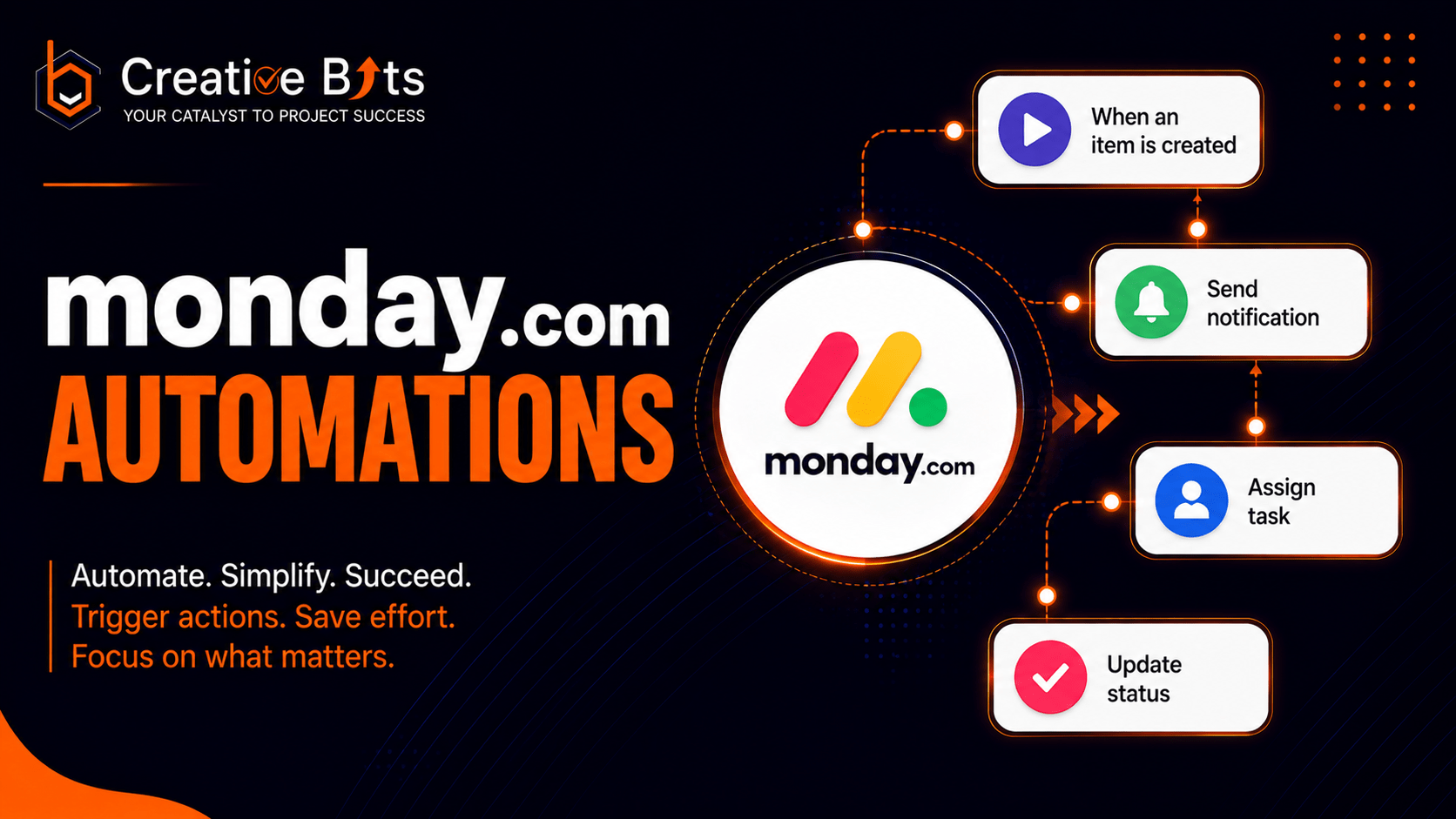
How Powerful Are Monday.com Automations for Your Team's Workflows?
Manually updating statuses, seeking approvals, and retyping the same data into multiple dashboards consumes many hours per week. Monday.com automation is here to eliminate exactly that friction, it turns repetitive manual steps into rules that run themselves, so your team can spend time on the work that matters and work efficiently.
Does Monday.com have automations?
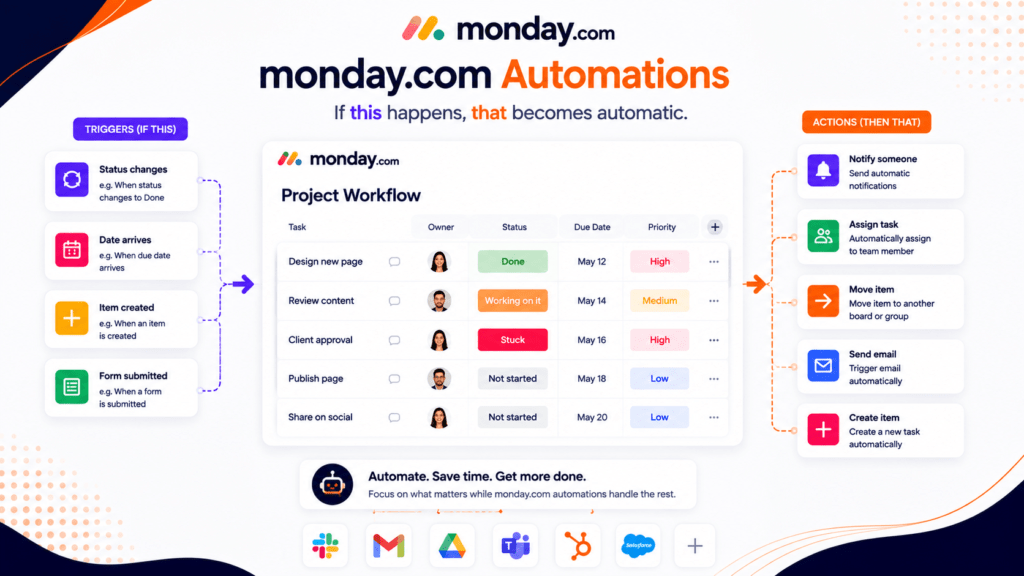
Yes. Monday.com automations are a native, no-code feature that is built directly into every board. With the help of “if this, then that” logic, actions can be triggered automatically. For example: notify someone when a status changes, move an item when a date arrives, or create a task the moment a form is submitted. No developer needed, all automatizations are created visually based on pre-existing recipes or fully custom logic.
Monday.com’s automations for sub-items operate in the same way, letting you trigger notifications, changing status, or assignments at the subitem level. It is very useful when a parent task has multiple owners handling different parts of the same deliverable.
How many automations does Monday.com have?
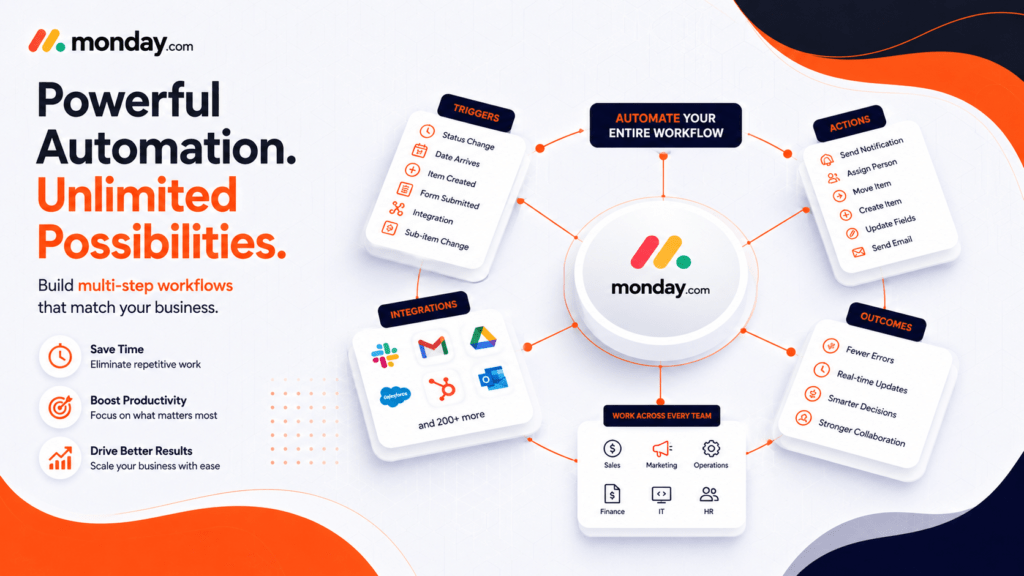
Monday.com provides hundreds of automated recipes based on triggers such as change in the status of the task, date arrival, creation of the item, and submission of the form along with actions such as notifications, assignments, and integrations. Recipes may also be chainable and customizable; therefore, the actual possibilities for workflows using Monday.com are infinite, it is possible to combine simple recipes to build multi-step logic which matches your business processes.
Some Monday com automation templates are: Notify the user when status is changed to "Done"; move the item to another board if the status is "Approved"; trigger Monday com email automations if due date arrives; and automatically assign the item to a particular team member. These Monday.com automations examples cover most day-to-day operational needs without touching a single line of code.
Is monday CRM better than Salesforce?
This depends on how complex your sales process is. The monday CRM works under the same automation engine like all other functionalities within monday.com, which means your sales pipeline, projects boards, and marketing calendars can use the same platform without having to spend too much time getting set up compared to Salesforce, which allows for more enterprise customization but has a higher learning curve and expense for smaller companies. For businesses that want CRM and operational workflows automated together in one place, Monday CRM is usually the faster, simpler path.
What are the best features of Monday.com?
Apart from the automations themselves, the best aspects of Monday.com would be its customizable boards and dashboards, Gantt and Kanban view options, native integrations with tools like Slack, Gmail, Google Drive, and CRMs, as well as workload management, and forms. It is because of all these aspects working in tandem that automations become so powerful, not because of one trigger alone.
Is monday similar to Jira?
To some extent yes, but they have a different purpose. While Jira is developed specifically for software development teams working on sprints, backlogs and issues, its learning curve can be more challenging due to its technical nature. On the other hand, Monday.com is an integrated Work OS, utilized for different departments such as marketing, operations, sales, HR, and even dev teams, thanks to its visual and easy-to-use no-code system.
What are the top automation tools?
In addition to the built-in engine of monday.com, the commonly used tools for automating are Zapier, Make (previously known as Integromat), n8n, and Microsoft Power Automate. Numerous teams often integrate monday.com automations with Make or n8n, enabling their integration at the level of APIs, precisely what our workflow automation team creates for customers every day.
Monday.com automations not working? Here's what usually goes wrong
In case there is an automation that is not working on Monday.com, it is usually because of one of the following reasons: the trigger criteria that do not align well with the board data, automations that work for the same record and compete, lack of permissions to perform an action, or expired integration connection. There is a very brief Monday.com automation tutorial in the Help Center section, yet a comprehensive workflow audit is often necessary.
Getting the most out of Monday.com automations
Based on reading Monday.com automations reviews, it becomes evident that one common thread is that automations work when they are made in line with your process, not some template. Our team at Creative Bits does full-cycle automations – process-mapping, implementation, integration with other apps such as Slack, Gmail, and CRM, and even training for your team members to be able to fully trust the process. As a certified monday.com Authorized Solution Partner, we leverage our 25+ years of experience in managing programs for enterprises and platform expertise to deliver robust automations.
Are your boards more manual than automated? Schedule a free consultation, and let us analyze the areas where automation could help you save the most time!
2. Can Monday.com automations work on subitems?
Yes, subitem-level automations let you notify, assign, or update at a granular level within a parent task.
3. Why are my Monday.com automations not working?
Usually a trigger mismatch, permission issue, conflicting automations, or an expired integration connection.
4. Are there ready-made automation templates?
Yes, hundreds of recipes covering notifications, due dates, assignments, and board-to-board actions.
5. Do Monday.com automations support email?
Yes, email automations can send updates, reminders, or notifications automatically based on triggers.
6. Is there a limit to how many automations I can build?
Limits depend on your plan tier, but most teams can build extensive, multi-step workflows well beyond basic needs.
7. How do I learn Monday.com automations quickly?
Monday.com's Help Center offers tutorials, but a workflow audit from a certified partner gets you further, faster.
8. Do automations replace integrations?
No, automations trigger actions, while integrations connect Monday.com to outside tools like Slack or Gmail.