monday.com Services
Which Business Automation Solutions Actually Save Real Hours?
One survey found 90% of HR managers spend more than a quarter of their working day on repetitive administrative tasks.
That's a day a week, gone, in one department. And it's the clearest argument for business automation solutions there is, not the technology, just the arithmetic. The question isn't whether automation helps. It's which processes to hand over, and which to leave alone.
Here's a practical guide to business automation solutions: what to automate first, whether to build it yourself, what genuinely resists automation, and how to choose tools without overbuying.
Best Business Automation Examples for Small Businesses
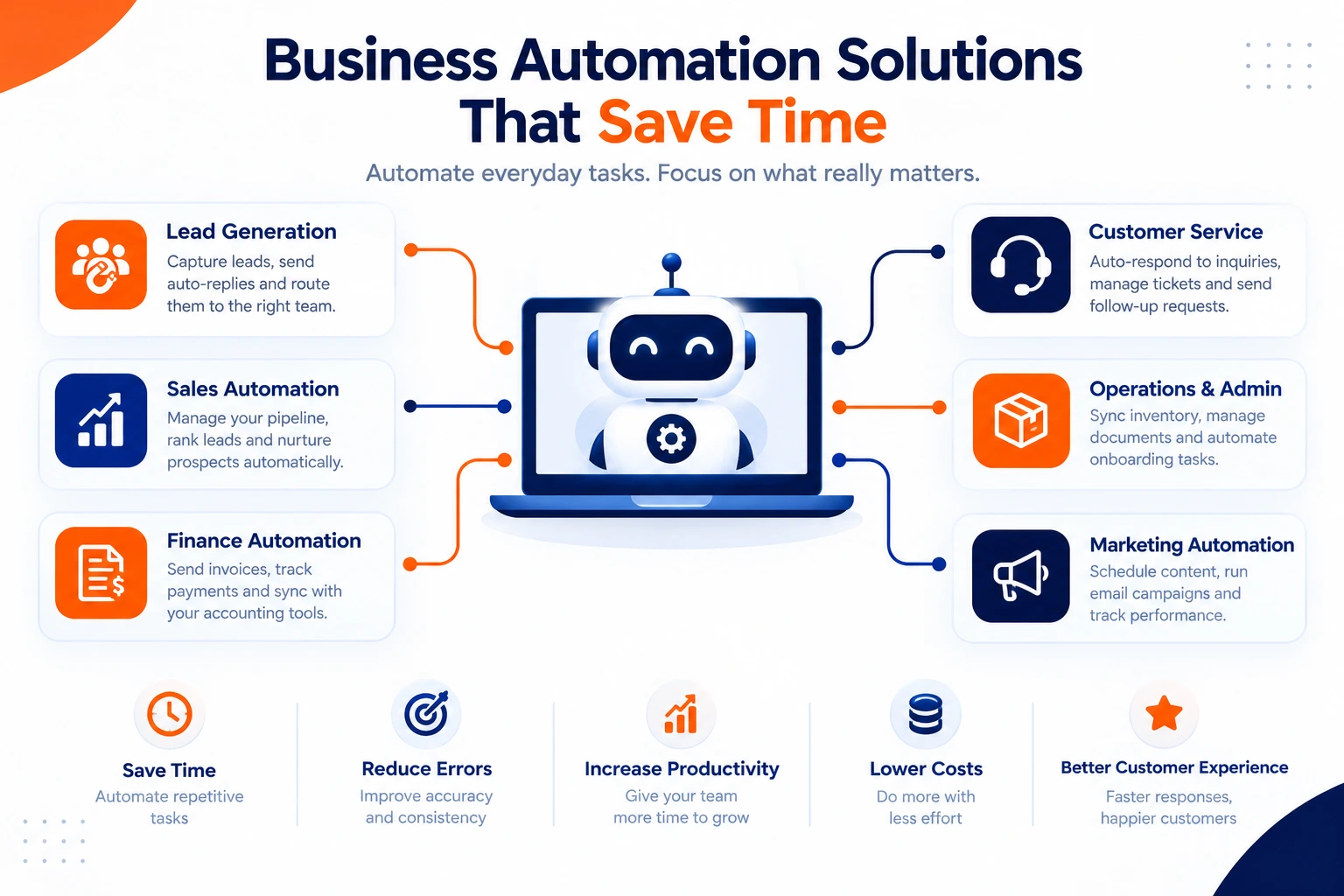
Organised by function, because that's how bottlenecks actually cluster. These are the business automation solutions with the shortest payback.
Leads. Instant auto-reply to contact-form submissions. Inbound phone leads routed to a rep with an automated introduction email. Missed-call notifications with a follow-up scheduled automatically. Gated content delivered on sign-up.
Sales. A pipeline with defined stages and automated steps between them. Leads ranked by engagement so reps work the warmest first. Nurture sequences for prospects who aren't ready, and a welcome series for new clients, all standard business automation solutions.
Finance. Auto-invoicing on completion, payment reminders on a schedule, recurring billing, and accounting sync. Flagged failed payments and expiring cards. For most small firms, this is where business automation solutions recover the most money, not just time.
Customer service. Business automation solutions here cover appointment confirmations and reminders with cancellation alerts, ticket triage and routing, satisfaction surveys that create follow-up tasks, and referral requests to happy clients.
Operations and admin. Stock sync across channels with reorder alerts. Document collection, W-9s, contracts, with automatic chasing. Job applications captured by form with review tasks created. Onboarding checklists that assign themselves.
Marketing. Social scheduling and reposting. Drip email campaigns with personalisation and timing rules.
Published guidance is unanimous on sequencing: pick one or two high-impact repetitive processes, document them properly first, measure before and after, then expand. Business automation solutions deployed as a programme rather than a first workflow almost always stall.
Should You Learn Automation Yourself or Hire Someone?
Three routes to business automation solutions, and the right one depends on what the automation touches.
Do it yourself. A business automation course covers the fundamentals in a weekend, and most platforms are genuinely no-code with free tiers. Correct for simple business automation solutions: form to CRM, booking to calendar, social scheduling. Nothing here needs a specialist.
Hire a small-business automation consultant. It's worth it when the workflow spans several systems, when a mistake would be costly, or when you've tried and it keeps breaking in ways you can't diagnose. A consultant can usually map and build your first three workflows in less time than it takes to learn the platform properly.
Engage ongoing business automation services. The threshold is risk rather than complexity. Once automation touches billing, customer data, payroll, or anything with a compliance obligation, business automation solutions need someone accountable for them when they break at 6 pm on a Friday.
The honest test: if the process is simple and failure is cheap, learn it. If failure costs money or trust, buy the expertise. Most small businesses end up doing both, building the easy connections in-house and bringing help in for the ones that matter.
Which Skill Is Hardest to Automate?
A decade of research gives a clearer answer than most people expect, and it isn't what job titles suggest.
The Oxford study by Frey and Osborne put roughly 47% of US employment at high risk of computerisation, but it assessed whole task bundles rather than individual tasks. An OECD follow-up found most workers in supposedly high-risk occupations spend most of their time on work sitting outside the automation boundary. Job title and actual task composition differ considerably.
Research names five bottlenecks that business automation solutions still cannot cross:
- Perception and manipulation in unpredictable physical environments
- Creative intelligence
- Social intelligence requiring real-time interpretation of another person
- Fine motor dexterity under material unpredictability
- Expert judgment exercised in real time from sensory feedback
The hardest to automate is the combination of the last two: skilled hands working with variable materials, guided by judgment formed in the moment. Fine jewelry stone setting is the textbook case.
A useful insight for anyone evaluating business automation solutions: routine cognitive work proved far more vulnerable than expected, while tactile and judgment-intensive work proved more resistant. The boundary depends on whether a task requires sensing and responding to physical variation in real time, not on white-collar versus blue-collar or skill level.
So point business automation solutions at the reading, sorting, routing, and calculating. Leave the hands, the judgment calls, and the difficult conversations.
How Do You Choose Business Automation Tools Without Overbuying?
Rankings of business automation solutions go stale, and most lists are written by vendors who appear in them. Use criteria instead.
Does it connect to what you already run? Integration breadth beats features. A tool that can't reach your CRM is a second system to maintain.
Is the billing unit predictable? Platforms charge per task, per operation, or per workflow run. On a high-volume process, those totals can differ wildly for the same work.
Can a non-technical person maintain it? This single factor decides whether business automation solutions survive staff turnover.
Is there a real free tier? Most have one. Prove the workflow there before paying for anything.
What happens when it breaks? Error messages you can act on, and alerts when a run fails silently.
The practical stack for most small businesses: one connector platform, plus whatever your existing CRM, accounting, and helpdesk software already automate natively. That last part is consistently the most underused; you're probably already paying for automation you've never switched on.
What Are the Top 10 Automated Businesses?
Less useful as a list of companies than as a list of business models, because automatability is structural. These ten get the most from business automation solutions per unit of revenue:
- Subscription software, provisioning, billing and renewals all automatable end to end
- Digital products, courses, templates, downloads; delivery is a webhook
- Dropshipping and print-on-demand, order routing straight to a supplier
- Affiliate and content sites, publishing and tracking automated, traffic does the rest
- Online booking services, scheduling, reminders, payment, follow-up
- Membership communities, access control and renewal cycles
- Ecommerce with 3PL fulfilment, inventory sync and shipping handed off
- Lead generation businesses, capture, qualify, route, bill
- SaaS resellers and agencies, onboarding and reporting templated
- Vending and self-service, stock alerts and cashless payment
The pattern: the more a business delivers something digital or standardised, the further business automation solutions can take it. The more it depends on skilled hands or real-time judgment, the less, which is exactly what the research on automation bottlenecks predicts.
Document First, Automate Second
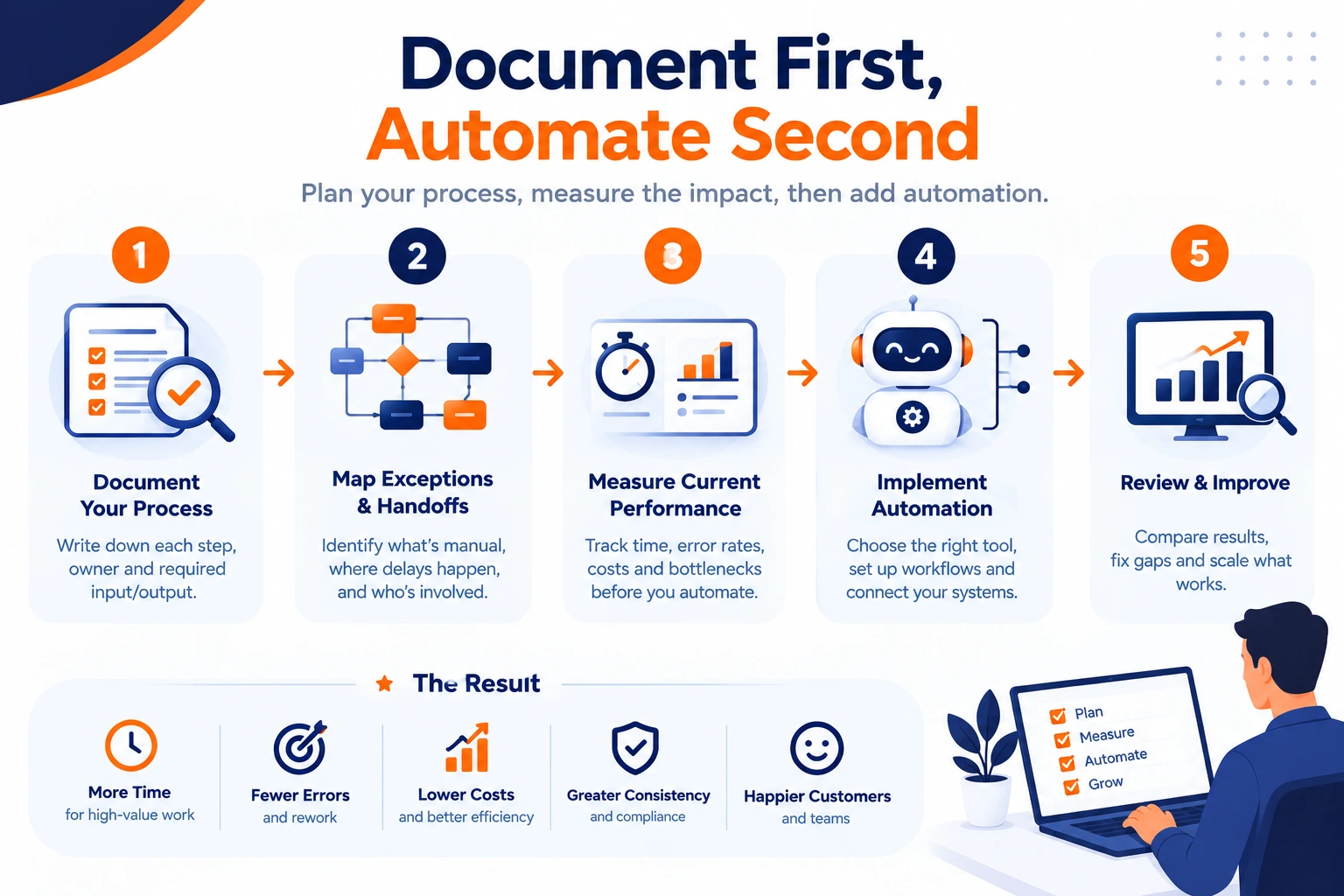
Pick the process costing you the most hours. Write it down, every step, every exception, every handoff. Capture how long it takes now. Then point business automation solutions at exactly that, and nothing more, until it is measurably working.
Automating an undocumented process makes the confusion arrive faster. Creative Bits starts with process mapping before tooling, building on Zapier, Make, n8n, and monday.com rather than one platform you need to buy.