monday.com Services
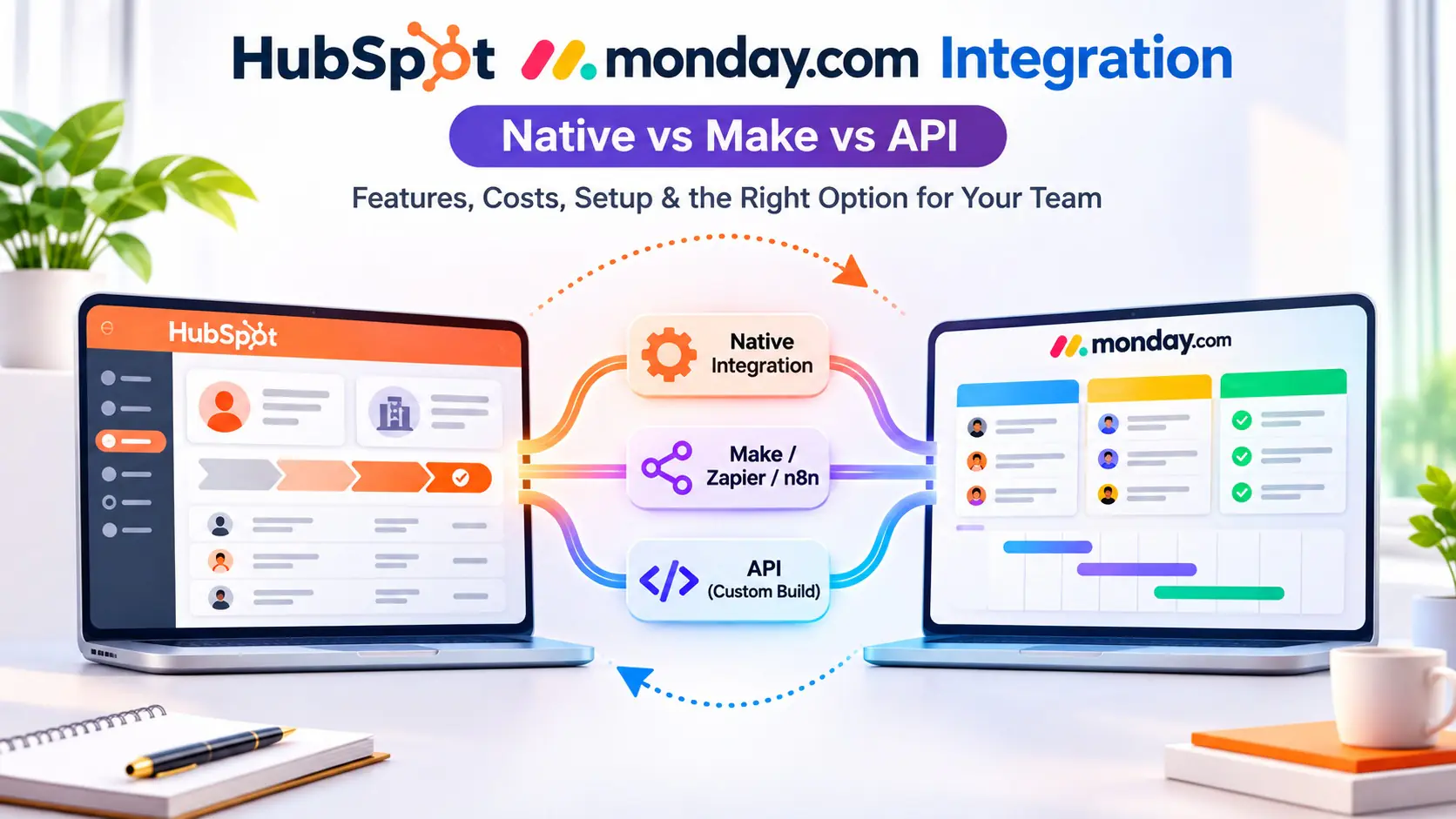
You can connect HubSpot to monday.com three ways: the native HubSpot integration inside monday.com (fast, one direction, free with your plan), a middleware tool like Make, Zapier or n8n (two-way, conditional, small monthly cost), or a custom build on the monday.com and HubSpot APIs (anything you want, highest effort). For most 10 to 200 person teams the right answer is the native integration for a simple "deal closed, start the project" handoff, and Make or n8n the moment you need status to flow back into HubSpot. This guide shows you which one fits, what each costs, and how to set it up without creating duplicate records.
Why teams connect HubSpot and monday.com in the first place
HubSpot owns the relationship: contacts, companies, deals, emails. monday.com owns the work: onboarding boards, delivery projects, tickets, timelines. The problem is the gap between them. A rep marks a deal Closed Won, then someone in operations copies the company name, contact, deal value and start date into a monday.com board by hand. Two weeks later sales asks "where is that project?" and the answer lives in a tool they never open.
Every integration option below solves the same three jobs in different ways:
- Handoff: a HubSpot deal reaching a stage creates a monday.com item (or a whole board from a template).
- Context: HubSpot properties such as owner, deal amount, lifecycle stage and custom fields land in monday.com columns so the delivery team never asks sales for them.
- Feedback: monday.com status, dates or numbers write back to HubSpot so sales and account managers see delivery progress on the deal record.
The first two jobs are easy. The third is where the native option runs out.
Option 1: The native HubSpot integration in monday.com
monday.com ships a HubSpot integration you add from the Integrations Center on any board. It works through recipes, the same sentence-style rules monday.com uses for its own automations. The official support article lists three recipes: when a contact is created in HubSpot, create an item; when a company is created, create an item; when a deal is created, create an item. You connect your HubSpot account once, pick a recipe, then map HubSpot fields to board columns. According to monday.com's documentation, all HubSpot fields can be mapped onto the new item, custom fields included.
What it does well
- Setup in 10 to 20 minutes with no technical help.
- No extra subscription. It uses your monday.com integration actions, which are included in Standard plans and above (Standard includes 250 integration actions a month, Pro 25,000; check your plan, these change).
- Field mapping is clean and lives on the board, so a board owner can maintain it.
Where it stops
- One direction. Data flows HubSpot to monday.com. A status change in monday.com does not update the HubSpot deal.
- Trigger on creation, not on stage. The recipes fire when a record is created. If you want "when the deal reaches Closed Won" you need a HubSpot workflow that creates a new record or sets a property, or you use a middleware tool instead.
- No conditions. You cannot say "only deals over $20,000 from the East team". Every matching record comes through.
- No updates to existing items. If the HubSpot deal amount changes after the item was created, the monday.com item keeps the old value.
Also worth knowing: HubSpot has its own Data Sync app for monday.com in the HubSpot marketplace, which offers two-way sync of contacts and companies on a schedule. It is useful for keeping people records aligned but it is not built for deal-to-project handoffs, and the field set is narrower than what Make or n8n can reach.
Option 2: Make, Zapier or n8n in the middle
A middleware tool watches HubSpot for an event, applies logic, and calls monday.com (and back). This is the option we build most often, because it covers the full handoff loop.
What you can do that the native integration cannot
- Trigger on deal stage. "When deal stage changes to Closed Won" is a first-class trigger in all three tools.
- Filter and branch. Route enterprise deals to one board and SMB deals to another. Skip renewals. Add subitems based on the products on the deal.
- Two-way sync. When the monday.com status column changes to Live, update a HubSpot deal property called Delivery status, add a timeline note, or move the deal to a Delivered pipeline.
- Update instead of duplicate. Search monday.com for an existing item by HubSpot deal ID before creating one. This single step is what prevents the duplicate boards most DIY setups end up with.
- Create a board from a template. Duplicate your onboarding template board, rename it with the company name, and drop the deal data in.
Which of the three
- Zapier: fastest to learn, largest app library, priced per task. Fine up to a few hundred deals a month. Multi-step Zaps with searches and filters burn tasks quickly, so cost climbs with volume.
- Make: visual scenarios, better at branching and loops, priced per operation. Our default for HubSpot to monday.com work at 10 to 200 person companies because the two-way loop with search-before-create is cheap to run.
- n8n: open source, self-host for a flat server cost or use n8n Cloud. Best when volume is high (thousands of events a month), when data must stay on your infrastructure, or when you want AI steps such as summarising the deal notes into a project brief.
Option 3: A custom build on the APIs
Both platforms have mature APIs. HubSpot exposes CRM objects and webhooks through its v3 API. monday.com uses a GraphQL API with webhooks and a complexity budget per query. A custom integration (usually a small service on AWS Lambda, Cloud Run or a similar host) gives you full control: exact field logic, retries, error logging, rate-limit handling and no per-task fees.
Choose this when one of these is true:
- Volume is high enough that Zapier or Make pricing becomes a line item (think thousands of events a day).
- You need guarantees: idempotent writes, audit logs, alerting when a sync fails.
- The logic is unusual: multi-object associations, pricing calculations, or syncing HubSpot line items into monday.com subitems with rollups.
- Compliance requires the integration to run inside your own cloud account.
The trade-off is ownership. Someone has to maintain it when HubSpot deprecates an endpoint or monday.com changes a column type. If you do not have a developer who will own that, n8n self-hosted gets you most of the control with far less code.
Native vs Make/Zapier/n8n vs API: side by side
Need | Native monday.com recipe | Make, Zapier or n8n | Custom API build |
HubSpot record creates a monday.com item | Yes | Yes | Yes |
Trigger on deal stage (Closed Won) | Workaround only | Yes | Yes |
Filters and routing rules | No | Yes | Yes |
Update existing items (no duplicates) | No | Yes, with a search step | Yes |
monday.com status back to HubSpot | No | Yes | Yes |
Create a board from a template | No | Yes | Yes |
Custom HubSpot fields | Yes, on creation | Yes | Yes |
Setup time | 10 to 20 minutes | 2 to 8 hours for a full loop | 1 to 3 weeks |
Running cost | Included in plan | $20 to $100 a month typical [verify current tool pricing] | Hosting only, plus maintenance |
Who maintains it | Board owner | Ops admin or partner | Developer |
How to set up the native HubSpot monday.com integration
- Open the board that should receive HubSpot records (we recommend a dedicated intake board, not your main project board).
- Click Integrate at the top of the board, search for HubSpot and choose it.
- Pick the recipe: contact, company or deal created in HubSpot creates an item.
- Connect your HubSpot account when prompted. Use a HubSpot user with access to the objects you are syncing, ideally a shared admin account rather than a person who may leave.
- Map fields. Start with deal name, amount, close date, owner, company name and your HubSpot deal ID into a text column. The deal ID is what lets you de-duplicate later.
- Test with one record. Create a test deal in HubSpot and confirm the item appears with every column filled.
- Add a monday.com automation on the intake board: when an item is created, notify the operations lead and move it to the right group.
How to build the two-way loop in Make (the setup most teams end up with)
- Trigger: HubSpot "Watch deals" with a filter on deal stage equals Closed Won. In Zapier use "Deal stage updated"; in n8n use the HubSpot trigger node on deal property change.
- Search: monday.com "Search items by column value" on your HubSpot deal ID column. If found, update it. If not, continue.
- Create: either create an item on the delivery board, or duplicate your onboarding template board and rename it with the company name.
- Fill columns: map deal amount to a numbers column, close date to a date column, HubSpot owner to a people column by email, products or line items to subitems.
- Write back: update the HubSpot deal with the monday.com item URL in a custom property so sales can click straight through.
- Second scenario, the return path: monday.com webhook on status column change, then HubSpot "Update a deal" setting a Delivery status property and adding a note.
- Error handling: add a break or error route that posts to a Slack channel or creates a monday.com item on an Integration errors board. Silent failures are the most common reason these loops get abandoned.
Mistakes we fix most often
- No unique key. Without the HubSpot deal ID stored on the monday.com item, every re-run creates a duplicate. Add the column before you add the automation.
- Syncing everything. Pushing all contacts into monday.com fills boards with records nobody works on and burns integration actions. Sync deals at a stage, not contacts at creation.
- Two sources of truth for the same field. Decide per field which system owns it. HubSpot owns amount and close date; monday.com owns delivery status and go-live date. Never let both sides write the same column.
- Personal credentials. Integrations connected through a rep's login break when that rep leaves. Use a service account.
- Ignoring action limits. monday.com counts every integration run against your plan's monthly integration actions. A chatty two-way sync on a Standard plan can hit the limit mid-month.
Which option should you choose?
Use the native integration if you only need new HubSpot deals, contacts or companies to appear in monday.com, your volume is modest, and nobody needs delivery status back in HubSpot. Use Make, Zapier or n8n when you need stage-based triggers, filters, template boards or two-way status. Use the API when volume, compliance or unusual logic make a middleware tool fragile or expensive. If you are unsure, start native, run it for two weeks, and note every time someone copies data by hand. That list is your spec for the Make build.
Frequently asked questions
Does monday.com have a native HubSpot integration?
Yes. monday.com offers a HubSpot integration in its Integrations Center with recipes that create a monday.com item when a contact, company or deal is created in HubSpot. It maps HubSpot fields, including custom fields, to board columns. It is one-directional: changes in monday.com do not flow back to HubSpot.
Can monday.com update HubSpot automatically?
Not with the native recipe. To push monday.com status, dates or numbers back into HubSpot you need Make, Zapier, n8n, a sync tool such as Unito, or a custom API integration. Each of these can watch a monday.com column and update a HubSpot deal property or add a note.
Is the HubSpot monday.com integration free?
The native integration has no separate fee but it consumes integration actions from your monday.com plan, which start at the Standard tier. Make, Zapier and n8n Cloud have free tiers that are enough for testing; a production two-way sync usually lands on a paid tier costing tens of dollars a month [verify current pricing]. A custom build costs development time plus hosting.
How do I stop the integration creating duplicate items?
Store the HubSpot deal ID in a text column on the monday.com board and search for it before creating an item. The native recipe cannot do this search, which is one reason teams move to Make or n8n. Also trigger on a stage change rather than on record creation, so a single deal only fires once.
Should sales use monday CRM instead of HubSpot to avoid integrating?
If your sales team is small and your marketing automation needs are light, running sales in monday CRM removes the integration entirely because deals and projects live in one workspace. If HubSpot marketing, sequences and reporting are embedded in how you sell, keep HubSpot and integrate. We help teams make this call in a free consultation.
How long does a HubSpot to monday.com integration take to build?
The native recipe takes under 30 minutes. A Make or n8n two-way loop with de-duplication, template boards and error alerts takes us 2 to 8 hours depending on how many fields and boards are involved. A custom API integration is typically 1 to 3 weeks including testing.
Can I sync HubSpot deals into monday.com subitems?
Yes, with Make, n8n or the API. A common pattern is one monday.com item per deal with a subitem per HubSpot line item or product, each carrying quantity and price. The native recipe creates items only, not subitems.
Creative Bits is a monday.com partner in Syosset, NY, building HubSpot and monday.com integrations with Make, n8n and the monday.com API since 2007. If you want the handoff designed once and running reliably, book a free consultation or see our monday.com integrations service page.