monday.com Services
What Do the Best monday.com Case Studies Reveal About Real Business Growth?
It's one thing to hear that a platform can improve productivity. It's another to see proof: a real business that was drowning in disorganised spreadsheets and missed deadlines, and came out the other side with a functioning system everyone actually uses. That's exactly why monday.com case studies matter so much to businesses evaluating the platform: they show what's possible in practice, not just in a product demo.
In this guide, we'll look at the core benefits monday.com offers, how it tends to move the needle on team productivity, what patterns show up across successful monday.com case studies, how it fits into a broader tech stack through integration, and what kind of support customers can expect once they're up and running.
What Are the Benefits of Using monday.com?
At its foundation, monday.com is built as a work operating system, a flexible, visual platform where teams can manage projects, track tasks, and communicate without bouncing between five disconnected tools. That flexibility is a big part of its appeal: the same underlying structure can power a marketing calendar, a sales pipeline, an HR onboarding process, or a construction project timeline.
One of the clearest benefits is visibility. Instead of status updates living in someone's inbox or a private notebook, work becomes visible on shared boards, so managers and teammates alike can see what's in progress, what's blocked, and what's coming up next without needing a status meeting to find out. This kind of transparency tends to reduce the small miscommunications that quietly slow teams down over time.
monday.com also functions well as team collaboration software, since boards, comments, and updates all live in one place tied directly to the work itself, rather than a separate chat thread disconnected from the task at hand. For businesses juggling multiple departments or client-facing projects, that centralisation alone often justifies the switch from spreadsheets and email chains.
How Can monday.com Improve Team Productivity?
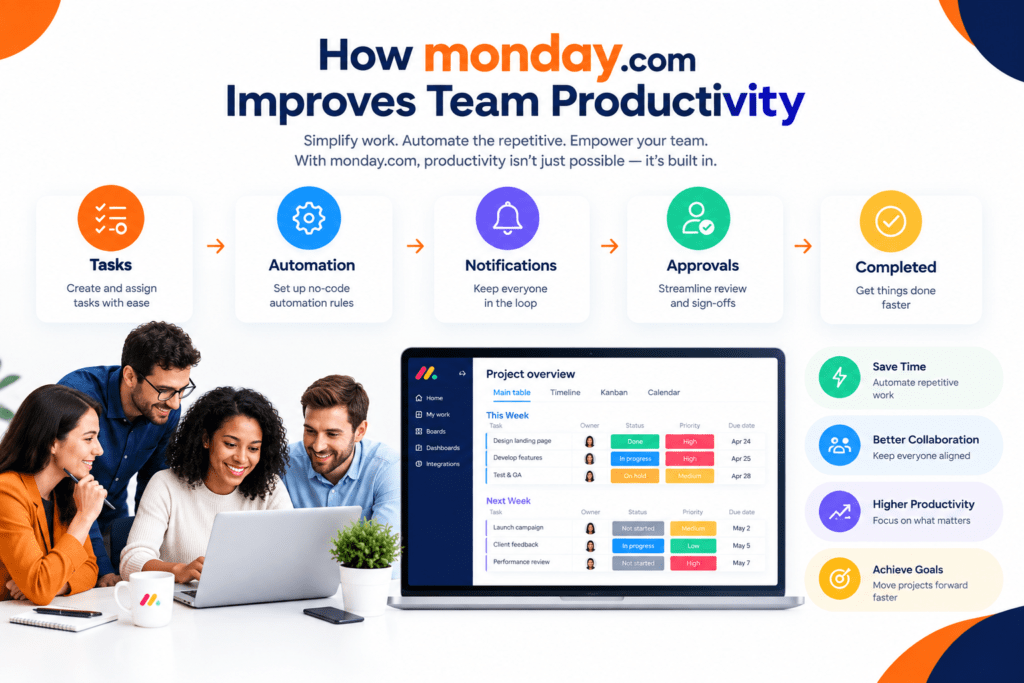
Productivity gains usually come from two directions: reducing manual work and reducing the mental overhead of tracking what needs attention.
On the first front, task automation plays a major role. Recurring tasks, status updates, notifications, and approvals can all be automated through simple, no-code rules, removing the small repetitive actions that otherwise eat into a team's day. A task that used to require someone remembering to send a reminder email now happens automatically the moment a deadline approaches.
On the second front, having a single, structured view of work reduces the cognitive load of simply keeping track of everything. When priorities, deadlines, and ownership are all visible on one board, team members spend less energy figuring out what they should be working on and more time actually doing it. This is where workflow optimisation becomes less about working harder and more about removing friction from how work already happens.
Over time, these smaller efficiency gains tend to compound. A team that saves even 20-30 minutes a day per person on status updates, follow-ups, and manual data entry adds up to a meaningful chunk of reclaimed time across a month, time that gets redirected toward client work, strategy, or simply staying ahead of deadlines instead of playing catch-up.
What Are Some Successful monday.com Case Studies?
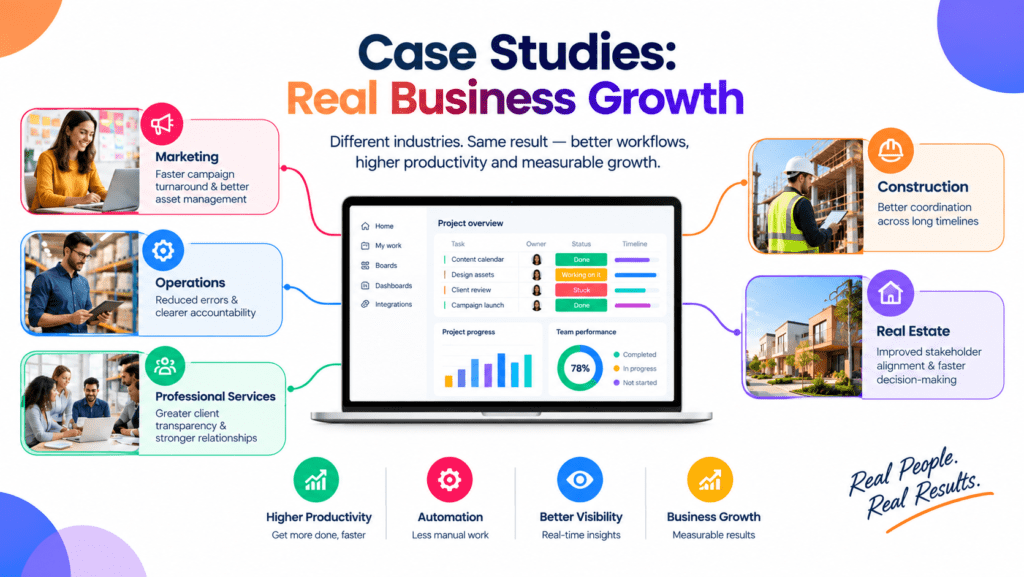
Across published monday.com case studies, a few consistent patterns tend to show up regardless of industry. Marketing teams often highlight faster campaign turnaround after consolidating content calendars, approvals, and asset tracking into a single board structure. Operations-heavy businesses frequently point to reduced errors and clearer accountability once manual processes, like purchase approvals or vendor onboarding, get replaced with structured, automated workflows.
Professional services and agencies commonly report improved client transparency, since shared boards or client-facing views make project status visible without constant email updates. Construction and real estate businesses often highlight better coordination across long timelines involving multiple stakeholders, where a missed handoff can be costly.
What ties these examples together isn't the industry; it's the underlying shift from fragmented, manual processes toward a centralised, automated system. This is also the pattern we see consistently in our own project work at Creative bits, where clients across operations, marketing, and project-based industries typically see the biggest gains once workflows are actually customised around how their teams work, rather than relying on default settings. For specific, verified customer results, monday.com's official customer stories page is the most reliable source, since it publishes detailed, named case studies directly from the companies involved.
How Does monday.com Integrate With Other Business Tools?
Very few businesses run entirely inside one platform, which is why integration capability matters as much as the core project management tools themselves. monday.com connects with a wide range of commonly used business software, email platforms, calendars, file storage, communication tools, CRMs, and accounting systems, allowing information to flow between systems instead of being manually copied back and forth.
This matters most for businesses undergoing digital transformation, where the goal isn't just adopting a new tool. It also reduces the number of disconnected systems a team has to manage day-to-day. A sales team, for example, might connect their CRM so that a closed deal automatically creates a project board, while a support team might sync ticketing data. Hence, recurring issues are visible without switching platforms.
For more specific or complex needs, custom integrations built through APIs allow monday.com to act as a central hub rather than just another app in the stack, pulling data in from and pushing updates out to systems that don't have a native, built-in connection already available.
What Kind of Support Does monday.com Offer to Its Customers?
Support offerings typically scale with plan level, ranging from self-service resources for smaller teams to more dedicated support for larger Organisation . Most customers have access to a searchable help center, community forums, and how-to guides covering common setup and troubleshooting questions.
For businesses on higher-tier plans, support often extends to live chat or priority support channels, along with more structured onboarding resources to help new accounts get set up correctly from the start. Larger Organisation or those with complex, multi-department implementations frequently supplement this with outside implementation partners who can provide more hands-on setup, training, and ongoing optimisation than standard support channels are designed to cover.
This is often where the difference between a smooth rollout and a stalled one comes down to more than just the platform itself; it's whether the team setting it up understands both the tool and the actual business processes it needs to support.
Turning Case Studies Into Your Own Results
Reading monday.com case studies is useful, but the real value comes from applying those lessons to your own workflows rather than copying someone else's setup exactly. At Creative bits, we help businesses translate that kind of proven approach into a system built specifically around their processes, combining monday.com implementation with workflow automation, integrations, and ongoing optimisation so results compound over time instead of fading after the initial rollout.
2. What industries benefit most from monday.com?
Marketing, operations, professional services, construction, and real estate are among the industries that frequently report strong results, though almost any team managing projects or workflows can benefit.
3. How quickly can a business see productivity improvements after adopting monday.com?
This varies by implementation complexity, but many teams report noticeable time savings within the first few weeks once boards and basic automations are properly set up.
4. Does monday.com work well for team collaboration, or just individual task tracking?
It's designed for both. Shared boards, comments, and automated notifications make it effective as team collaboration software, not just a personal to-do list.
5. Can task automation in monday.com really replace manual processes?
Yes, for many repetitive tasks, automation can handle notifications, status updates, approvals, and reminders that would otherwise require manual follow-up.
6. What does it mean that monday.com is a "work operating system"?
It refers to monday.com's flexible, foundational structure that can be configured to manage many different types of work projects, sales, HR, and operations, rather than being limited to one specific use case.
7. Does monday.com integrate with tools my business already uses?
Yes, monday.com supports integrations with many common business tools, including CRMs, communication platforms, and file storage, along with custom API connections for more specific needs.
8. What level of support does monday.com provide to smaller teams versus larger organisations?
Smaller teams typically rely on self-service resources like help centres and guides, while larger organisations often have access to more dedicated support and structured onboarding.
9. Can monday.com case studies help me plan my own implementation?
Yes, reviewing patterns across successful case studies can help identify which features and workflows are likely to deliver the most value for a similar business type.