monday.com Services
Is monday.com Jira Integration the Ultimate Fix for Disconnected Teams?
If your development team lives in Jira and everyone else- sales, marketing, operations, leadership- lives in monday.com, you already know the pain. Status updates get typed twice. Stakeholders ping engineering for progress that's sitting right there in a sprint board they can't see. That disconnect is exactly what a monday Jira connector is built to solve, syncing both platforms so teams stop working around each other and start working together.
At Creativebits, we help businesses connect the tools they already rely on instead of forcing everyone onto one platform. Here's what Jira integration with monday actually does, how to set it up, what it's worth to your business, and what it costs.
What is monday.com Jira Integration and How Does it Work?
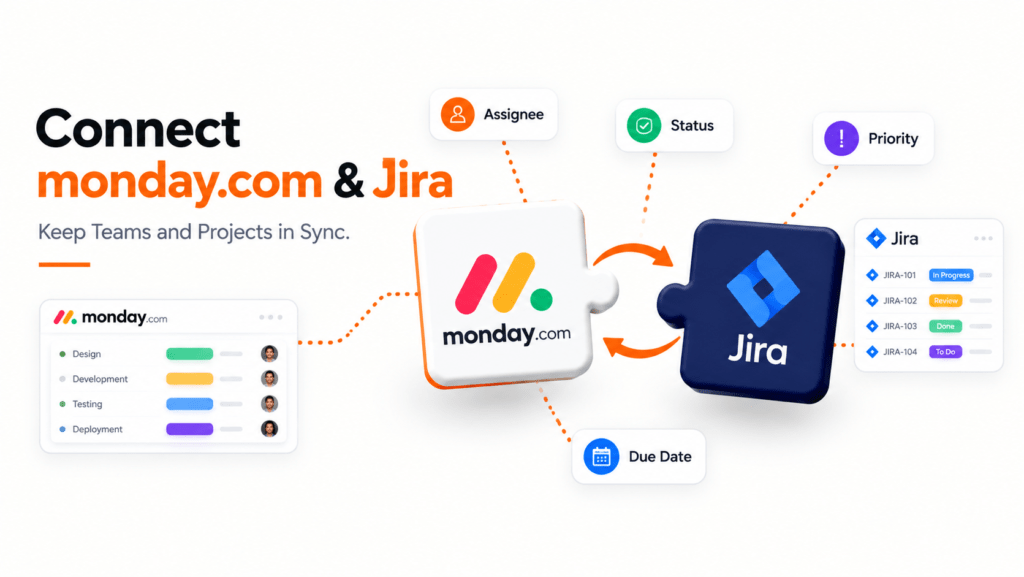
This kind of integration links your monday.com boards with Jira projects so information flows between the two platforms automatically, instead of someone manually copying ticket statuses, comments, or due dates back and forth. In practice, a Jira monday integration works through a two-way sync: when a Jira issue changes status, priority, or assignee, that update reflects on the connected monday.com item, and changes made on the monday.com side can push back to Jira depending on how the connector is configured.
This matters because Jira and monday.com serve different audiences. Jira is built for engineering teams running sprints, backlogs, and issue tracking. monday.com is built for cross-functional visibility; marketing, operations, client services, and leadership all need a simplified view of the same work without learning Jira's interface. Rather than forcing non-technical teams into Jira or asking developers to abandon the tool they know best, integrate Jira with monday.com and let each team work in the platform suited to them, while the data stays synchronised.
Most monday.com Jira connector setups map specific fields between the two systems- status, assignee, priority, due date, and custom fields- so updates in either tool reflect accurately on both sides. The result is a single source of truth without forcing a single tool on everyone.
How Do I Integrate monday.com with Jira for Streamlined Project Management?
Setting up monday.com Jira syncing typically follows a similar pattern, whether you're using monday.com's native Jira app or a third-party connector:
- Connect your accounts. Authenticate both your monday.com and Jira Cloud accounts so the two platforms can communicate securely.
- Choose your sync direction. Decide whether updates should flow one way, from Jira into monday.com, for example, or sync in both directions for full parity.
- Map your fields. Match Jira fields like status, priority, and assignee to their monday.com column equivalents, so data lands in the right place automatically.
- Set your board and project scope. Choose which Jira projects connect to which monday.com boards, rather than syncing everything by default and creating noise.
- Test before rolling out. Run the sync on a small, low-risk project first to confirm updates flow correctly before connecting your full team.
For businesses with more complex needs, this is where a Jira-monday.com integration guide from an experienced partner helps. At Creativebits, we handle this setup as part of our broader monday.com implementation and workflow automation work, configuring field mapping, sync rules, and automations so the integration fits how your teams actually operate, not a generic default.
What Are the Benefits of Using monday.com Jira Integration for My Business?
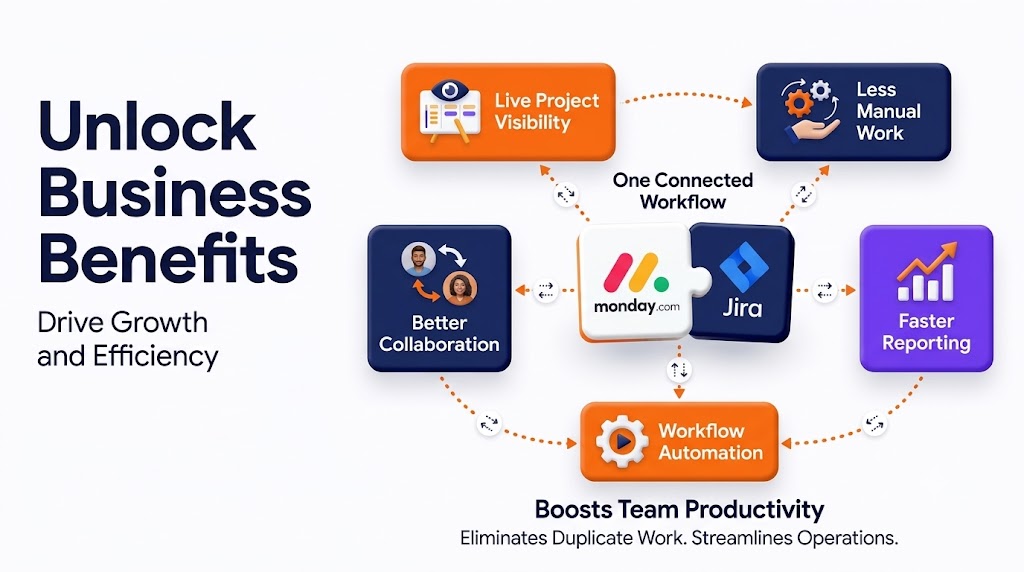
The most immediate benefit of monday.com Jira integration is eliminating duplicate work. Once monday.com Jira sync is running, project managers, account managers, and leadership can see accurate project status without pinging engineering or manually re-entering ticket updates.
Cross-functional visibility. Non-technical teams get a clear view of development progress inside monday.com, without needing a Jira license or training on Jira's interface.
Fewer miscommunications. When both systems reflect the same status in real time, there's no confusion about whether a task is actually done, in progress, or blocked.
Faster reporting. Dashboards in monday.com can pull live data from Jira, so status reports and client updates build themselves instead of requiring manual compilation.
Better resource planning. With development timelines visible alongside marketing, sales, and operations timelines, leadership can plan launches and campaigns around realistic engineering capacity.
Stronger monday.com Jira workflow automation. Combined with monday.com's automation engine, a synced Jira connection can trigger notifications, update related boards, or kick off downstream tasks automatically whenever a ticket changes status.
For businesses running both technical and non-technical teams side by side, this kind of monday.com and Jira integration often becomes the connective tissue that keeps everyone working from the same information.
Can I Customise My monday.com Jira Integration to Meet Specific Needs?
Yes, and customisation is usually where the real value shows up. A basic monday.com Jira setup syncs a handful of standard fields, but most businesses need more nuance:
Custom field mapping. Beyond status and assignee, you can map custom Jira fields, story points, sprint names, and epics to corresponding monday.com columns for more detailed reporting.
Selective sync rules. Rather than syncing every Jira project to every board, you can scope the integration so only relevant projects, teams, or issue types connect, keeping boards clean and focused.
Automation layering. Once the sync is live, monday.com automations can trigger on Jira-driven changes, notifying account managers when a ticket moves to "done," or automatically updating a client-facing board when development wraps.
Multi-board and multi-project structures. Larger organisations often need several monday.com boards connected to several Jira projects simultaneously, each with its own field mapping and sync rules.
Creativebits builds these customisations as part of our monday.com consulting and integration work, since an off-the-shelf setup rarely matches how a growing business actually runs projects across departments.
How Much Does monday.com Jira Integration Cost and Is it Worth the Investment?
Cost depends on the integration method and complexity. Basic connection options may be available at no extra cost, but deeper two-way Jira–monday.com syncs typically run through a third-party marketplace app with its own pricing. Additional costs may also apply for setup, customisation, or ongoing support. Where cost typically comes in is the setup and customisation work:
Self-managed setup. If your team configures the native integration in-house, the direct cost is mainly time, often a few hours to a few days depending on how many boards and projects are involved.
Consultant-led implementation. For more complex needs, custom field mapping, multi-board structures, or layered automation, working with a consultant typically involves a project-based or hourly fee, scoped to your specific setup.
Ongoing support. Some businesses prefer an ongoing arrangement to adjust sync rules and automations as teams and projects evolve, rather than a one-time build.
Whether it's worth the investment usually comes down to how much manual duplication it removes. If your team is currently updating the same status in two places, chasing engineering for updates, or building reports by hand, a properly configured integration typically pays for itself quickly in recovered time and fewer miscommunications.
Final thoughts
A well-built monday.com Jira integration doesn't force your teams to change how they work; it lets developers stay in Jira, and everyone else stay in monday.com, while keeping both sides accurate and in sync. If you're ready to connect the two platforms properly, Creativebits can help you scope, build, and customise the integration around how your business actually runs projects.

2. Does the integration sync in both directions?
It can, depending on configuration. You can set updates to flow one way from Jira to monday.com, or sync bidirectionally so changes made in either tool reflect on both sides.
3. Do I need a Jira license for everyone on my team?
No. One of the main benefits of integrating monday.com with Jira is giving non-technical teams visibility into development progress inside monday.com without needing individual Jira licenses.
4. Can I connect multiple Jira projects to multiple monday.com boards?
Yes. Larger teams often set up multi-board, multi-project structures, each with its own field mapping and sync rules, rather than a single one-to-one connection.
5. Is monday.com's Jira integration free?
Basic connection options may be available at no extra cost, but deeper two-way Jira–monday.com syncs typically use a third-party marketplace app with its own pricing. Additional costs may also apply for setup or customisation.
6. What fields can be synced between monday.com and Jira?
Common fields include status, assignee, priority, due date, and custom fields like story points or epics, though the exact options depend on how the connector is configured.
7. Can automations be triggered by Jira updates inside monday.com?
Yes. Once synced, monday.com's automation engine can trigger notifications, board updates, or downstream tasks automatically whenever a connected Jira ticket changes status.
8. How long does it take to set up the integration?
A basic self-managed setup can take a few hours, while more complex, multi-board configurations with custom field mapping and automation typically take longer and often benefit from expert help.
9. Will this integration replace the need for Jira or monday.com?
No. The goal is to keep both tools in place so each team works where they're most productive, while the integration keeps the underlying data consistent across platforms.