monday.com Services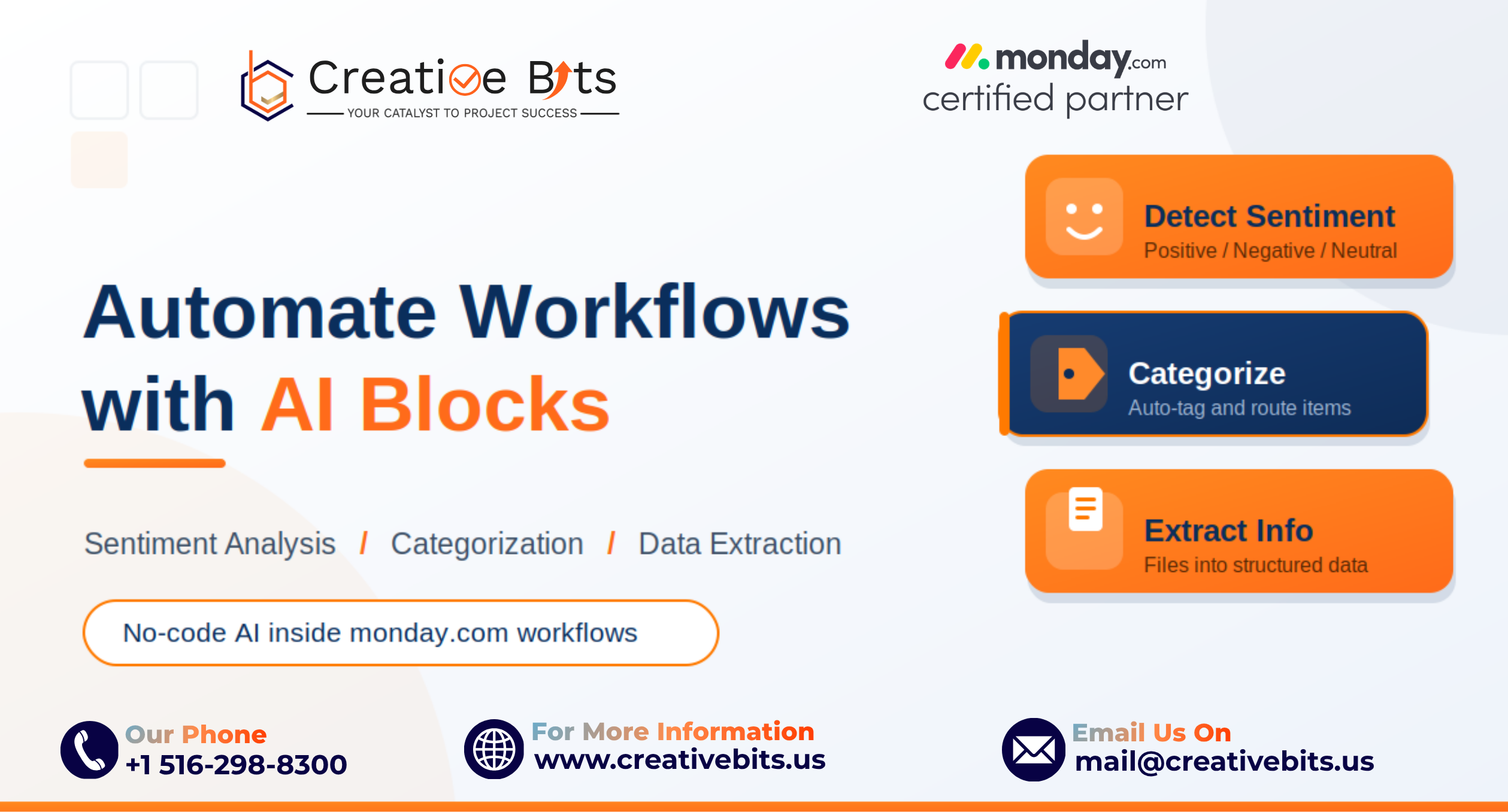
monday.com AI Blocks have quietly become one of the most practical ways for enterprise teams to put artificial intelligence to work without writing a single line of code. Instead of stitching together a separate sentiment tool, a classification API, and a document parser, you drop pre-built AI actions straight into the boards your team already lives in. The result is intelligence that sits inside the work itself, not in a disconnected analytics layer that nobody opens.
For organizations under pressure to "do something with AI," that distinction matters. The fastest return rarely comes from a moonshot project. It comes from automating the repetitive, text-heavy tasks that quietly drain hours every week. monday.com AI Blocks are built for exactly that, and three of them carry most of the value: sentiment analysis, categorization, and data extraction.
What Makes Monday.com AI Blocks Different
Think of AI Blocks as intelligent, reusable components. monday.com itself describes them as the building blocks for everything AI-powered on the platform, and they run in three places: AI-powered columns that process data as new items arrive, AI-powered automations that trigger intelligent actions when conditions are met, and the AI Workflow builder that chains multiple steps into an autonomous process.
The "no-code" part is the unlock. Roughly 70% of monday.com's user base is made up of non-technical teams, and the modular design lets those teams adopt AI without deep technical expertise or disruptive re-platforming, as covered in VentureBeat's look at monday.com's modular AI strategy. Two governance points matter for enterprise buyers: AI features sit under their own terms of service, and monday.com states that customer data is not used to train its AI models. That combination of accessibility and clear data handling is what makes these blocks safe to roll out at scale.
The 3 Building Blocks That Deliver the Fastest ROI
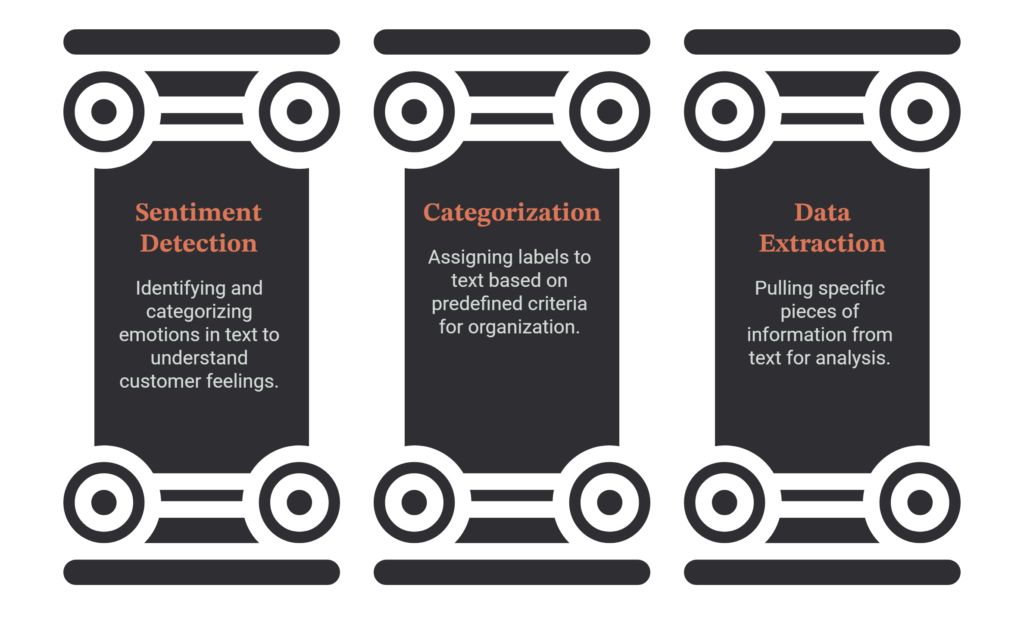
1. Detect Sentiment
The Detect Sentiment block reads text on your board and classifies it as Positive, Negative, or Neutral. On its own, that sounds simple, but applied to high-volume channels like support tickets, survey responses, and customer reviews, it becomes a real-time pulse on how people feel about your product or service. More importantly, sentiment becomes a trigger: negative tone can fire an alert, escalate a priority, or route an account to a senior rep before a small problem becomes a churn risk.
2. Categorize (Assign Labels)
Categorization is consistently described as one of the highest-ROI AI capabilities on the platform. The Categorize and Assign Labels blocks read the text in a field and select the best-fit label from your status or dropdown column. Use it to auto-tag tickets by type, classify inbound leads by industry fit, or route requests to the right department. The win here is consistency. When five people categorize manually, "urgent" means five different things. AI applies the same logic every time, regardless of volume or who is on shift. For accuracy, monday.com's own guidance is to use a small set of clear, distinct labels (roughly three to ten) and to give the model enough input text to decide well.
3. Extract Info (Data Extraction)
The Extract Info block automatically pulls structured data out of unstructured sources: invoices, resumes, contracts, proposals, Monday Docs, and even images. Instead of someone keying receipt totals or contract renewal dates into a board by hand, the AI extracts the values and populates your columns. It handles multiple files at once and supports a generous character limit, which makes it viable for real document workloads rather than toy examples. You can see the full action list in monday.com's AI Blocks support documentation.
3 Enterprise Workflows You Can Deploy This Week
Theory is fine, but value comes from shipping. Here are three workflows that combine the blocks above and that most teams can stand up quickly.
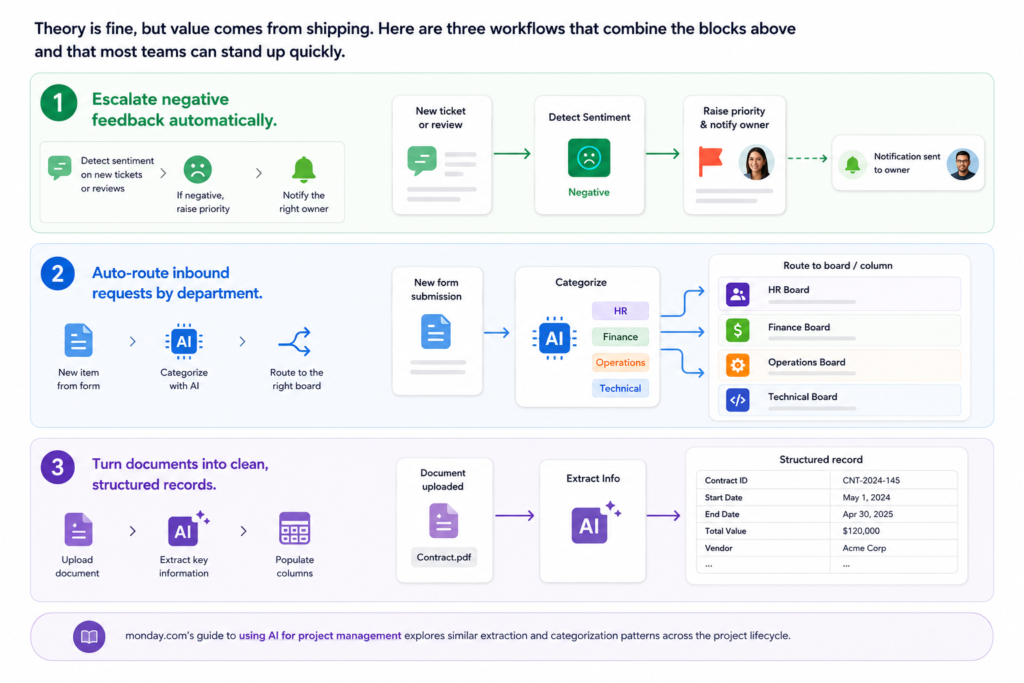
1. Escalate negative feedback automatically. When a support ticket or review is created, run Detect Sentiment on the message. If the result is Negative, raise the item's priority and notify the right owner. Frustrated customers get a faster human response, and your team stops triaging by gut feel.
2. Auto-route inbound requests by department. When a new item is created from a form, use Categorize to tag it as HR, Finance, Operations, or Technical based on the content, then move it to the correct board or column. Your team never manually sorts requests again, and nothing sits in a shared inbox waiting to be picked up.
3. Turn documents into clean, structured records. When a contract, invoice, or resume is uploaded, use Extract Info to pull the key fields (dates, values, terms, skills, contact details) directly into columns. Renewal reminders, expense reports, and candidate profiles build themselves from the source file. monday.com's own guide to using AI for project management walks through similar extraction and categorization patterns across the project lifecycle.
How to Implement Without Overcomplicating It
You have two practical entry points. To create an AI-powered column, open the Column Center and choose the "AI-powered" tab, then point the block at the source column it should read. To apply AI to an existing column, open the column's three-dot menu and select "Autofill with AI." For multi-step processes, the AI Workflow builder lets you chain blocks together so a single trigger can summarize, categorize, detect sentiment, and assign an owner in sequence.
A few implementation notes that save headaches later:
- Preview before you activate: monday.com lets you see what the AI will produce before you switch a column or automation on, so you can refine prompts until the output is right.
- Mind the credits: AI actions consume credits from your account balance, and every triggered block draws from that pool. Plan rollouts around your highest-volume, highest-value processes first.
- Start with quick wins: Get Categorize and Extract Info running in a couple of automations, measure the hours saved, then expand toward custom blocks and full AI Workflows.
From Quick Wins to a Connected Workflow Strategy
The strongest results come from treating these blocks as a system rather than isolated tricks. Sentiment scoring is more useful when it feeds categorization, and categorization is more useful when extracted data is sitting right beside it on the same item. That is how a board stops being a list and starts being an intelligent workflow.
This is where implementation expertise pays off. As a certified monday.com partner, Creative Bits helps enterprise teams design these AI-powered workflows end to end, from selecting the right blocks and writing reliable prompts to wiring up automations, governing credit usage, and connecting the boards to the rest of your stack. We also build monday.com native tools like TimeBits for time tracking, so the AI layer and the operational layer work together rather than in parallel.
monday.com AI Blocks lower the barrier to enterprise AI from "complex integration project" to "configure it on the board you already use." Sentiment analysis, categorization, and data extraction are the three that consistently pay for themselves first. Pick one high-volume process, ship it this week, and let the measurable hours saved make the case for what comes next.
Are you ready to put monday.com AI Blocks to work in your operations? Talk to the Creative Bits team or explore more practical guides on the Creative Bits blog.