monday.com Services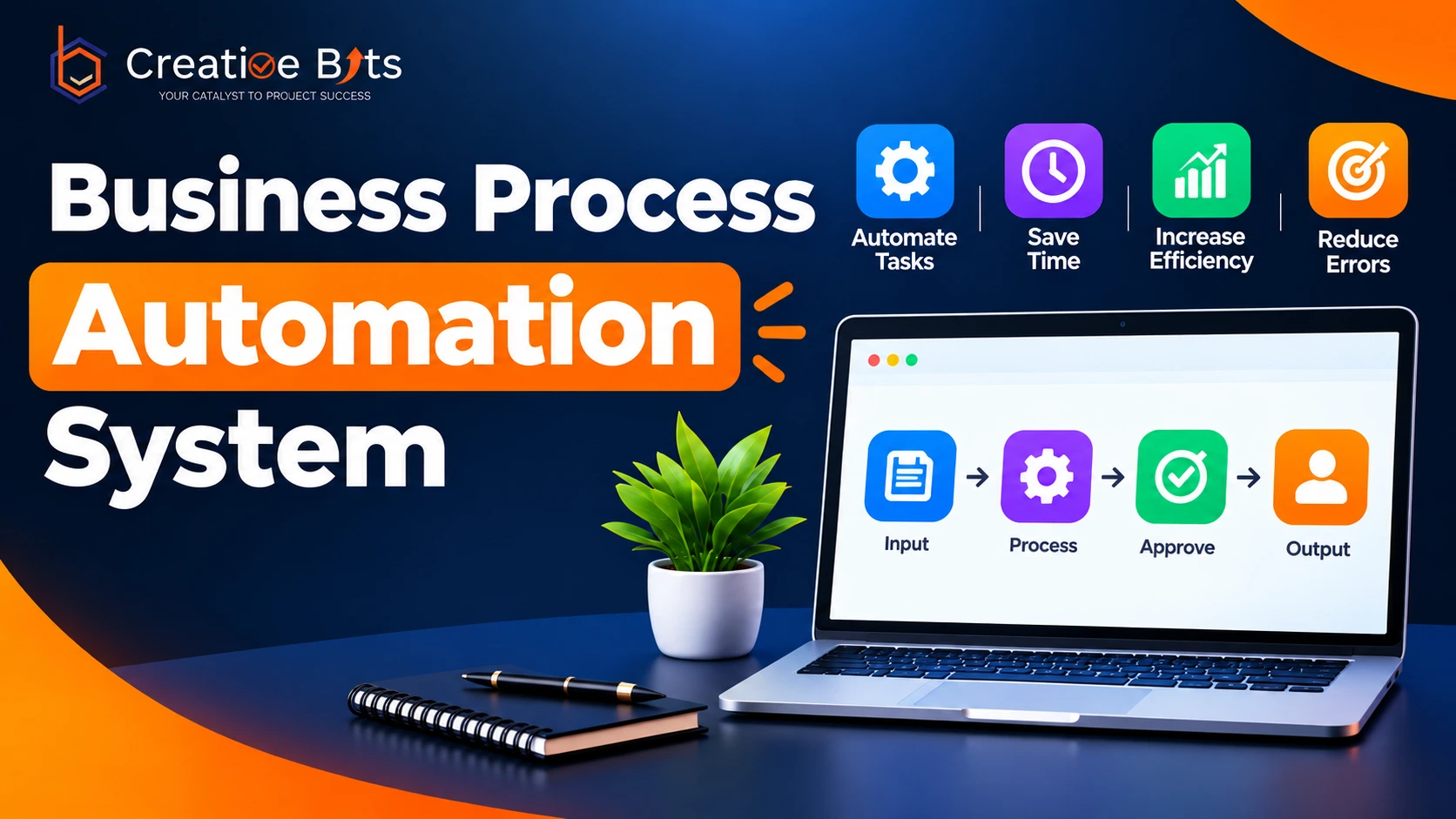
Business Process Automation System
Most businesses adopt a Business Process Management System expecting instant transformation, then get confused when nothing changes for weeks. The gap usually comes down to understanding a BPMS's key functions before choosing one, rather than picking software first. A BPMS isn't just a workflow tool; it discovers, models, runs, and continuously improves how work moves through your organisation.
Key Functions of a BPMS
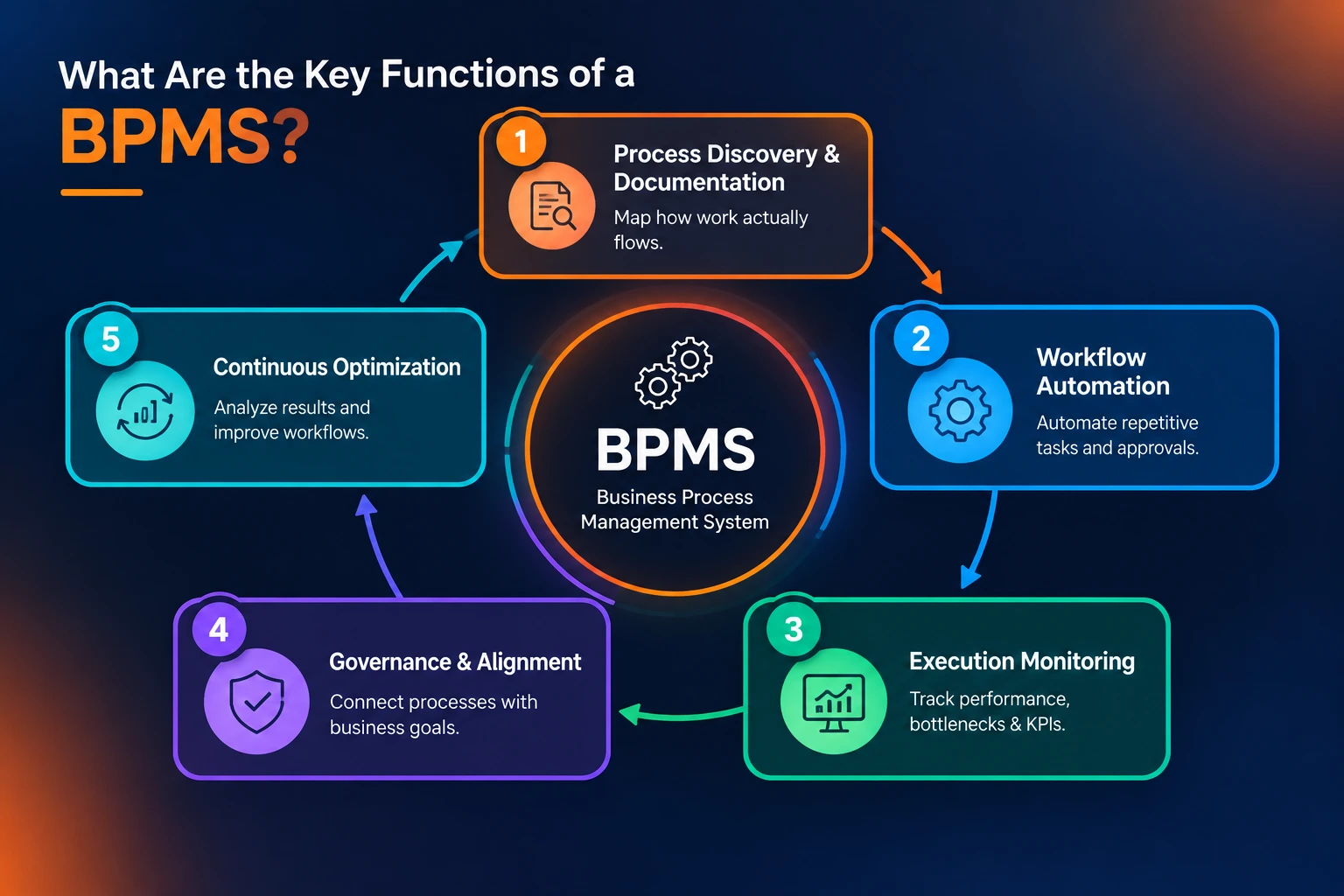
The key functions of a BPMS break down into five core activities: process discovery and documentation, workflow automation deployment, execution monitoring against defined metrics, governance alignment with organisational goals, and continuous optimisation. Process discovery matters most and gets skipped most often, since mapping how work genuinely flows, not how a policy document says it should, is what separates automation that sticks from automation that gets ignored. Together, these functions turn scattered manual steps into something measurable and repeatable.
What Is Business Process Automation?
Business process automation is the practice of using technology to handle repetitive, rules-based work, approvals, data entry, and routing, without someone manually pushing each task forward. It's a subset of an overall Business Process Management program rather than a replacement for it, because automation only works well once the underlying process has been properly discovered and mapped. Done right, it eliminates manual errors, speeds up service delivery, and frees people to focus on judgment calls a machine genuinely can't make.
What Is Enterprise Automation?
What is enterprise automation, exactly? It's the broader, executive-driven version of the same idea: instead of automating one department's workflow, enterprise automation integrates separate business units around shared goals using a combination of software, AI, and existing systems. Enterprise automation tools typically span rule-based automation, system integration through APIs, and intelligent automation that layers AI on top of rule-based execution. The distinction matters because a single automated workflow rarely moves the needle company-wide the way a coordinated enterprise automation strategy does.
Which Enterprise Technology Providers Come to Mind?
When thinking specifically about operating systems, the enterprise technology providers that come to mind are usually the platform giants running the infrastructure everything else sits on top of- think Microsoft- since most enterprise automation ultimately has to integrate with whatever operating environment a business already runs. When thinking specifically about AI and ML, the enterprise technology providers that come to mind shift toward companies building the intelligence layer itself, alongside automation specialists like UiPath, which has become nearly synonymous with robotic process automation in enterprise settings. Industrial and engineering-focused providers, such as Enterprise Automation, a Tetra Tech company, round out the picture for businesses automating physical operations rather than purely digital workflows.
What Are the 7 Types of Information Systems Used in Businesses?
All organisations depend on seven main information systems, which include transaction processing systems for daily activities, management information systems for documentation purposes, decision support systems for decision-making, executive information systems for leadership, enterprise resource planning systems for all data of the company, knowledge management systems for knowledge, and office automation systems for routine activities. A BPMS typically sits alongside or on top of several of these, pulling data from an ERP or transaction system while automating the workflow layer that connects them.
What Are the Two Types of Process Automation?
Typically, process automation falls into two broad categories, namely rules-based automation, where automation is done using logical steps that can be predicted, such as data entry and routing of approvals, and intelligent automation, where artificial intelligence and machine learning are added to automate processes with judgment and decisions that cannot be predicted. Most modern BPMS platforms support both, using rules-based automation for the bulk of repetitive work and intelligent automation for the smaller set of steps that genuinely need context or interpretation.
Automation and Efficiency: Why the Two Go Together
Automation and efficiency are so closely linked that it's easy to treat them as the same thing, but efficiency is the outcome, not the mechanism. Automation improves efficiency by eliminating manual errors, speeding up service delivery, and freeing employees for strategic work, while poorly scoped automation can just as easily add friction if the underlying process was never fixed first. The efficiency gain only shows up when automation and efficiency goals are defined together at the start of a project, not measured after the fact.
What Is the Best Business Process Automation Software?
There's no single best business process automation software for every business; the right choice depends on whether you need heavy case management, lightweight workflow routing, or AI-driven document processing. What matters more than any single feature list is whether the platform maps cleanly to the key functions of a BPMS covered earlier- discovery, automation, monitoring, governance, and optimisation- rather than only handling one of the five well.
Where Most BPMS Rollouts Quietly Fall Apart
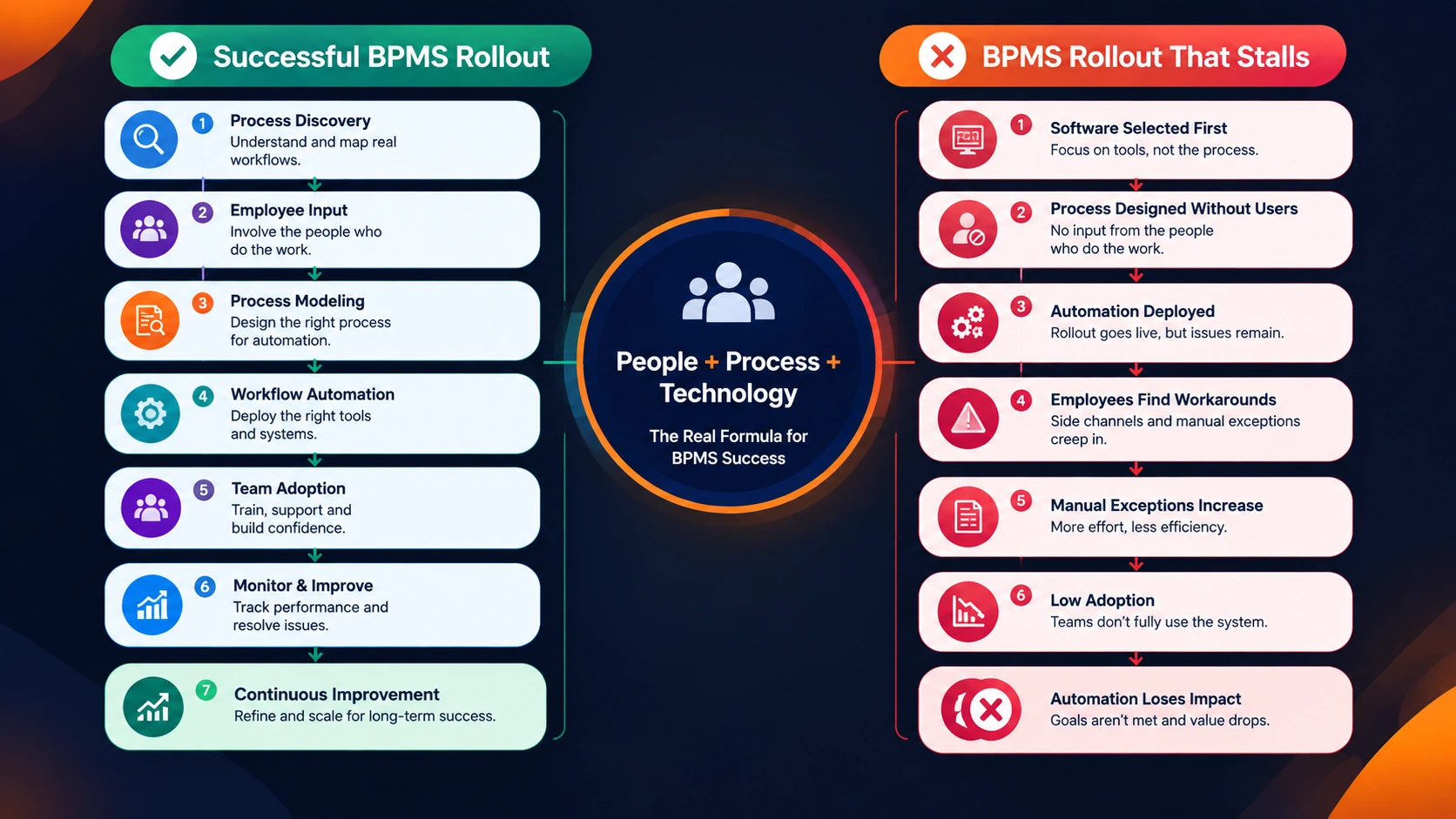
The failure point for most BPMS implementations isn't the software category or the vendor; it's the handoff between the team that designs the process and the team that has to live inside it every day. A beautifully modelled workflow that nobody on the ground was consulted on tends to get worked around within weeks, through side channels and manual exceptions that quietly undo the automation. Rollouts that hold up are the ones where the people actually doing the work helped shape the process before it was ever automated, not after.
2. What is business process automation, in simple terms?
Using technology to handle repetitive, rules-based tasks like approvals and data entry without manual intervention at every step.
3. What is enterprise automation exactly?
The executive-driven practice of integrating automation across an entire organization's business units, rather than automating one workflow in isolation.
4. What enterprise automation tools are most commonly used?
Rule-based platforms, integration tools connecting APIs and ERPs, and intelligent automation tools that add AI on top of fixed logic.
5. What are the 7 types of information systems in business?
Transaction processing, management information, decision support, executive information, ERP, knowledge management, and office automation systems.
6. What are the two types of process automation?
Rules-based automation for structured, predictable tasks, and intelligent automation, which adds AI for judgment-based decisions.
7. How are automation and efficiency connected?
Automation improves efficiency by cutting manual errors and speeding up service, but only when the underlying process is fixed before automating it.
8. What is the best business process automation software?
It depends on your needs; the right platform is the one that supports all five key BPMS functions, not just workflow routing alone.
9. Is UiPath considered an enterprise automation tool?
Yes, UiPath is widely used for robotic process automation across enterprise settings, particularly for repetitive, rules-based tasks.