monday.com Services
Monday.com Review: Pros, Cons & Pricing — Is It Really Worth Your Money?
Few project management platforms generate as much buzz — or as many mixed opinions — as monday.com. Its color-coded boards and no-code automations have made it a favorite for marketing teams, agencies, and operations departments alike. But between the seat-based pricing, the steep learning curve some users report, and a crowded field of alternatives, it's fair to ask whether monday.com still earns its reputation in 2026.
This monday.com review breaks down the platform's real strengths and weaknesses. We’ll look at what the platform does well, where it may fall short, how its pricing works, its pricing structure, and how it compares to spreadsheets and other tools — so you can decide if it belongs in your stack. The goal is to give you a clear picture of what you’re getting before you decide whether monday.com is the right fit for your team.
Monday.com Pros and Cons
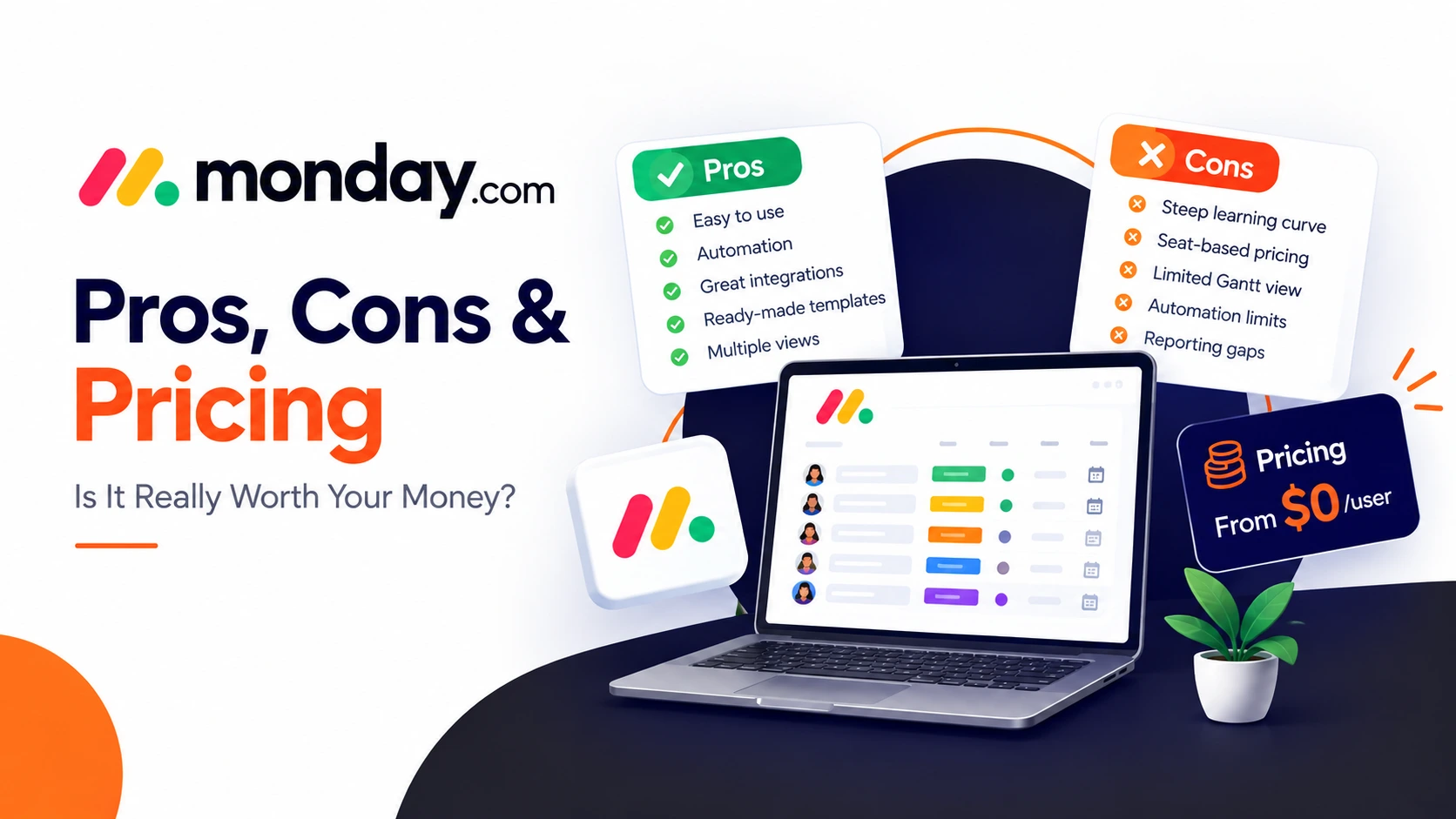
Before diving into pricing and features, here's the honest, condensed version of what works and what doesn't.
Pros:
- Easy visual planning: Drag-and-drop, color-coded boards that make project status easy to read at a glance
- Built-in automation: No-code automation for recurring tasks, status changes, and reminders
- Plenty of integrations: Over 200 native integrations, including Slack, Google Workspace, and Microsoft Teams
- Ready-made templates:200+ pre-built templates that shorten setup time across departments
- Different ways to view your work: Multiple views — Kanban, Gantt, calendar, timeline, and workload — without losing underlying data
Cons:
- The Gantt view is considered weak for actually building out a project from scratch. Teams looking to build and manage detailed project schedules may find the Gantt experience less capable than dedicated planning tools.
Recurring tasks and automations beyond a basic quota are locked to higher-tier plans with heavier automation or recurring-work requirements
Paid plans have a seat minimum; a three-seat minimum on paid plans means solo users or two-person teams pay for unused capacity
Can take time to learn; the sheer number of customization options creates a steep learning curve for brand-new users
Reporting may not be enough for every business; consider purpose-built resource-management tools and find specialised platforms for more tools
Across independent monday.com reviews, this pros-and-cons list holds up fairly consistently — the platform wins people over with ease of use and automation, then loses some of them once pricing and reporting limits kick in at scale.
Monday.com Pricing
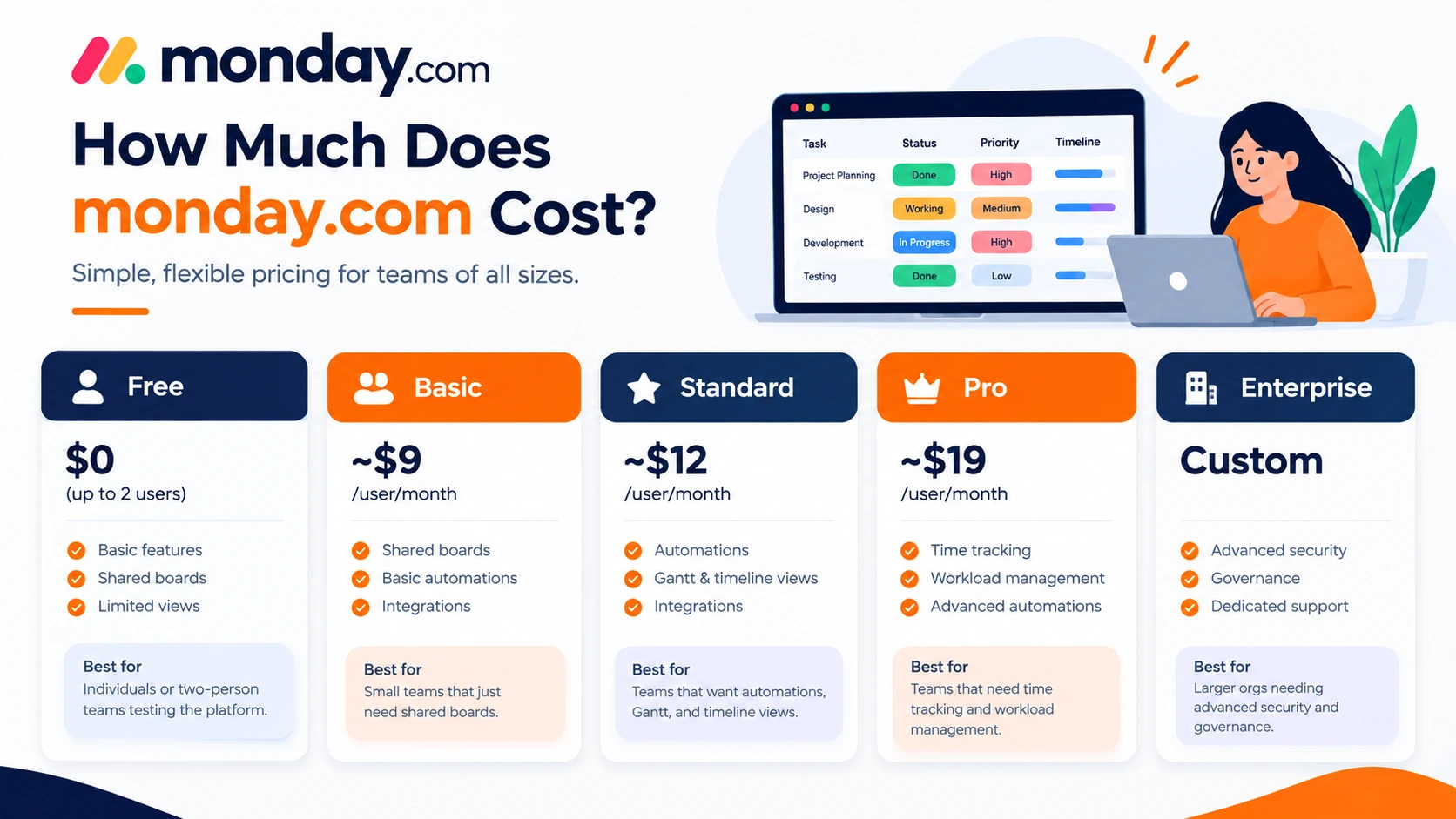
monday.com's pricing is seat-based and billed per user, per month, with a discount for annual billing. Here's how the tiers break down:
| Plan | Price (billed annually) | Best for |
| Free | $0 (up to 2 users) | Individuals or two-person teams testing the platform |
| Basic | ~$9/user/month | Small teams that just need shared boards |
| Standard | ~$12/user/month | Teams that want automations, Gantt, and timeline views |
| Pro | ~$19/user/month | Teams that need time tracking and workload management |
| Enterprise | Custom | Larger orgs needing advanced security and governance |
A few things to know about monday.com pricing before you commit:
- Paid plans have a three-seat minimum, so even a two-person team pays for a third seat.
- Automation and integration actions share a monthly credit pool on the Standard plan, which heavy users can burn through quickly.
- Team sizes that fall between billing increments (say, seven people) may end up paying for unused seats, since seats are sold in blocks.
- Most managers find that Standard is the practical starting point — Basic is often too limited once a team needs Gantt charts or automation.
Why Is Monday.com Falling?
If you've searched this question, you're likely running into one of two different conversations.
If you mean monday.com's stock (NASDAQ: MNDY): As a publicly traded SaaS company, monday.com's share price moves with broader market sentiment toward software stocks, quarterly earnings, growth guidance, and competitive pressure from rivals like Asana and ClickUp — the same forces that affect most subscription-software stocks. Stock prices change daily, so for current figures you should check a live financial data source rather than a blog post; this article isn't financial advice.
If you mean declining user sentiment: Some recent monday.com reviews point to frustration with the three-seat minimum, automation limits on lower tiers, and pricing that climbs quickly as teams add users and unlock features. None of this makes monday.com a bad tool — it just means the platform's value proposition weakens for very small teams or budget-conscious buyers, which shows up in review comparisons and, anecdotally, in threads across community forums.
Is Monday.com Better Than Excel?
For pure number-crunching and complex formulas, Excel still wins — it's built for that. But for managing an actual project with a team, monday.com pulls ahead in a few clear ways:
- Real-time collaboration — multiple people can update the same board simultaneously without version-control chaos
- Visual status tracking — color-coded columns and Kanban views make progress obvious at a glance, something a spreadsheet can't replicate without heavy manual formatting
- Automation — set up no-code workflows to send notifications; status changes, notifications, and task handoffs happen without anyone touching a formula
- Built-in views — Gantt, calendar, and timeline layouts come standard, rather than requiring add-ins or templates
- Integrations — connecting to Slack, Google Workspace, or Teams keeps updates flowing without manual exports and managing projects
- Cross-Sheet Calculations: Handles intricate cross-workbook references and mathematical modeling far better than monday.com's read-only formula columns
Excel remains more flexible for ad hoc calculations and one-off analysis; it's used for advanced data analysis and offline and solo work, but for ongoing project tracking with a team, monday.com is generally the better fit — assuming your budget accounts for its seat-based pricing.
Is Monday.com Truly Free?
Technically yes, but with real limits. The Free plan caps out at two users and a user limit of 2 seats (users) on the account. A handful of boards, with only basic project views and task tracking — no automations, no Gantt or timeline views, and no meaningful reporting.
That makes the free tier genuinely useful for:
- A solo user organizing personal tasks
- A two-person team testing the platform before committing to a paid plan
It stops being "free" the moment a third teammate joins or the team needs automation, Gantt charts, or guest access — all of which require upgrading to at least the Basic or Standard plan. If you're comparing monday.com pricing against other free plans on the market, it's worth noting that some competitors offer more generous free tiers for small teams, so it pays to map your must-have features against each platform's free-tier limits before assuming "free" solves your problem long-term.
Who Is Monday.com's Biggest Competitor?
Monday.com does not have a single undisputed "biggest" competitor, but ClickUp and Asana are widely considered its largest and closest rivals in the general work and project management space.
Top two competitors by use cases
ClickUp: Best for deep customization and all-in-one features, offering native time tracking and deeper feature sets and docs
Asana: Best for structured task tracking, Workflow conditions, and clean visual timelines, and helps teams plan, assign, track, and manage their tasks and projects in a shared workspace
monday.com competes in a crowded work-management category, and different rivals challenge it on different fronts:
On price and features-per-dollar: platforms with more generous free plans and lower entry pricing
On resource and capacity planning depth: platforms built specifically for workload forecasting and portfolio management
On agile software workflows: platforms purpose-built around sprints, backlogs, and developer-centric ticketing
You might care most about a simple visual workspace, detailed reporting, automation, pricing, or specialized Agile features. Visual simplicity versus deep reporting, generous free tiers versus advanced automation, or general work management versus specialized agile tooling. That's precisely why so many monday.com reviews frame the decision as "it depends on your use case" rather than declaring a single winner.
Final Verdict
monday.com earns its popularity honestly: it's visual, fast to set up, and genuinely useful for teams that want structure without a steep technical learning curve. Where it struggles is with per-seat pricing that adds up quickly, a three-seat minimum that penalizes very small teams, and reporting depth that falls short of specialized resource-management platforms once projects get complex.
If your team values ease of adoption and automation over deep portfolio reporting, monday.com is worth the investment. If you're a solo user or need advanced capacity planning out of the box, it's worth comparing your shortlist carefully before committing to a paid tier