monday.com Services
Can Monday Team Integration Change The Way Your Team Works?
Many teams manage projects in one place. Talk to each other. This can be a problem because people have to keep switching between different tools, and they might miss important updates or send the same message over and over again. Monday Teams integration helps by bringing project information and team conversations together so everyone can see what is going on without having to check multiple platforms all the time.
With Monday Teams integration, teams can connect their monday.com workflows with Microsoft Teams channels. Important events can trigger messages automatically. For example, when someone adds an item or changes the status of a project, the right team can get a notification right in their Teams channel. This makes the workflow more connected. Reduces the need for manual updates.
For companies that already use both platforms, the biggest advantage is that work can stay organised in monday.com while conversations and notifications are easy to access through Teams.
Why Is Monday Team Integration Important For Modern Teams?
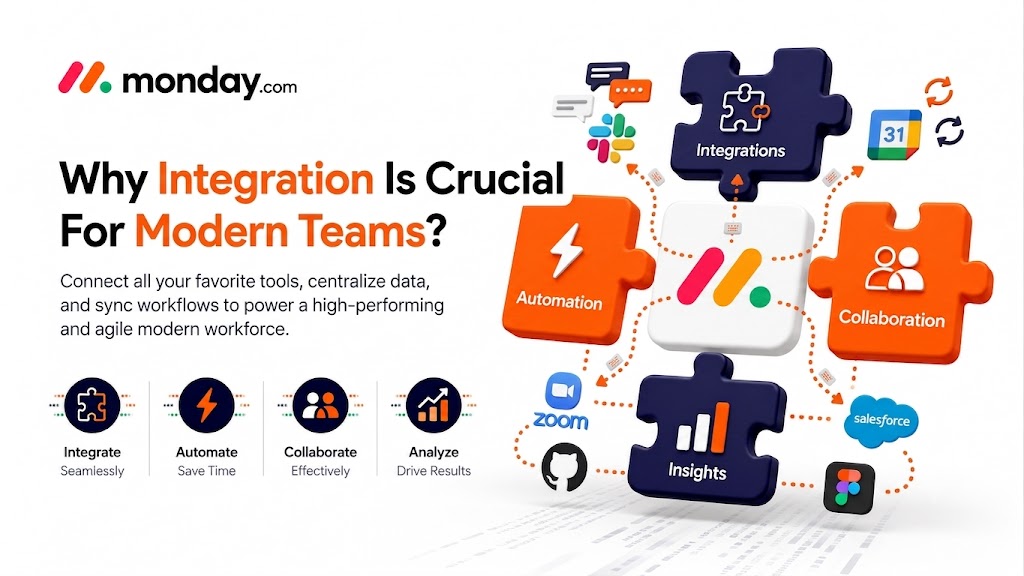
The value of Monday Teams integration goes beyond sending notifications. It helps connect project management with conversations.
Imagine a marketing team working on a campaign board. When the status of a campaign changes to "Ready for Review," an automated Teams message can alert the channel. The Team does not need to keep checking the board or sending messages.
This approach can help with things like:
- Project status notifications
- Task alerts
- Team conversations
- Approval workflows
- Deadline reminders
- Functional collaboration
- Automated project updates
- Reduced manual conversations
The monday.com integration can send messages to Microsoft Teams channels. However, according to monday.com's documentation, Teams group chats are not supported by this integration.
Does Monday Integrate With Microsoft?
Yes, monday.com supports Monday Teams integration with Microsoft Teams. The integration connects monday.com boards with Teams channels and automates notifications based on defined triggers.
The official monday.com integration page also talks about embedding monday.com boards inside Microsoft Teams, creating or collaborating on boards through Teams tabs, getting board notifications, creating items through the monday bot, and sharing monday.com links within Teams conversations.
There is a difference between the integration and the Microsoft Teams app. The integration is designed around trigger-based actions, such as sending a channel notification when an item is created or a status changes. The Teams app provides another way to access monday.com boards and notifications from within Teams.
This makes Monday Teams integration ideal for companies that want their communication and project workflows to work together without manually copying information between systems.
Does Monday Have API Integration?
Yes, Monday.com provides API capabilities that can be used to build customised workflows. This is especially useful when standard integrations do not cover a company's business needs.
A Microsoft Teams integration API approach can be considered when an organisation needs customisation between its project management and communication workflows. By relying only on predefined recipes, developers can design workflows that exchange information between systems according to business rules.
For example, a custom integration could connect project information with an approval process, trigger specific actions based on data changes, or synchronise information with other business applications.
However, not every business needs custom development. For teams, the standard Monday Teams integration is enough for notifications and common collaboration workflows. Custom API development makes sense when the workflow requires specialised logic, data mapping, or connections with additional systems.
Creative Bits focuses on this workflow-automation approach, including API-based integrations that can push and pull data across platforms and connect business processes with the tools teams already use.
How To Set Up Teams On Monday?
Setting up Monday Teams integration is straightforward, although an administrator may need to be involved during the connection.
According to monday.com's support documentation, an Office 365 Global Administrator should initially connect the account using the appropriate credentials. After the connection, users can connect the integration to boards they have access to.
A typical setup process looks like this:
- Open the monday.com board where you want the integration.
- Select Integrate from the board.
- Open the Automations or integration area.
- Search for the Microsoft Teams integration.
- Select an integration template.
- Connect the monday.com account with Microsoft Teams.
- Authorise the required permissions.
- Select the Teams and channel where notifications should appear.
- Customise the notification message.
- Test the workflow before making it part of your process.
Common recipes include notifying a Teams channel when an item is created or when a status changes to a selected value.
What About Monday Com Teams Integration Permissions?
Permissions are a part of the Monday Teams integration. The current monday.com documentation lists permissions including user profile access, Team and channel discovery, group membership access, sending channel messages, and maintaining access without requiring reconnection.
These permissions exist so the integration can identify teams and channels and send configured messages to the appropriate destination.
If an integration becomes disabled, Monday.com notes that missing or incorrect Microsoft Teams permissions can be the reason.
For organisations with access requirements, administrators should review the requested permissions before deployment and make sure the account used for the initial connection has the necessary authorisation.
How Can Monday Team Integration Improve Productivity?
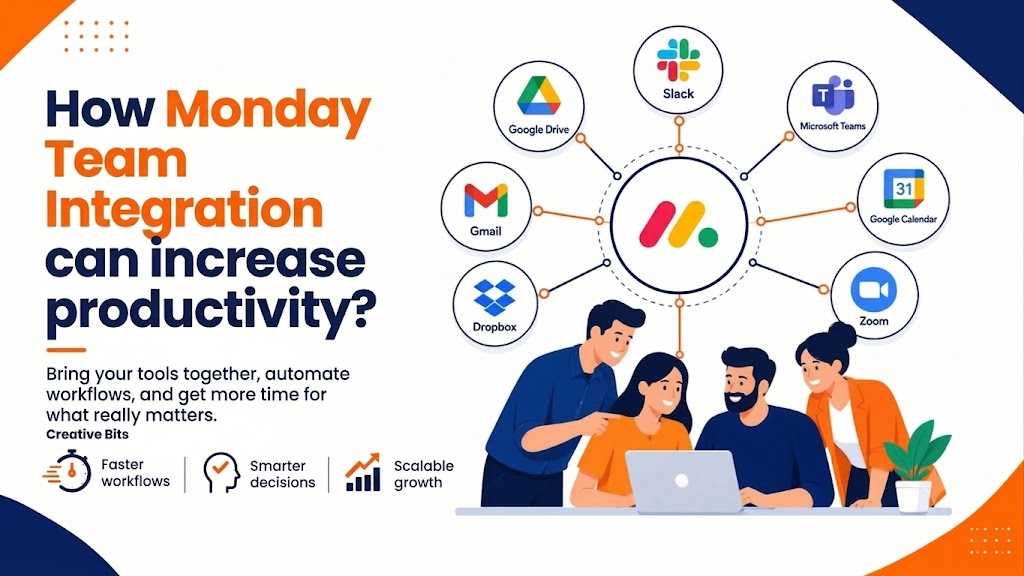
A designed Monday Teams integration can remove several small but repetitive tasks from everyday work.
Instead of asking, "Has this task been completed?" or "Did anyone update the project?" team members can receive automated notifications when important changes occur.
Consider a product development workflow. A monday.com board may contain tasks such as development, testing, review, and launch. When an item moves into testing, the relevant Teams channel can receive an automated notification. When the status changes again, another message can keep stakeholders informed.
This creates a flow:
Monday.com board → workflow trigger → Teams channel → team notification
The result is visibility without requiring project managers to communicate every change manually.
Creative Bits takes a process-first approach to workflow automation by mapping existing processes, identifying bottlenecks, designing automation logic, and testing integrations against real-world requirements.
Is Monday Better Than Teams?
The better question is not which platform is better, but how each one fits into your workflow.
Monday.com is designed to structure work through boards, workflows, tasks, statuses, dashboards, and project information. Microsoft Teams is primarily valuable for communication and collaboration.
That means they can serve roles within the same business process.
With Monday Teams integration, teams can use monday.com to organise and track work while using Teams to communicate around that work. By forcing every activity into one platform, businesses can connect the two and create a smoother workflow.
For example:
* Project managers can track work on monday.com.
* Teams channels can distribute updates.
* Employees can collaborate through Teams.
* Automated triggers can reduce communication.
* Managers can maintain project visibility through boards.
The strongest setup depends on how your organisation works and what information needs to move between platforms. It also depends on how much automation your processes require.
What Can You Automate With Monday Teams Integration?
There are practical ways to use Monday Teams integration.
* New Task Notifications: When a new item is added to a board, a Teams channel can receive a notification so the relevant people know that new work has arrived.
* Status Change Alerts: Status-based automation can notify a channel when work moves into a stage, such as review, approval, completion, or a blocked state.
* Project Communication: Teams can become the communication layer around project activity while monday.com remains the source of project information.
* Custom Workflows: For advanced requirements, API-based automation can connect monday.com and Teams with additional applications or internal business processes.
What Does Monday Team Integration Mean For Growing Businesses?
As organisations grow, communication becomes harder to manage. More projects mean boards, channels, stakeholders, approvals, and updates.
Monday Teams integration can help create a communication process. By relying on employees to remember who needs an update, automation can distribute important information according to predefined rules.
This is particularly valuable for operations, marketing, sales, HR, project management, and service teams where work frequently moves between people and departments.
Creative Bits supports businesses with monday.com implementation, custom integrations, workflow automation, optimisation, training, and ongoing support. Its project portfolio also includes monday.com customisation and workflow automation projects focused on improving visibility and reducing manual work.
How Creative Bits Can Help With Monday Teams Integration
Integration is not only about connecting two applications. The real value comes from designing the workflow.
Creative Bits helps businesses evaluate existing processes, identify automation opportunities, configure monday.com environments, build integrations, and optimise workflows around business goals. Its monday.com services include custom implementation, integrations, optimisation, training, and ongoing support.
For organisations that need project support, Creative Bits also provides PMaaS, including project planning, execution, reporting, tool setup, and optimisation.
The company also develops custom AI solutions that can connect with business systems, including monday.com, creating opportunities for organisations that want to combine workflow automation with business processes.
Final Thoughts
Monday Teams integration can make project communication more connected, consistent, and automated. By sending monday.com updates into Teams channels, teams can reduce manual communication and keep stakeholders informed about important changes.
For requirements, the standard integration can handle common notification workflows. For complex processes, API-based integrations and customised automation can extend what the connected workflow can accomplish.
The key is to start with the business process rather than the technology. Identify where information gets lost, where teams repeatedly communicate updates, and where manual steps slow delivery. Then build the integration around those needs.
When configured thoughtfully, Monday Teams integration becomes more than a notification tool; it becomes part of a workflow that helps teams communicate faster and manage work with greater visibility.

2. Does Monday integrate with Microsoft Teams?
Yes. Monday.com has a Microsoft Teams integration that can send notifications when something happens, like an item or a status change.
3. Can Monday send notifications to Teams?
Yes. When you set up the integration, it can send messages to Microsoft Teams channels when something specific happens in monday.com.
4. What can Monday Teams integration automate?
It can automate things like sending notifications when a new item is added or when the status of something changes. It can also send project updates and other messages based on what's happening.
5. Can I add monday.com boards to Microsoft Teams?
Yes. The monday.com Teams app lets you add boards to Microsoft Teams channels. This makes it easy for users to access and work on monday.com projects from Teams.
6. What are Monday.com Teams integration permissions?
The integration needs permission to know who is using it to access the Teams and channels and to send messages to the channels you choose.
7. Does Monday have an API?
Yes. Monday.com has an API that lets you build custom integrations and workflows. This is useful when the standard integration does not do what you need.
8. Is a Global Administrator required for the Team's connection?
According to monday.com, a Global Administrator should set up the connection using their administrative credentials. After that, users can connect the integration to the boards they have access to.
9. Does the integration support Teams group chats?
No. The integration only works with Teams channels, not group chats.
10. Can the Monday Team integration be customised?
Yes. You can customise the notification messages. Choose where they are sent in Teams. If you need something complex, you can use custom workflows or the API.