monday.com Services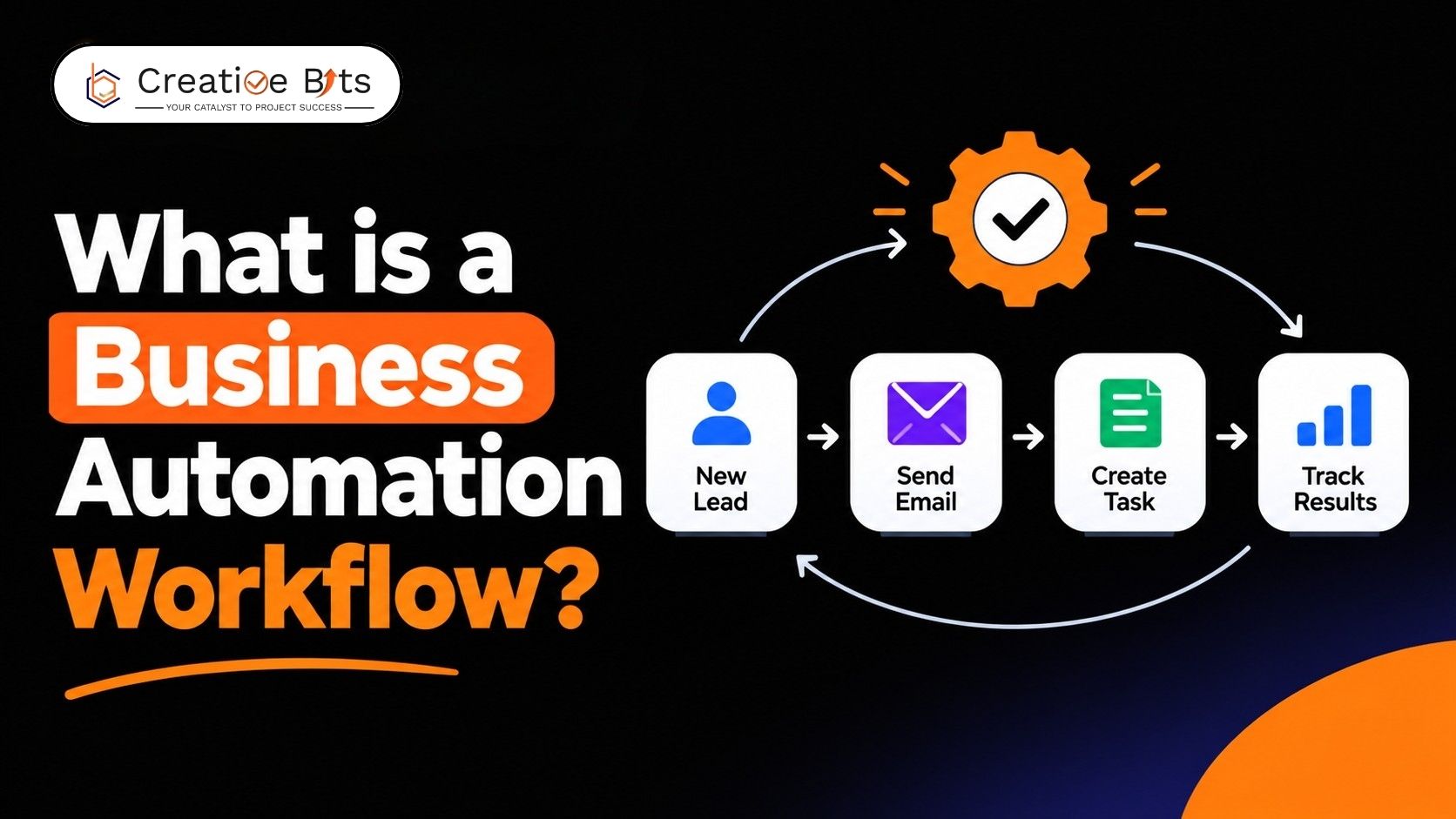
What Is a Business Automation Workflow and How Does It Work?
Every business searching for business process automation services hears a version of the same pitch: connect your tools, cut manual work, free up your team. The reality is narrower. Good business process automation services mean mapping how work actually moves through your organization, then building automated steps around that reality, not a generic template. Here's what separates business process automation services that get used from ones that quietly stall.
Business Process Automation Services
At their core, business process automation services take repetitive, rules-based work, approvals, data entry, and routing, and turn it into a defined digital flow with clear triggers and owners. The strongest business process automation services start with a process audit before touching any software, since automating a broken process just makes the broken process faster. A provider worth hiring treats every automated step as something a real employee could explain in one sentence, not a black box nobody can troubleshoot.
What is business workflow automation?
Business workflow automation uses software to move tasks, approvals, and information between people and systems without manual handoffs at every step. Instead of someone emailing a form, waiting for a signature, then forwarding it again, a workflow automation platform routes it automatically, tracks its status, and flags delays before they become bottlenecks. It's the operational layer beneath most modern business process automation services, and teams usually notice it first when it's gone: less chasing, fewer dropped tasks, and a clear record of who touched what and when.
What Is an Enterprise Business Automation Workflow Platform?
Enterprise business automation workflow platforms are typically built to run both structured processes and case-driven work inside a single system, rather than requiring separate tools for rigid, repeatable steps and judgment-heavy casework. Many evolved from merging an earlier process-management product with a case-management product, which is why the resulting system flexibly covers both work styles. In production, a platform like this is usually deployed as part of a broader automation stack bundling rules management, content services, and analytics alongside the core workflow engine, rather than shipping as a standalone tool.
What This Kind of Platform Covers at Enterprise Scale
At enterprise scale, this class of platform usually includes a web-based, BPMN-compliant designer for building process maps, a case-management framework for unstructured work, and administrative tooling for security and performance tuning. A typical enterprise rollout runs on containerized infrastructure, integrates with existing content repositories, and layers in AI-assisted task routing so knowledge workers spend less time triaging. Independent reviews of platforms in this category consistently note reduced manual errors and faster cross-department handoffs, though a real learning curve during setup is a common trade-off.
What is an example of an automated workflow?
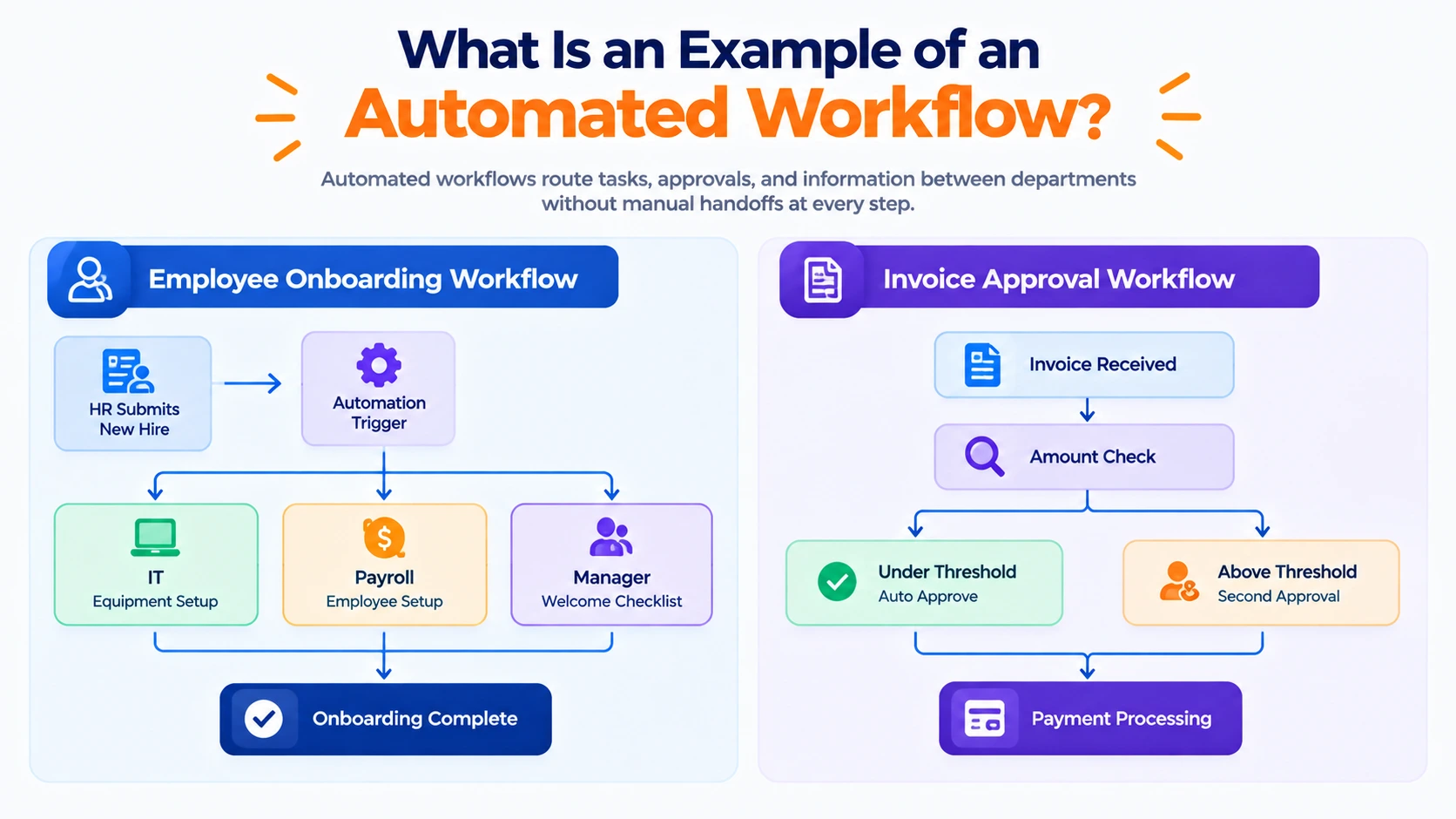
A common business automation workflow example is employee onboarding: HR submits a new-hire record, and the system automatically triggers IT for equipment, payroll for setup, and a manager task for a welcome checklist, without anyone forwarding emails between departments. Invoice approval is another frequent example, where an invoice above a certain amount routes to a second approver automatically, while smaller ones clear instantly. Many teams still start by sketching this out in a business automation workflow PDF, mapping each step and decision point on paper, before a platform builds the equivalent flow digitally.
What is an automation workflow?
An automation workflow is simply the sequence of steps, decisions, and handoffs a piece of work follows from start to finish, defined clearly enough that software can execute most of it without someone manually pushing it along. It usually includes a trigger (a form submission, a new record, a scheduled date), a series of conditional steps, and a defined end state, whether that's an approval, a notification, or a completed task in another system. The value isn't the automation itself; it's the consistency it forces, since every case follows the same rules instead of depending on whoever happens to be handling it that day.
Business Automation Workflow Documentation and Certification
Getting real value out of a platform like this depends heavily on business automation workflow documentation being current and actually followed, not written once and forgotten. Teams running these platforms at scale typically maintain internal documentation covering their process models, integration points, and escalation rules, since the vendor's own documentation only covers the platform, not your business logic. For teams building in-house capability, vendor certification is often the fastest way to get a developer fluent in the designer and administration console, rather than learning through trial and error on a live system.
What Separates Automation That Lasts From Automation That Doesn't
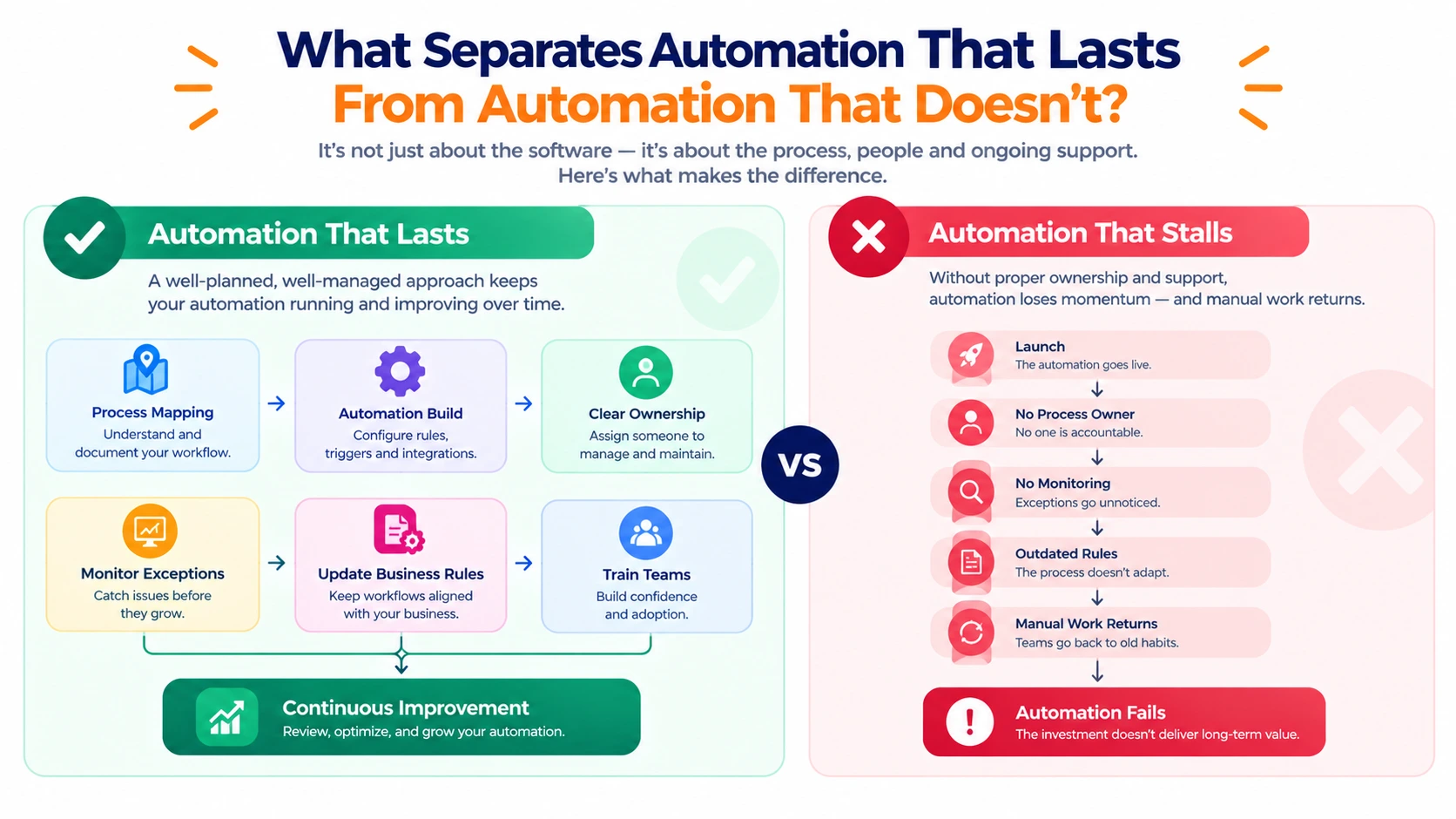
Most failed automation projects don't fail because the software was weak; they fail because nobody owned the process after go-live. A workflow that runs correctly on day one but has no one checking exception cases, updating rules as the business changes, or training new hires on it tends to quietly drift back into manual work within a year. The services that hold up long-term build in a review cadence from the start, treating the first deployment as a baseline to improve rather than a finished project to walk away from.