monday.com Services
Which Workflow Automation Platform Should You Actually Build On?
The billing model matters more than the feature list.
That's the thing most comparisons bury. Every workflow automation platform here connects your apps and moves data between them. What separates them is how they charge, who maintains the infrastructure, and how much code you will write, and those three decide your cost at scale far more than any connector count.
So here's an honest workflow automation platform comparison, including the parts the vendors' own pages leave out.
Zapier vs. Make vs. n8n vs. Power Automate: Which Workflow Automation Tool Is Best?
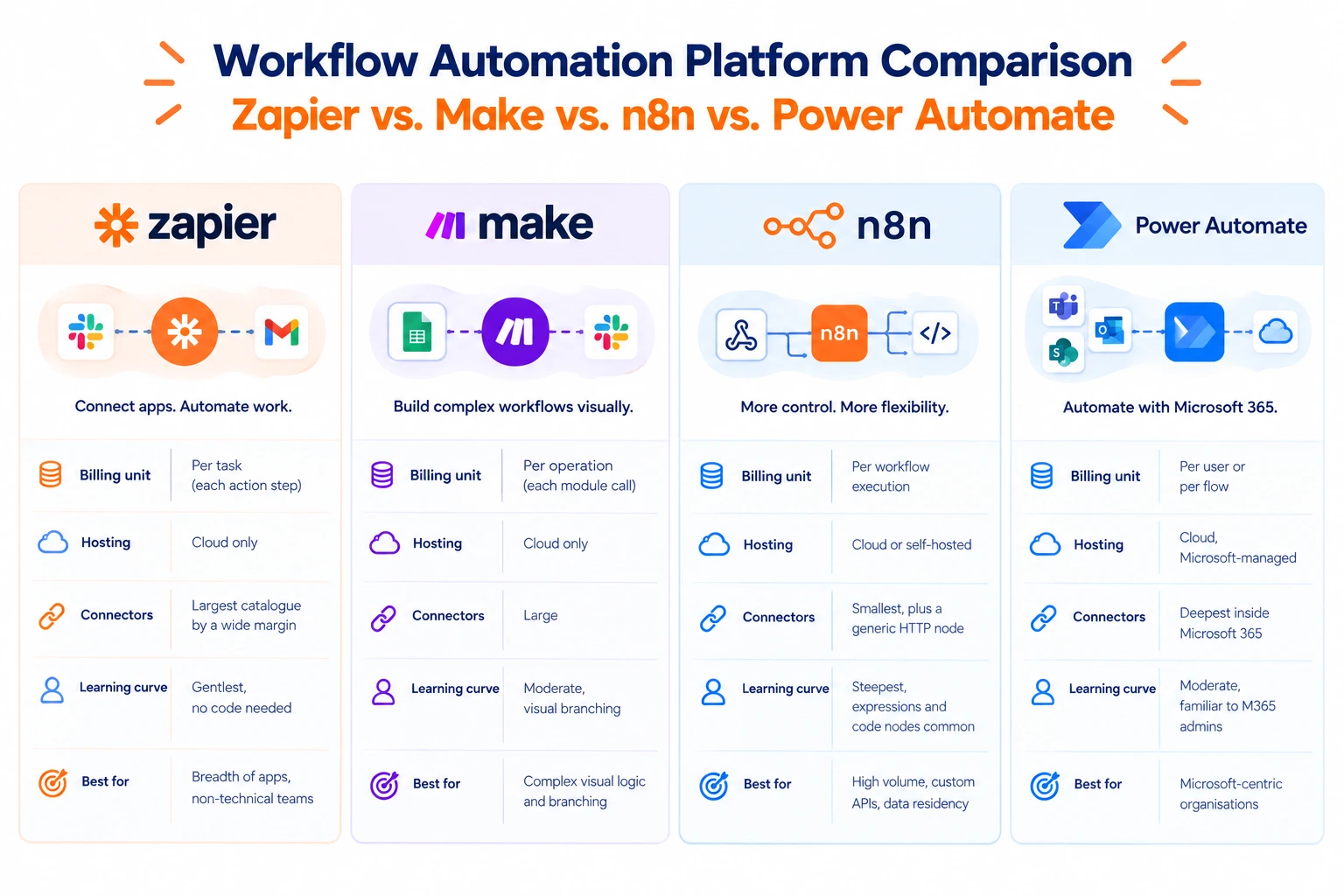
No workflow automation platform wins outright; there's only fit. Here's how the four differ on what actually bites:
| Zapier | Make | n8n | Power Automate | |
| Billing unit | Per task (each action step) | Per operation (each module call) | Per workflow execution | Per user or per flow |
| Hosting | Cloud only | Cloud only | Cloud or self-hosted | Cloud, Microsoft-managed |
| Connectors | Largest catalogue by a wide margin | Large | Smallest, plus a generic HTTP node | Deepest inside Microsoft 365 |
| Learning curve | Gentlest, no code needed | Moderate, visual branching | Steepest, expressions and code nodes common | Moderate, familiar to M365 admins |
| Best for | Breadth of apps, non-technical teams | Complex visual logic and branching | High volume, custom APIs, data residency | Microsoft-centric organisations |
One caveat: published connector counts disagree wildly, and each workflow automation platform's own comparison page favours itself. Treat any figure as directional.
The billing difference is the one to understand before you commit. Per-task and per-operation pricing means a five-step workflow costs five units every time it runs. Per-execution pricing means that same workflow costs one. At low volume, this is invisible. At high volume,e it's the entire budget, which is why the right workflow automation platform for a hundred runs a month is often the wrong one for a hundred thousand.
Is n8n Better Than Make and Zapier?
For some jobs, decisively, and the reasons are specific rather than general.
Volume cost. Per-execution billing plus self-hosting with no licence fee changes the economics of a workflow automation platform completely once run counts grow. One published consultancy estimate puts the savings versus per-task pricing at 80–90%, though that's their own figure and worth modelling against your own volumes rather than accepting.
Custom APIs. A generic HTTP node plus code nodes means any API is reachable, not just those with a pre-built connector; for internal tools, this beats catalogue size.
Data residency. Self-hosting is the only path when data cannot leave your infrastructure. No cloud-only workflow automation platform solves this at any price.
AI agent work. Agent nodes, MCP support, and human-in-the-loop steps, chained in unusually flexible ways.
Community discussion, the n8n forums and the automation subreddits where these tools get argued over daily, broadly backs this up for technical teams. Users who moved across describe it as cheaper, more extensible and more scalable, with a genuinely active community and plenty of learning material.
That's the honest case. It comes with real trade-offs, covered below.
Can Zapier Replace n8n?
For most businesses, yes, and for a surprising number, it should.
Connector breadth. This workflow automation platform has a substantially larger catalogue, officially maintained by the vendor rather than contributed by the community. If you use an obscure SaaS tool, the connector probably exists and probably works.
Zero operational burden. A fully managed workflow automation platform means nobody patches a server, monitors uptime, or gets paged at 2 am because a container died.
Genuine no-code. AI-assisted building from plain-language prompts, guided setup, no expressions to learn. When a non-technical person can maintain a workflow automation platform unaided, the automation survives staff turnover.
AI steps with guardrails. AI and agent steps inside deterministic workflows, with human approval available.
The pattern worth copying: prove the workflow on the easiest workflow automation platform available, where setup takes minutes, and you learn quickly whether it is useful. Then migrate high-volume flows to the cheaper per-execution workflow automation platform once task costs bite. Easy connectors stay for low-volume work; only expensive flows move.
Most teams don't need to choose one workflow automation platform. They need to know which flow belongs where.
What Is the Best AI Workflow Automation?
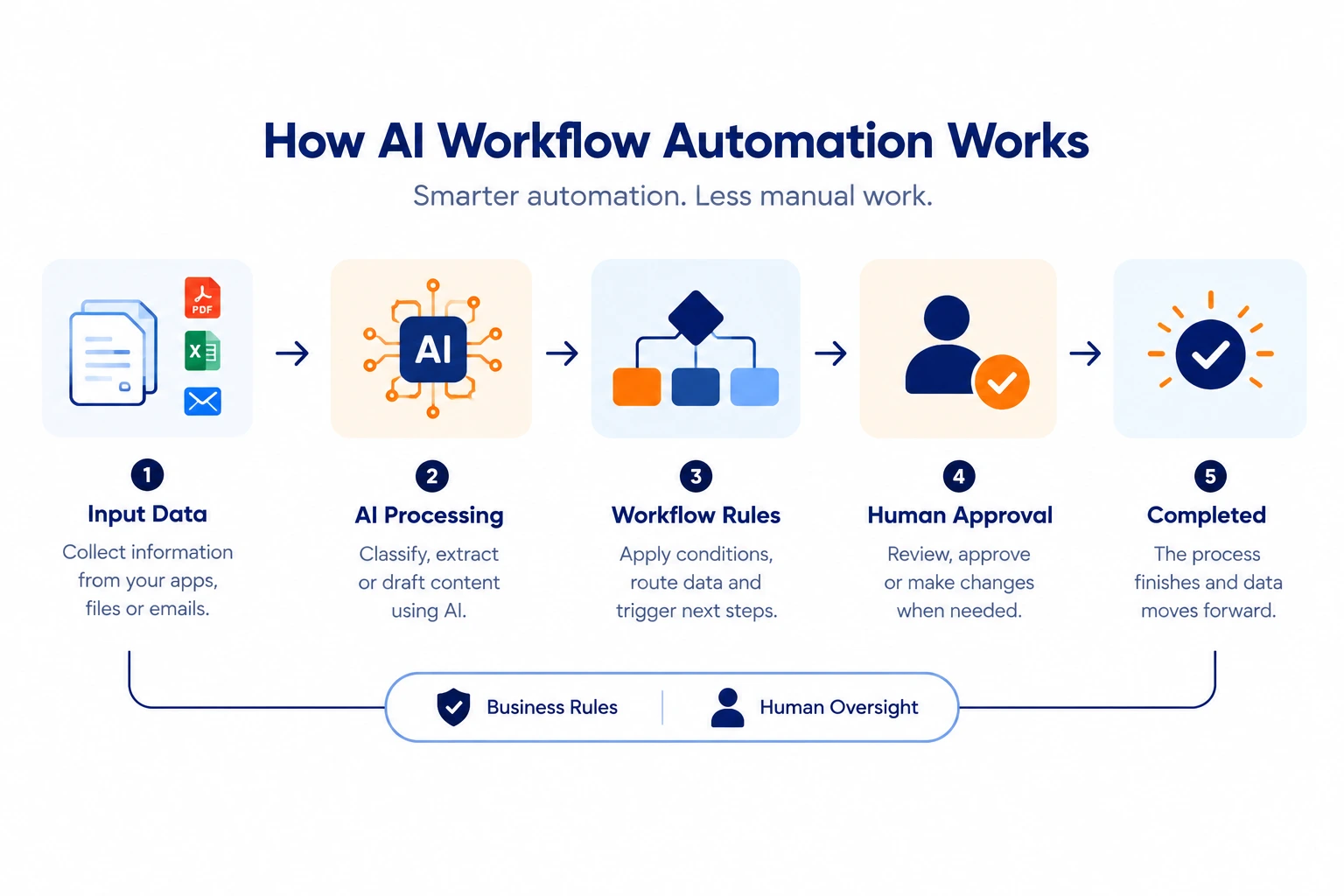
This question collapses three different categories, and separating them saves a lot of wasted effort.
A workflow automation platform with AI steps. All four tools above offer AI nodes: classify this, extract that, draft a reply, inside rule-based workflows. This is where most business AI automation belongs, because the workflow stays predictable and auditable while AI handles only interpretation.
Agent frameworks. Developer libraries for building LLM applications sit in a different category entirely. Comparing n8n vs LangChain is comparing a workflow automation platform with a code framework: one gives you a visual builder and connectors, the other gives you primitives and total control. If your team ships software, the framework may suit. If not, it won't.
Data orchestration. Likewise, n8n vs Airflow isn't a real comparison. Airflow schedules and monitors data pipelines; Python DAGs are built for data engineering. Process automation and pipeline orchestration are different problems with different failure modes.
The practical answer: use a workflow automation platform with AI steps for business processes, keep your core business logic deterministic, and let AI only convert unstructured input into structured data that your rules then act on. Agent frameworks and orchestrators are for teams with engineers to spare.
What Are the Downsides of Using n8n?
Worth being straight about, because the enthusiasm online can obscure them.
The learning curve is real. Many common actions need JavaScript expressions or code nodes, more than any other workflow automation platform here. A non-technical colleague can follow an existing workflow but rarely build a new one unaided.
It needs developer resources. Which means your automation capability depends on someone whose time is expensive and probably committed elsewhere.
Self-hosting is your problem: setup, updates, uptime, backups, scaling. The licence is free; running it yourself isn't, and that cost is routinely left out of comparisons.
Community-maintained connectors. A smaller catalogue, with some integrations contributed rather than vendor-governed on irregular update schedules. Fine until one breaks mid-quarter.
The licence is widely misunderstood. Community discussions regularly correct the assumption that it's open source; the code being visible on a public repository isn't the same as an open-source licence, and the community edition has limitations people discover after committing. Read the terms before you build anything commercially significant on it.
None of this makes it the wrong choice. It makes it a choice with a cost that belongs in the comparison.
Pick the Platform Per Workflow, Not Per Company
Map the process on paper first. Count monthly runs and multiply by the billing unit, honestly. Check whether your data can legally sit in someone else's cloud. Then pick the lightest workflow automation platform clearing those three tests, and expect to use more than one.
Creative Bits builds on Zapier, Make, n8n, and monday.com, which means the recommendation comes from your process rather than from a platform we're committed to. Process mapping first, then the build, then real-world testing, because workflow automation services that start with the tool tend to end with an expensive automation nobody uses.