monday.com Services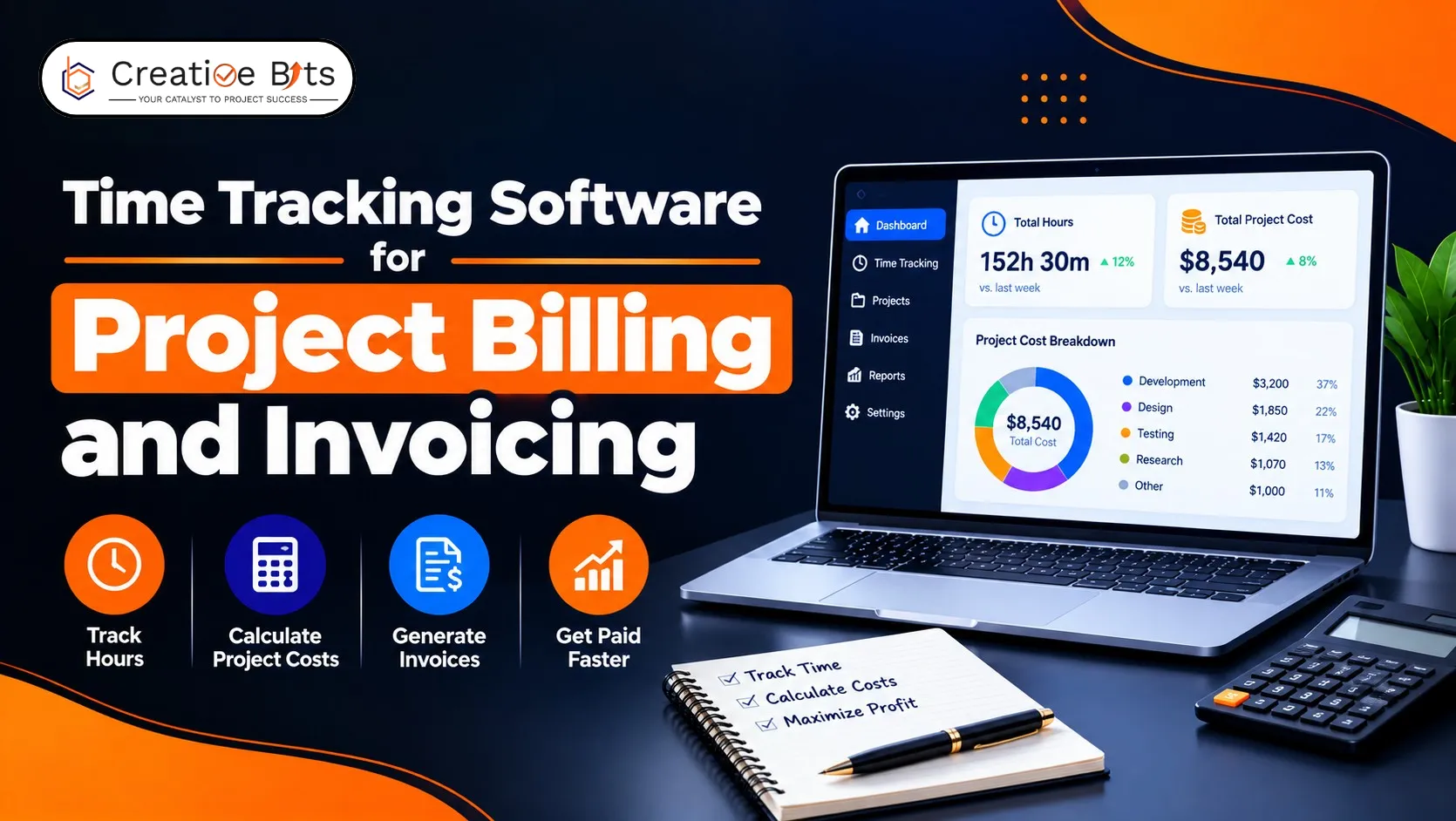
Which Time Tracking and Invoicing Software Actually Gets You Paid Faster?
The hours you forgot to log are the cheapest money you will ever lose.
No negotiation, no discount, just revenue that quietly never reached an invoice. That leak is why time tracking and invoicing software exists as one category rather than two tools, and it’s the right lens for choosing: not which has more features, but which closes the gap between work done and money billed.
Here’s what good time tracking and invoicing software looks like in practice: the workflow, what to expect from free plans, and how to make billing hours a habit people keep.
What Is the Best Time Tracking and Invoicing Software for Freelancers and Project-Based Businesses?
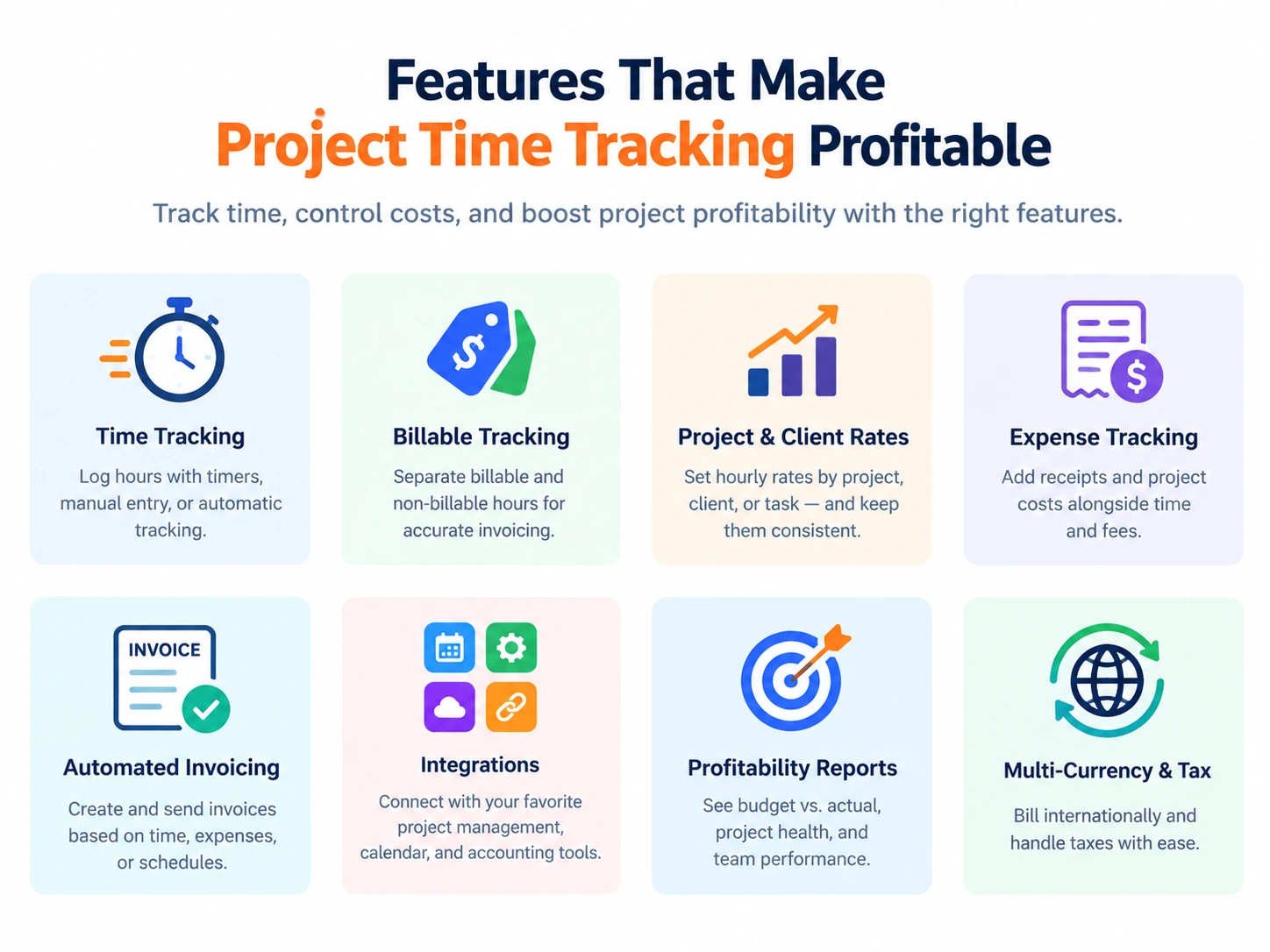
For project-based work, the best time tracking and invoicing software turns hours into invoices without anyone retyping anything. Published comparisons converge on ten capabilities:
Low-effort time capture. Timers in the browser, desktop, and mobile, plus manual entry and automatic activity-based tracking. If logging takes effort, it doesn’t happen.
Billable versus non-billable separation. The foundation of any time tracking and invoicing software. Everything downstream depends on this tag being right.
Hourly rates by project and task. Time tracking and invoicing software should let you assign these once, rather than recalculating each month.
Expense tracking alongside time. Receipt capture on mobile, fixed-fee items, costs that belong on the same invoice.
Automated or triggered invoicing. Draft invoices generated when conditions are met, a budget threshold is reached, or a month is closed.
Multiple billing models: Fixed-fee, time-and-materials, retainers, and recurring budgets. Freelancers and agencies rarely use just one, so time tracking and invoicing software needs all four.
Profitability reporting. Budget versus actual by project, client, and person.
Multi-currency and tax support if you bill internationally.
Accounting and calendar integrations, ideally with an open API.
Uninvoiced-time reporting. The single most valuable report in any time tracking and invoicing software: billable hours logged but never billed.
That last one is worth testing during any trial. If the tool can’t show you uninvoiced billable time in one click, it isn’t finishing the job you bought it for.
What Should the Hours-to-Invoice Workflow Actually Look Like?
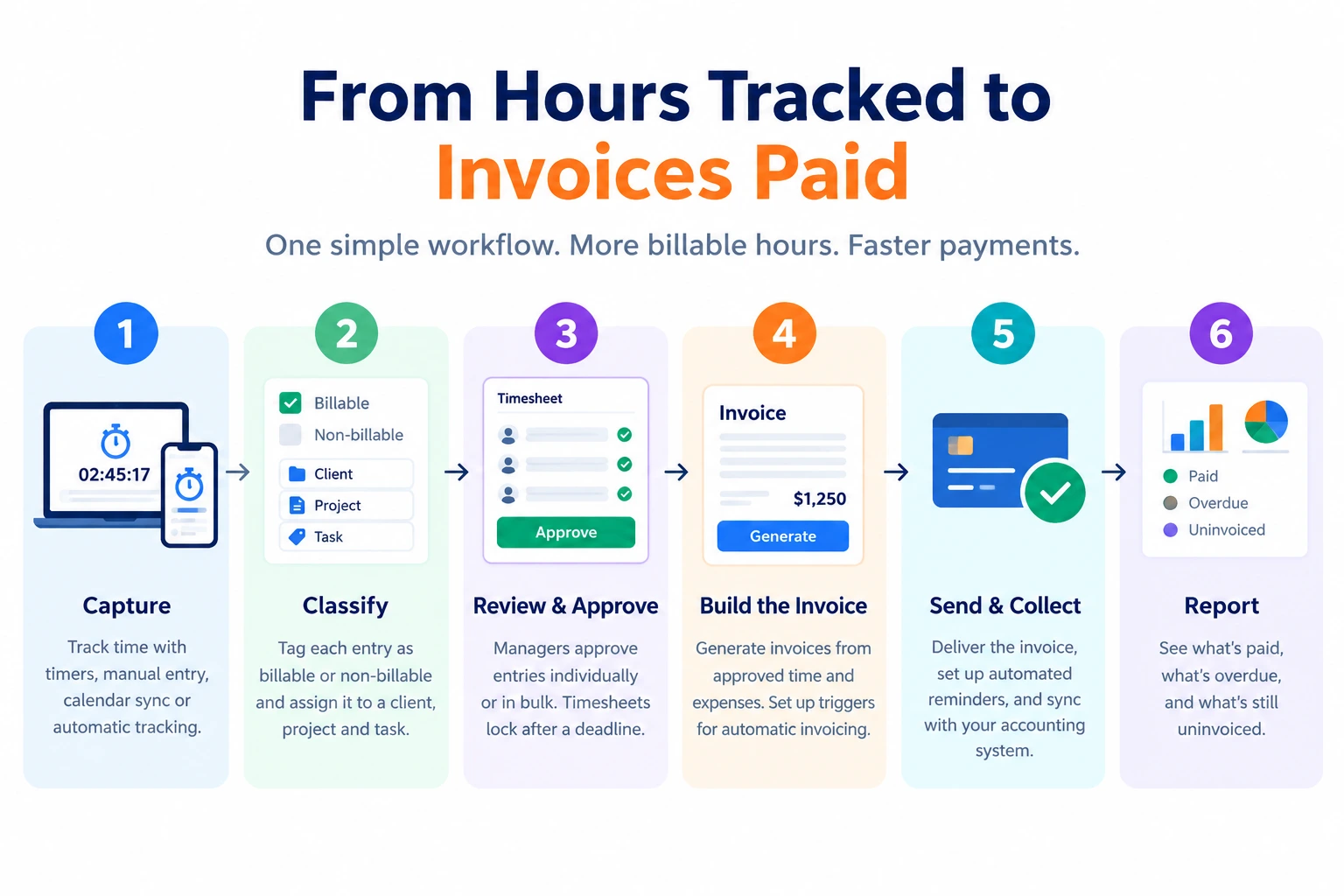
Six steps, and good time tracking and invoicing software handles all of them in one place.
- Capture. Timer, manual entry, calendar sync, or automatic tracking- whichever the person will actually use.
- Classify. Tag each entry as billable or non-billable and assign it to a client, project, and task. Set hourly rates at project or task level so this step needs no arithmetic.
- Review and approve. A manager approves entries individually or in bulk. Timesheets lock after a deadline so late edits don’t reopen closed months.
- Build the invoice. Generate from approved time plus expenses. Better time tracking and invoicing software drafts automatically when a trigger fires.
- Send and collect. Deliver the invoice, run automated payment reminders, sync to accounting.
- Report. What’s paid, what’s overdue, and what’s still uninvoiced.
Setting projects up properly in your time tracking and invoicing software before you start is what makes the rest work: group projects by client, add tasks beneath them, assign rates. Teams that skip this spend every month reconstructing which hours belonged to whom.
Including detailed time records on the invoice itself is worth doing. Transparent billing reduces disputes and builds client trust, and the data is already sitting there.
What Is the Best Software for Project Time Tracking?
Project tracking asks more of time tracking and invoicing software than freelance billing does, because the question changes from “how many hours” to “is this project making money?”
What you need beyond basic logging:
Budgets and estimates versus actuals. Time tracking and invoicing software should let you set an estimate, then watch consumption against it. Alerts before overrun, not after.
Profitability by project, client, and person. Which work earns, which doesn’t, and where capacity is going.
Resource and capacity visibility. Who’s available, who’s overcommitted, who’s on leave.
Historical data for quoting. Past time on comparable jobs is the most reliable quoting input you have. Guessing is how projects lose money before they start.
There’s also a structural choice worth making deliberately. A standalone tracker means a second system people must remember. Tracking built into the platform where projects already live removes that friction entirely; if your team plans and runs work in monday.com project management software, time logged inside those boards gets logged, because nobody has to go anywhere else to do it.
Adoption is the binding constraint on every time tracking and invoicing software rollout, and integration beats features on it every time.
What Do Free Plans Give Freelancers, and Where Do They Stop?
Genuinely useful, up to a clear ceiling.
What free usually covers. In most time tracking and invoicing software: logging across devices, project and task assignment, basic timesheets and reports. For a solo freelancer who wants to record work hours and see where the week went, a free time tracking app is entirely sufficient. Free trials on paid tiers typically run around 14 to 15 days, often with no card required.
Where free stops. Published patterns are consistent: invoicing is frequently restricted to paid plans. So are approvals, advanced and forecasting reports, custom fields, multi-currency, and most integrations. Free tiers also commonly cap users or projects.
Read that again, because it’s the crux: the invoicing half of free time tracking and invoicing software is usually the part that isn’t free. A free plan will record your hours faithfully and then leave you to build the invoice somewhere else, which reintroduces the exact manual step you were trying to remove.
Paid pricing is predictable. Per-user, per-month is the norm, with published premium plans running roughly $3 to $20+ per user monthly. Forecasting and task management are sometimes sold as separate add-ons. Enterprise tiers are usually quote-based.
The sensible path: prove the tracking habit on a free plan, then pay once you need invoicing and approvals. That’s the moment the software starts earning its cost rather than just measuring your time.
How to Keep Track of Billing Hours?
Your time tracking and invoicing software matters less than the habit around it. Five practices make the difference:
Use timers, not memory. Reconstructing a week on Friday loses hours and produces numbers nobody can defend.
Assign every entry as you go. Client, project, task, billable or not. Doing it later is how entries end up uncategorised and unbilled.
Track from mobile. Office, job site, client meeting, train. Time logged where the work happened is time that gets billed.
Tag by task type. Costs nothing now, makes future quoting far more accurate.
Start narrow. Major projects and clients first, then add granularity as the team adapts. Demanding six-level detail on day one guarantees abandonment.
And pick something simple enough that tracking becomes routine, the point most buyers ignore in favour of a longer feature list.
Close the Gap Between Done and Billed
Shortlist time tracking and invoicing software on the loop, not the clock: billable tagging, rates by project, approvals, invoice generation, and a report showing uninvoiced time. Trial for two weeks on real client work, and specifically test the invoicing step; that’s what you’re buying.
If your projects already live in monday.com, TimeBits puts tracking and timesheet approvals inside the boards your team already opens every day, with dashboards on project progress, no second system, and no hours lost to a tool nobody remembers.