monday.com Services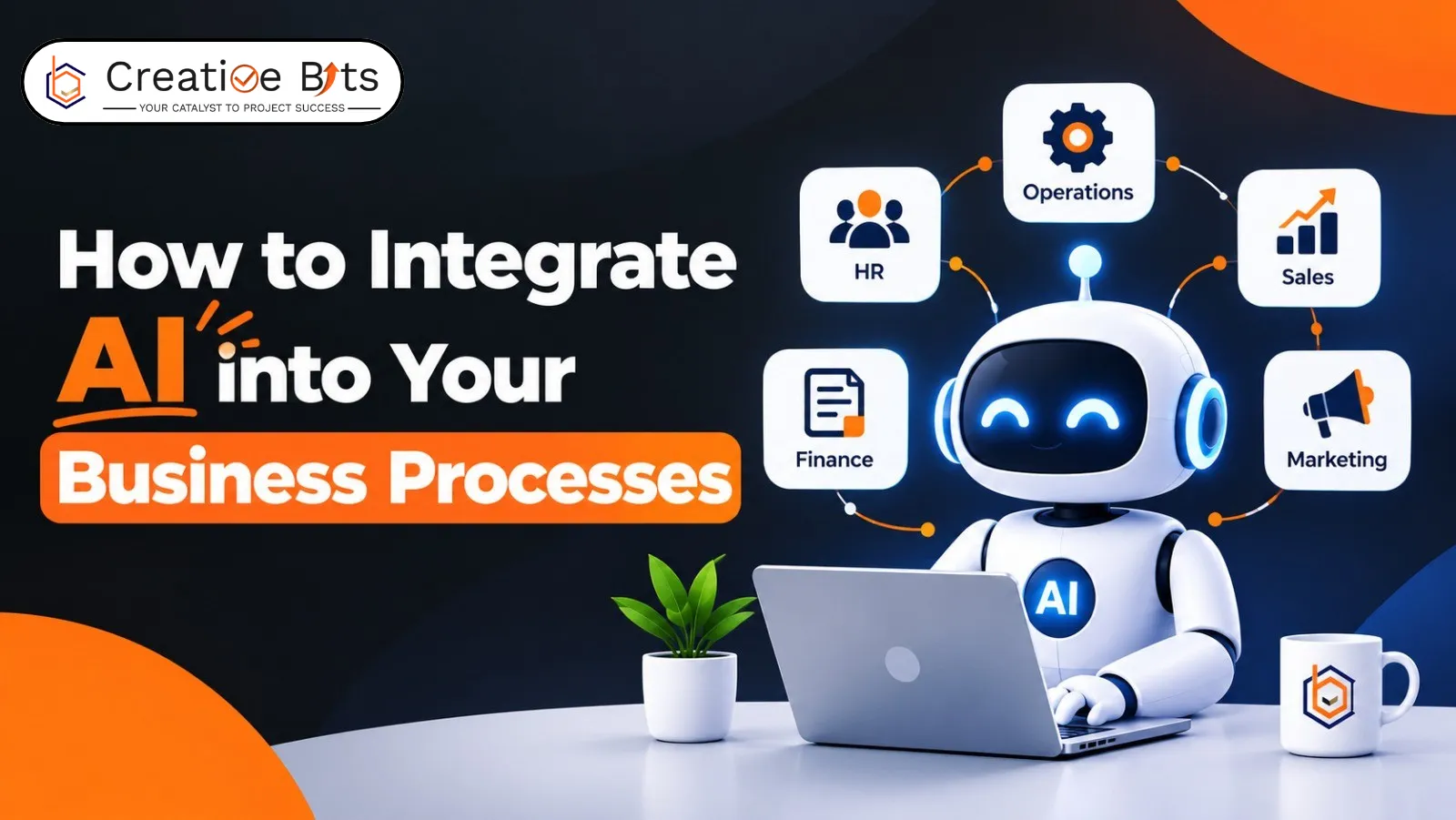
How Do You Get AI Business Integration Right the First Time?
Most teams add AI to a process nobody ever wrote down.
That's the quiet reason so many AI business integration pilots stall. The technology works. The process underneath it was never documented, so nobody can say what "working" looks like, and the project ends with an impressive demo and no change to anyone's week.
AI business integration done properly runs in a specific order: understand the process, structure the data, let AI handle the interpretation, and keep people on the decisions that carry consequences. Here's how that sequence actually works.
How Can AI Be Used to Automate and Improve Business Processes?
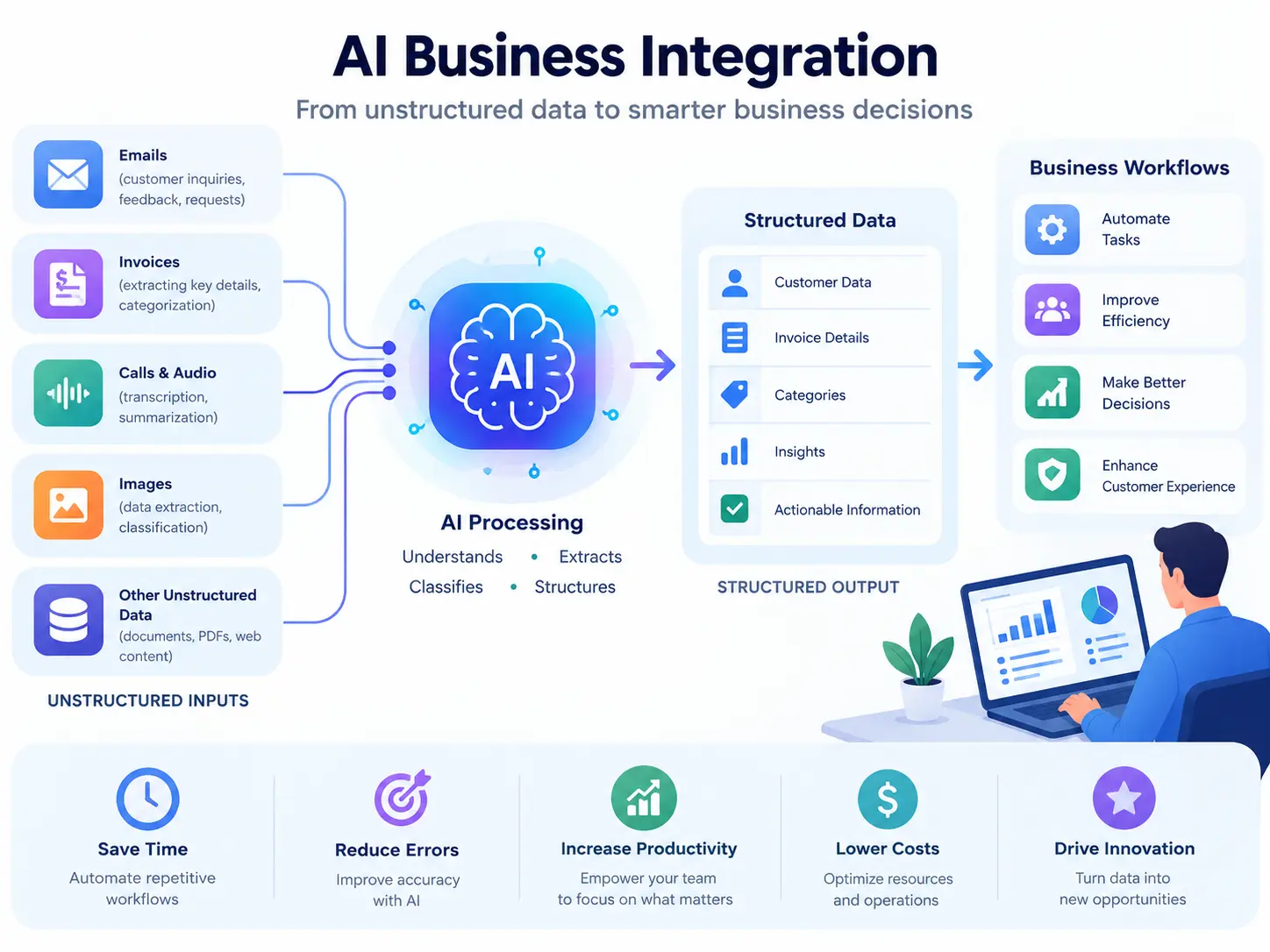
AI business integration takes two distinct forms, and conflating them causes most of the confusion.
AI inside an automation. The workflow is still a workflow — triggers, steps, rules — but AI handles the one step that needs interpretation—classifying an email, extracting fields from an invoice, scoring a lead, and summarising a call.
AI as an assistant. A person asks; the system answers or drafts. Useful, but this form of AI business integration only saves time if someone was going to do that task anyway.
The first mode delivers most of the value in AI business integration, and there's a principle behind why: AI is at its best converting unstructured inputs into structured data. Text, images, and audio go in; labels, numbers, and categories come out. Once the output is structured, ordinary deterministic rules can process it reliably.
In practice, that covers a lot of ground:
- Drafting marketing content, outlines, and images from prompts
- Segmenting customers and predicting campaign performance
- Automating sales data entry and scoring leads by engagement
- Chatbots and self-service knowledge bases for support
- Predicting IT outages before they happen
- Screening candidates and drafting recruitment materials
- Reviewing contracts and drafting standard legal documents
- Automating bookkeeping, categorisation and payroll
- Detecting fraud and forecasting budgets
- Generating code, tests and technical documentation
Those are ten examples of artificial intelligence in business that work at almost any size, and they're the AI in business examples worth copying first. None require a research team.
How to Integrate AI into Business Processes?
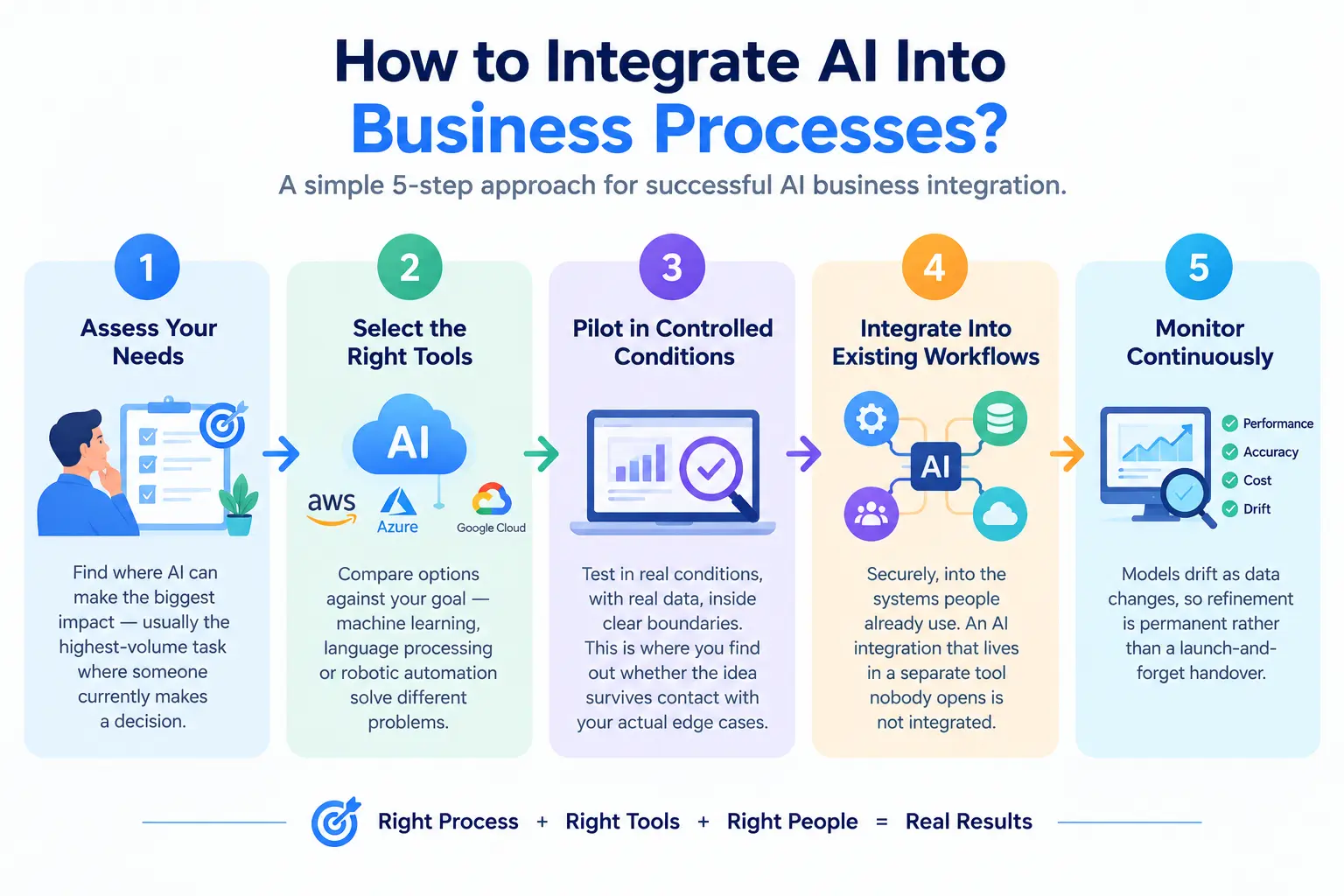
Five steps, in order. Skipping the middle two is the most common failure in any AI business integration.
- Assess your needs. Find where AI business integration would have the biggest effect — usually the highest-volume task where someone currently reads something and decides what happens next.
- Select the right tools. Compare options against your goal rather than against each other. Machine learning, language processing, and robotic automation solve different problems.
- Pilot in controlled conditions. Test in real conditions, with real data, inside clear boundaries. This is where you find out whether the idea survives contact with your actual edge cases.
- Implement into existing workflows. Securely, into the systems people already use. An AI business integration that lives in a separate tool nobody opens is not integrated.
- Monitor continuously. Models drift as data changes, so refinement is permanent rather than a launch-and-forget handover.
Two things separate successful rollouts from stalled ones. Asked how businesses can effectively integrate AI into their workflows, select two answers above all others: start with clearly defined use cases so value is measurable, and pilot before full deployment so risk stays contained.
Add one human factor. Be transparent about how AI is used and train your team to see it as support rather than threat. Staff who think a system is coming for their job will quietly refuse to use it, and no AI business integration survives that.
Should AI Make the Decision, or Just Support It?
This is the boundary question in AI business integration, and getting it wrong is expensive.
Keep your core business logic deterministic. Rules should decide what happens — AI should only process or classify the data that feeds those rules. The moment AI is making the final call on something consequential, you've built a system you can't predict or audit.
Three practical guardrails:
Keep each AI task small and clearly defined. Narrow tasks limit how far an error can compound and make performance easy to monitor.
Give lots of context, ask for a narrow answer. Large descriptive input, small specific output: a single score, a category, a few extracted fields. Open-ended outputs produce variable results.
Route exceptions to people. Final approvals and context-heavy judgments stay human. That's not a limitation of current AI; it's good AI business integration design regardless of the technology.
How to Use AI to Make $10,000 a Month?
Worth answering honestly, because the internet is full of worse answers.
AI doesn't create demand. AI business integration changes your cost base and how fast you can deliver. The realistic routes to that number look like ordinary business maths:
Sell outcomes, deliver them faster—five clients at $2,000 a month, or ten at $1,000. AI lets a small team service that book without proportional headcount — the leverage is in delivery speed, not in the AI itself.
Productise a workflow. If you've built something that solves a specific problem repeatedly, 100 subscriptions at $100 gets you there. Hard, slow, and durable once it works.
Count the savings. An AI business integration that removes twenty hours a month of billable-equivalent work drops straight to margin. Less exciting than new revenue, considerably more reliable.
If you're wondering how to use AI to start a business, that's the honest framing. What doesn't work: generating volume content and hoping for ad revenue; that market is saturated with the same output everyone else's prompts produce. The money in AI for SMB operators is in doing existing work better, not in the AI being the product.
What Happens to Your Team When AI Arrives?
Roles change more than they disappear. The work under real pressure is made entirely of predictable, screen-based tasks, and almost no job is.
What tends to grow: exception handling, quality review, client relationships, and the judgment calls that need someone accountable. What tends to shrink: data entry, first-draft production, and routing work between systems.
The practical implication for AI business integration is that you're redesigning roles, not just installing software. Plan the retraining and say so early, because the benefits of AI in business never arrive if your team quietly works around the system.
Starting Without a Budget
You can test most of this for nothing. Free AI tools for small business cover transcription, meeting summaries, email drafting, document search, and basic workflow automation, and the major assistants all have usable free tiers.
Pick one process. Map it on paper. Automate exactly that, measure it against how long it took before, and only then move to the next one. That's the whole AI business integration method, and it works at any budget.