monday.com Services
Which Time Tracking Software Actually Fits How Your Team Works?
The tool people forget to start is worthless, however good its reports are.
That's the honest filter for any time tracking software, and it explains why the "best" tool is rarely the one with the longest feature list. Adoption beats capability. A simple tracker your team actually uses produces better data than a sophisticated one they abandon in week three.
So here's a practical guide to choosing time tracking software: which features matter, what free tiers really include, how to pick by situation rather than ranking, and what to do if your current tool isn't working.
Best Time Tracking Software for Employees and Small Businesses in 2026: Free Tools and Top Features
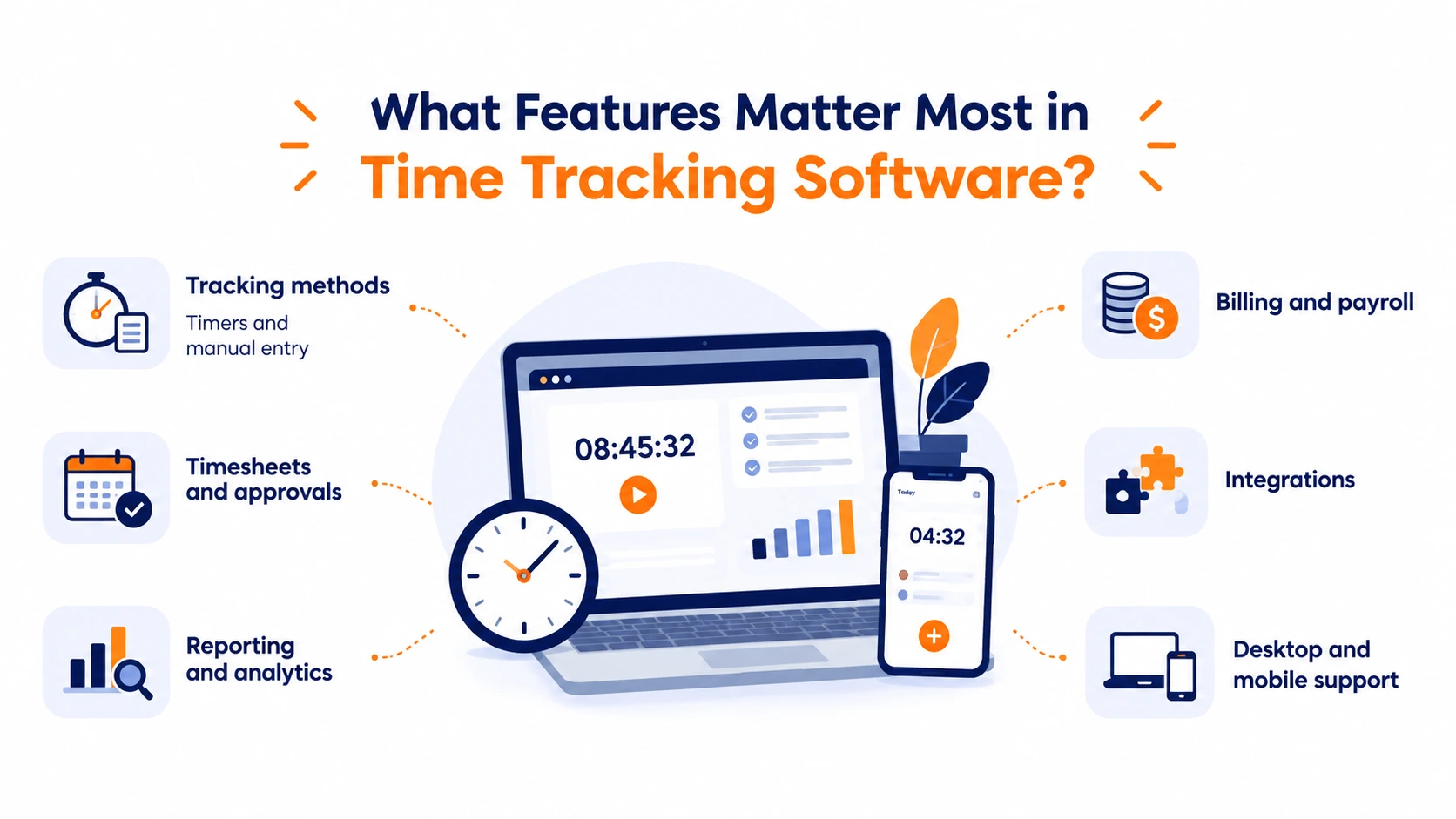
Across published evaluations of time tracking software, the features that consistently matter divide into six groups.
Tracking methods. Start/stop timers, manual entry after the fact, and automatic background tracking. The manual-entry option is non-negotiable; people forget to start timers, and time tracking software without retroactive editing produces data nobody trusts.
Timesheets and approvals. Daily and weekly views, manager approval workflows, automated reminders. Standard in employee time tracking software, often missing from personal tools.
Reporting. Breakdowns by day, week, project, person, and client. Depth varies enormously between tools, and shallow reporting is the most common disappointment.
Billing and payroll. Billable rates, time rounding, invoice generation, and export that flows into payroll without manual reconciliation.
Integrations. Connections to the project management, calendar, and accounting tools you already run.
Platform coverage. Browser, desktop, and mobile. Worth verifying both iOS and Android are supported, since not every tool covers both.
On free plans: genuine free tiers are common, but published reviews are consistent about what gets withheld. Expect caps on users, restricted report history or export formats, billable rates and invoicing behind a paywall, gated integrations, reduced mobile or offline function, and compliance features reserved for paid plans. Free trials typically run ten to fourteen days.
For small teams, free time tracking software is usually enough to prove the habit. Paid tiers earn their cost once you need billing, approvals, or more than a handful of seats.
What Is the Best Software for Time Tracking?
There's no single answer, and any list claiming otherwise is ranking by review volume rather than by fit. Use criteria instead.
Ease of entry. Clock-ins that take one click, timers embedded in the task, full mobile access. This single factor predicts adoption better than everything else combined.
Reporting without custom builds. Billable hours, budgets, overtime, and workload visible out of the box.
Payroll and billing flow. Time data reaching payroll and invoices with minimal reconciliation—the strongest argument for paid time tracking software over spreadsheets.
Integration depth. Does the time tracking software connect to where work already lives, or create a second system to maintain?
Setup and onboarding speed. Quick enough that people don't quietly opt out.
Scalability. Hourly, salaried, contractor, and remote staff in one system rather than three.
Privacy posture. Monitoring ranges from simple manual tracking to screenshots, app and URL logging, and activity analytics. Weigh that honestly against your team's trust; aggressive monitoring reliably damages morale, and time tracking software people resent gets gamed.
Pricing patterns are predictable: most charge per user per month, with entry rates in the single-digit to low-double-digit range, some with a flat fee or seat minimum. Advanced features like geofencing and detailed reporting usually sit in higher tiers.
What's Missing From the Time Tracker You're Using Now?
If you're searching for replacement time tracking software, the reason usually falls into one of five categories. Naming it makes the next choice much easier.
Nobody's using it. The entry friction is too high. Look for automatic tracking or timers that live inside the task itself.
The reports don't answer your question. Daily totals aren't project profitability. You need breakdowns by project, client, and person without building custom reports.
It doesn't connect to where work happens. If your team plans in one system and tracks in another, the second one loses. Time tracking software embedded in your project management tool solves this structurally.
Billing is still manual. Hours you track that don't convert into invoices leave most of the value on the table.
Mobile doesn't work properly. Reduced feature parity, sync delays, no offline mode. Serious problems for field teams, and worth testing before any rollout.
That third category is the one most teams under-diagnose. If your work already lives in a project platform, a tracker built into it beats a standalone app on usage alone, and usage is the whole game.
Which Time Tracker Is Best?
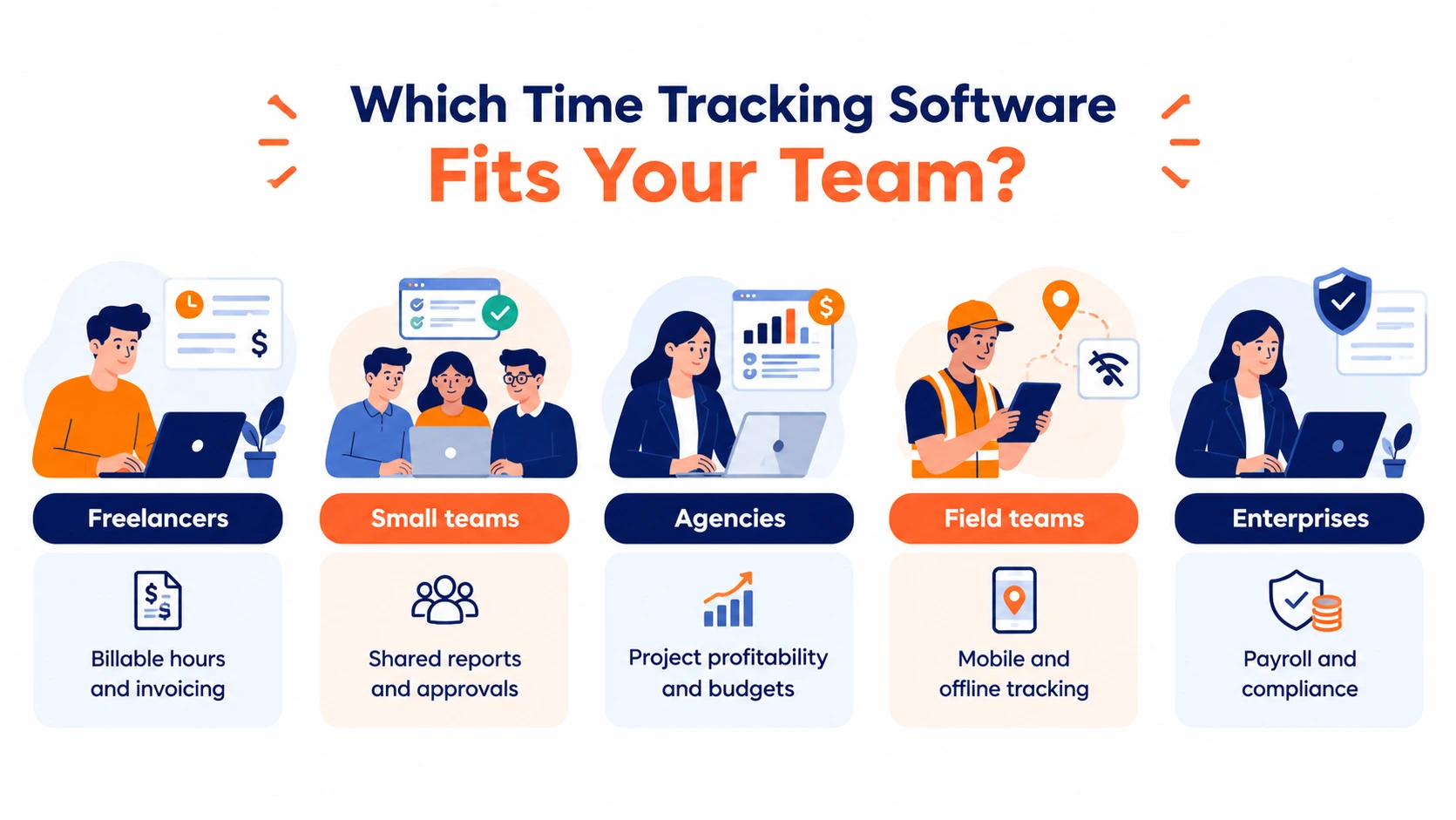
Match the tool to the situation rather than the leaderboard.
Freelancers need billable-hour accuracy from their time tracking software, invoicing, and enough history to price future work properly. Free time tracking software usually covers this entirely.
Small teams need shared reporting and a straight answer to who worked on what. Approvals matter more than monitoring.
Agencies and project businesses need project-level profitability, budget alerts before overruns, and time tied to specific clients and tasks.
Field and distributed teams need genuine mobile apps, offline logging that syncs later, and sometimes GPS or geofencing, with the caveat that published user reports note GPS lag in remote areas and geofencing that can be worked around.
Enterprises need payroll integration, compliance support for labour and overtime rules, and one system covering every worker type.
Identify your row first. Most of the apparent choice between time tracking software options disappears once you do.
What Is the Best App to Track How I Spend My Time?
Personal tracking is different from employee time-tracking software, and the tools that suit it are, too.
For a time-tracking app for personal use, you want automatic background tracking rather than manual timers; the point is to discover where your hours actually went, not to bill them. Look for app and website categorization, weekly trend views, and ideally Pomodoro intervals or time blocking if focus is the goal.
Free tiers handle this well. A time-tracking app free on both iPhone and Android will show you your patterns within a fortnight, which is usually all the insight you need to make a change.
One honest note: personal tracking tends to be self-correcting. Most people discover the problem within two weeks, adjust, and no longer need the tool. That's a success, not a failure of the software.
Pick the One People Will Actually Open
Shortlist time tracking software based on your situation, not on rankings. Test with real work for two weeks before rolling anything out. Check mobile properly. And weigh monitoring features against trust, because resentful tracking produces unreliable data.
If your team already plans and runs projects in monday.com, tracking inside that platform removes the adoption problem entirely, which is exactly what TimeBits was built for: time logged where the work already lives, timesheet approvals in a few clicks, and dashboards on project progress without a second system to maintain.