monday.com Services
Which Timesheet Software for Small Business Actually Gets Used?
A free plan that caps you at three users isn't free. It's a trial with no end date.
That distinction matters more than any feature comparison when you're choosing timesheet software for small business use, because the thing that breaks a rollout is almost never a missing feature. It's hitting a seat limit mid-month, or discovering that approvals, the entire reason you wanted timesheets, sits two tiers up.
So here's the honest version of choosing timesheet software for small business teams: what the best systems do, what free really means, what you should pay, and when switching is worth the disruption.
What Is the Best Timesheet System for Small Businesses?
For a small business, the useful question isn't which tool tracks time. They all do. It's which one closes the loop from hours to money with the least admin.
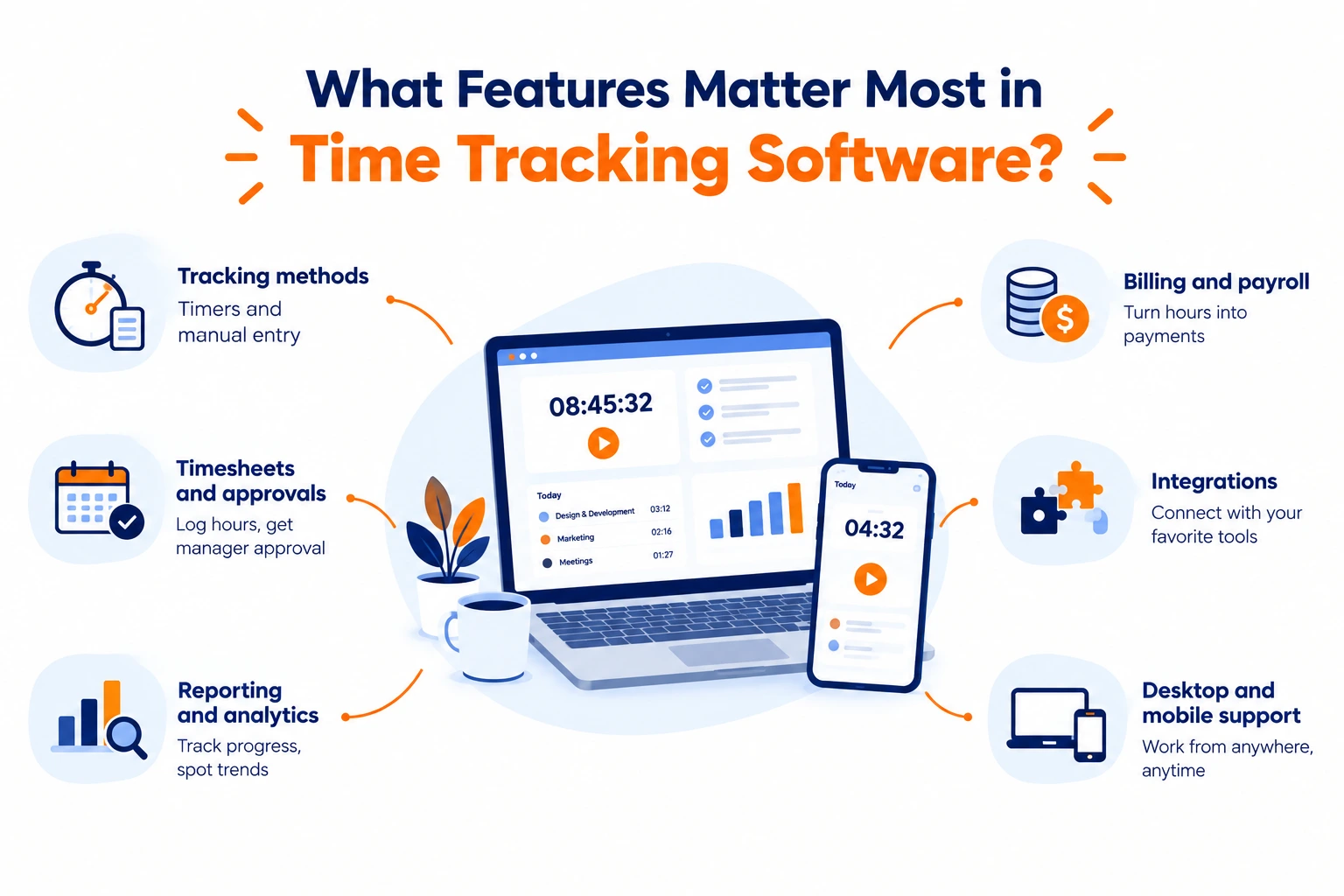
Six capabilities in timesheet software matter, roughly in this order:
Timesheet submission and approval. Team members log their own hours; a manager reviews and approves when ready. This is the core of any timesheet software for small business operations, and it's the feature most often missing from free tiers.
Payroll flow. Approved hours reach payroll without manual re-entry. Published small-business platforms integrate with their own payroll products and several third-party ones, sometimes at an additional cost, which is worth checking before you commit.
Billable time to invoices. Adding tracked billable hours directly onto a client invoice. For any service business, this is where timesheet software pays for itself.
Reporting that answers real questions—hours by client and date, budgeted versus actual on a project, overtime exposure. Published tools commonly gate estimates-versus-actuals reporting to higher tiers, so verify it's in the plan you're buying.
Mobile and on-site entry. Timesheet software needs a proper phone app, plus a shared tablet kiosk if people clock in at one location. Offline logging if anyone works where signal doesn't reach.
Compliance support. Overtime alerts based on current rules, PTO tracking, and an audit trail. Small teams underestimate this until the first payroll dispute.
Independent evaluations weight the same things heavily: remote clock-in, offline mode, price and reporting carry the most scoring weight in one published 34-metric rubric covering 16 vendors. Ease of use, support quality and access controls follow.
The practical filter: whichever timesheet software you shortlist, check that approvals, payroll export and invoicing are all in your actual tier. Those three together are the whole business case.
Is Free Timesheet Software Really Free?
Sometimes genuinely, often not, and with timesheet software the difference is specific.
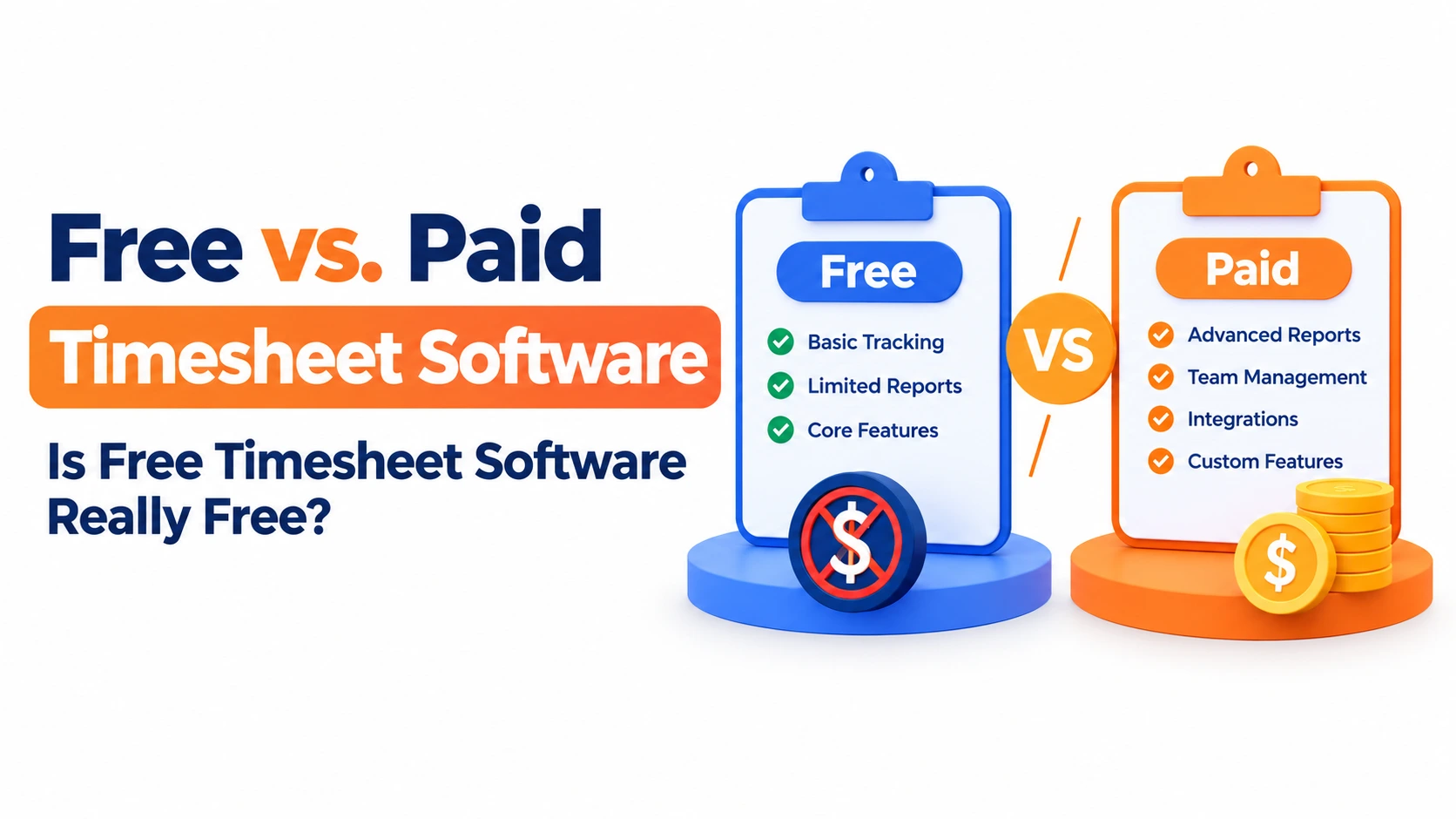
What "free" usually means. Published patterns are consistent: free plans cap user count, with limits ranging from a handful of seats to around twenty. Some are genuinely unlimited on seats with no credit card and no expiry. Free trials, as distinct from free plans, typically run seven to thirty days, with fourteen being most common. One major small-business platform requires a card at the thirty-day mark.
What usually sits behind the paywall. This is where free timesheet software for small businesses stops being enough. Commonly gated: timesheet approvals, GPS and geofencing, scheduling, audit logs, billable rates, invoicing, screenshots and activity tracking, deeper report history and export formats, and most integrations.
Read that list again and note that approvals and invoicing are on it. For a solo operator or a two-person team tracking hours for your own information, a time tracking app free of charge is completely sufficient. For a small business that needs a manager to sign off hours and those hours to become an invoice, free timesheet software usually isn't the answer; it's the way you confirm the habit sticks before paying.
That's not a criticism of freemium pricing. It's how to use it properly: prove adoption on the free tier, then upgrade for the workflow.
What Should a Small Business Expect to Pay?
Published pricing patterns for timesheet software cluster tightly.
Most timesheet software charges per user per month. Mid-range plans sit roughly between $4 and $11 per user monthly. Dedicated small-business platforms commonly land around $8 to $10 per worker depending on tier. Some vendors use a base fee plus per-seat pricing, roughly $19 to $40 base plus $5 to $9 per user. Enterprise workforce and payroll suites are usually quote-based.
Three things inflate the real number:
Tier jumps for one feature. Geofencing or estimates-versus-actuals reporting often requires the top plan, which can double your per-seat cost for a single capability.
Payroll integration fees. Third-party payroll connections may carry additional charges.
Seat creep. Per-user pricing scales with headcount and with contractors you forgot to count.
Budget the annual figure at your expected headcount in twelve months, not today's. Timesheet software for small business budgets is cheap at five seats and noticeable at twenty-five.
When Is It Time to Switch Timesheet Software?
Changing timesheet software costs real disruption, so it's worth having clear triggers rather than vague dissatisfaction. Five justify the move:
People have stopped logging time. Entry friction is too high, or the tool lives outside where work happens. No reporting improvement fixes a compliance problem.
You've hit a free-tier ceiling. Seat cap reached, or the feature you actually need is three tiers up, and the maths no longer works.
Hours still become invoices by hand. If someone is retyping timesheet data into billing, your timesheet software isn't finishing the job.
Reports don't show project profitability. Daily totals aren't margin. You need budgeted versus actual by project and client.
Mobile is unreliable. Sync delays, reduced feature parity, no offline mode, genuine blockers for field teams.
The one most teams misdiagnose is the first. If your work already lives in a project platform, a tracker built into it removes the friction structurally; nobody has to remember a second tool exists. That's usually a bigger win than any feature upgrade.
What About Tracking Your Own Time?
Different problem, different tool, personal tracking needs none of the approval machinery. For a time tracking app for personal use, you want automatic background tracking rather than manual timers, app and website categorisation, and weekly trend views. You're diagnosing where hours went, not billing them, so approvals, payroll and invoicing are all irrelevant.
Free tiers cover this entirely, on both iPhone and Android. And personal tracking tends to be self-limiting: most people find the problem inside two weeks, change something, and stop needing the tool.
Close the Loop, Not Just the Clock
Shortlist the three things that turn hours into money: approvals, payroll export, and invoicing, and confirm all three are in the tier you're actually buying. Trial with real work for two weeks across every device your team uses. Budget at next year's headcount.
And if your team already plans and runs projects in monday.com, the adoption problem solves itself: TimeBits puts time logging where the work already lives, with timesheet approvals in a few clicks and dashboards on project progress- no second system for anyone to remember.